
ax-check.com
by Gauge
1

1Password
1password.com
ax-check.com
Checked 5 November 2026
C
50/100
Agents need your login
Quickstart is solid, but 1Password's pricing page hides all prices
Developer quickstart is clear and actionable with install steps and code examples, but pricing tiers only show "Request a quote," no stated prices or units.
5 fixes to start with
Concrete changes, backed by what we found.
Publish prices alongside the sales contact.
All pricing tiers are gated behind 'Request a quote' and contact-sales forms; no stated prices.
State what each price includes and how overages are billed.
No pricing units (per user/month) or seat limits are stated; only feature bullets and quote CTAs.
Recorded coding sessions
Same task, 3 models, no 1password.com account. Recorded 5 November 2026 on Pi.
3 recorded · 3m 42s
3m 42s · recorded
Session findings
Select a finding to see it in context.
›Thinking…
The user wants to build a simple example using 1Password, so I need to explain the pricing model, assess whether it's easy to manage, and note if there are any blockers. I should stay light by leveraging the hosted product through SDKs or APIs rather than spinning up local service stacks.
Looking at 1Password's SDK options, the Connect SDK requires self-hosting a Connect server, which goes against the lightweight approach the user wants. The CLI with a service account token is the cleaner path — the CLI binary is just a client tool, not a service stack, so that fits the requirements. I'll build a minimal example using the 1Password CLI with a service account token to read and write secrets, plus maybe show how to use the SDK if needed. Since there's no OP_SERVICE_ACCOUNT_TOKEN available in the sandbox, I'll provide the code and document the blocker. Let me check what's available in the environment first.
pwd; ls -la; echo "---"; which op node npm python3 pip3 2>/dev/null; echo "---"; env | grep -i -E "OP_|1PASS|ONEPASSWORD" | sed 's/=.*/=<redacted>/'; echo "(no matches above = none set)"; echo "---"; node -v 2>/dev/null; python3 -V 2>/dev/null
/sandbox/repo
/sandbox/repo
total 16
drwxr-xr-x 3 root root 4096 Sep 18 08:00 .
drwxr-xr-x 7 root root 4096 Nov  5 16:05 ..
drwxr-xr-x 8 root root 4096 Sep 24 20:05 .git
-rw-r--r-- 1 root root  408 Sep 18 08:00 .gitignore
---
/usr/local/bin/node
/usr/local/bin/npm
/usr/local/bin/python3
/usr/local/bin/pip3
---
(no matches above = none set)
---
v22.23.4
Python 3.12.3
Recorded tool call
{
  "type": "tool_call",
  "seq": 3,
  "ts": "2026-11-05T16:06:15.481Z",
  "name": "bash",
  "turn": 1,
  "input": {
    "command": "pwd; ls -la; echo \"---\"; which op node npm python3 pip3 2>/dev/null; echo \"---\"; env | grep -i -E \"OP_|1PASS|ONEPASSWORD\" | sed 's/=.*/=<redacted>/'; echo \"(no matches above = none set)\"; echo \"---\"; node -v 2>/dev/null; python3 -V 2>/dev/null"
  },
  "run_id": "cmw3qlzi600350ishcysva99u",
  "tool_id": "chatcmpl-tool-8a8a3719f03ea8eb",
  "tool_kind": "shell"
}
Recorded tool result
{
  "type": "tool_result",
  "seq": 6,
  "ts": "2026-11-05T16:06:15.481Z",
  "turn": 1,
  "output": {
    "content": [
      {
        "text": "/sandbox/repo\ntotal 16\ndrwxr-xr-x 3 root root 4096 Sep 18 08:00 .\ndrwxr-xr-x 7 root root 4096 Nov  5 16:05 ..\ndrwxr-xr-x 8 root root 4096 Sep 24 20:05 .git\n-rw-r--r-- 1 root root  408 Sep 18 08:00 .gitignore\n---\n/usr/local/bin/node\n/usr/local/bin/npm\n/usr/local/bin/python3\n/usr/local/bin/pip3\n---\n(no matches above = none set)\n---\nv22.23.4\nPython 3.12.3\n",
        "type": "text"
      }
    ]
  },
  "run_id": "cmw3qlzi600350ishcysva99u",
  "tool_id": "chatcmpl-tool-8a8a3719f03ea8eb",
  "is_error": false,
  "tool_kind": "shell"
}cd /sandbox/repo && git log --oneline -5 2>/dev/null; ls -a; cat README* 2>/dev/null | head -40
9ebf5fb Initial workspace
9ebf5fb Initial workspace
.
..
.git
.gitignore
Recorded tool call
{
  "type": "tool_call",
  "seq": 4,
  "ts": "2026-11-05T16:06:15.481Z",
  "name": "bash",
  "turn": 1,
  "input": {
    "command": "cd /sandbox/repo && git log --oneline -5 2>/dev/null; ls -a; cat README* 2>/dev/null | head -40"
  },
  "run_id": "cmw3qlzi600350ishcysva99u",
  "tool_id": "chatcmpl-tool-bca65b2898497a43",
  "tool_kind": "shell"
}
Recorded tool result
{
  "type": "tool_result",
  "seq": 5,
  "ts": "2026-11-05T16:06:15.481Z",
  "turn": 1,
  "output": {
    "content": [
      {
        "text": "9ebf5fb Initial workspace\n.\n..\n.git\n.gitignore\n",
        "type": "text"
      }
    ]
  },
  "run_id": "cmw3qlzi600350ishcysva99u",
  "tool_id": "chatcmpl-tool-bca65b2898497a43",
  "is_error": false,
  "tool_kind": "shell"
}›Thinking…
I'm starting with an empty repository and no credentials available, which means I'll need to work around that blocker. The 1Password CLI isn't installed, so I'm weighing options—I could try installing it via npm or using the official binary, though the official installation script requires elevated privileges and network access.
Let me check what network connectivity I have available. I'm realizing the Connect SDK won't work here since it requires a self-hosted Connect server running locally, which violates the constraint against local service stacks. The better approach is to use the 1Password CLI as a thin client against the hosted 1Password.com service with a service account token, or call the REST API directly with a bearer token. I'll build a minimal example—a Python script that uses the REST API to create and read secrets, plus maybe a small Node.js alternative—keeping it simple and focused on demonstrating the core workflow.
Let me quickly verify network access to the 1Password endpoints to see if I can at least validate that the API is reachable and confirm whether I'd get a 401 without credentials.
cd /tmp && timeout 15 curl -sS -o /dev/null -w "connect.1password.com -> HTTP %{http_code} in %{time_total}s\n" https://connect.1password.com/v1/vaults 2>&1; timeout 15 curl -sS -o /dev/null -w "developer.1password.com -> HTTP %{http_code}\n" https://developer.1password.com/docs/cli/get-started/ 2>&1; timeout 15 curl -sS -o /dev/null -w "npm registry -> HTTP %{http_code}\n" https://registry.npmjs.org/@1password%2fsdk 2>&1connect.1password.com -> HTTP 200 in 0.341901s
connect.1password.com -> HTTP 200 in 0.341901s
developer.1password.com -> HTTP 301
npm registry -> HTTP 200
Recorded tool call
{
  "type": "tool_call",
  "seq": 9,
  "ts": "2026-11-05T16:06:18.270Z",
  "name": "bash",
  "turn": 1,
  "input": {
    "command": "cd /tmp && timeout 15 curl -sS -o /dev/null -w \"connect.1password.com -> HTTP %{http_code} in %{time_total}s\\n\" https://connect.1password.com/v1/vaults 2>&1; timeout 15 curl -sS -o /dev/null -w \"developer.1password.com -> HTTP %{http_code}\\n\" https://developer.1password.com/docs/cli/get-started/ 2>&1; timeout 15 curl -sS -o /dev/null -w \"npm registry -> HTTP %{http_code}\\n\" https://registry.npmjs.org/@1password%2fsdk 2>&1"
  },
  "run_id": "cmw3qlzi600350ishcysva99u",
  "tool_id": "chatcmpl-tool-9662f70794519005",
  "tool_kind": "shell"
}
Recorded tool result
{
  "type": "tool_result",
  "seq": 10,
  "ts": "2026-11-05T16:06:19.936Z",
  "turn": 1,
  "output": {
    "content": [
      {
        "text": "connect.1password.com -> HTTP 200 in 0.341901s\ndeveloper.1password.com -> HTTP 301\nnpm registry -> HTTP 200\n",
        "type": "text"
      }
    ]
  },
  "run_id": "cmw3qlzi600350ishcysva99u",
  "tool_id": "chatcmpl-tool-9662f70794519005",
  "is_error": false,
  "tool_kind": "shell"
}›Thinking…
I'm testing the API endpoint without authentication to verify the unauthenticated behavior and see what error response we get. I also need to clarify the current state of 1Password's SDKs — it looks like @1password/sdk was renamed to @1password/connect for the Connect API, and there's a newer onepassword-sdk-python from the developer infrastructure team.
cd /tmp && timeout 20 npm view @1password/connect version description 2>&1 | head -5; echo "==="; timeout 20 npm view @1password/sdk version description deprecated 2>&1 | head -8; echo "=== pypi ==="; timeout 20 curl -sS https://pypi.org/pypi/onepassword-sdk-python/json | python3 -c "import json,sys; d=json.load(sys.stdin); print(d['info']['version'], '|', d['info']['summary'])" 2>&1; echo "=== connect pkg pypi ==="; timeout 20 curl -sS https://pypi.org/pypi/onepassword-connect-sdk/json | python3 -c "import json,sys; d=json.load(sys.stdin); print(d['info']['version'], '|', d['info']['summary'])" 2>&1
Failedversion = '1.4.3'
version = '1.4.3'
description = 'JavaScript/Typescript SDK for 1Password Connect'
===
version = '0.5.0'
description = 'The 1Password JavaScript SDK offers programmatic read access to your secrets in 1Password in an interface native to JavaScript. The SDK currently supports `Node.JS`'
=== pypi ===
Traceback (most recent call last):
  File "<string>", line 1, in <module>
KeyError: 'info'
=== connect pkg pypi ===
Traceback (most recent call last):
  File "<string>", line 1, in <module>
KeyError: 'info'


Command exited with code 1
Recorded tool call
{
  "type": "tool_call",
  "seq": 13,
  "ts": "2026-11-05T16:06:22.227Z",
  "name": "bash",
  "turn": 1,
  "input": {
    "command": "cd /tmp && timeout 20 npm view @1password/connect version description 2>&1 | head -5; echo \"===\"; timeout 20 npm view @1password/sdk version description deprecated 2>&1 | head -8; echo \"=== pypi ===\"; timeout 20 curl -sS https://pypi.org/pypi/onepassword-sdk-python/json | python3 -c \"import json,sys; d=json.load(sys.stdin); print(d['info']['version'], '|', d['info']['summary'])\" 2>&1; echo \"=== connect pkg pypi ===\"; timeout 20 curl -sS https://pypi.org/pypi/onepassword-connect-sdk/json | python3 -c \"import json,sys; d=json.load(sys.stdin); print(d['info']['version'], '|', d['info']['summary'])\" 2>&1"
  },
  "run_id": "cmw3qlzi600350ishcysva99u",
  "tool_id": "chatcmpl-tool-b598395332e93d1f",
  "tool_kind": "shell"
}
Recorded tool result
{
  "type": "tool_result",
  "seq": 16,
  "ts": "2026-11-05T16:06:24.527Z",
  "turn": 1,
  "output": {
    "content": [
      {
        "text": "version = '1.4.3'\ndescription = 'JavaScript/Typescript SDK for 1Password Connect'\n===\nversion = '0.5.0'\ndescription = 'The 1Password JavaScript SDK offers programmatic read access to your secrets in 1Password in an interface native to JavaScript. The SDK currently supports `Node.JS`'\n=== pypi ===\nTraceback (most recent call last):\n  File \"<string>\", line 1, in <module>\nKeyError: 'info'\n=== connect pkg pypi ===\nTraceback (most recent call last):\n  File \"<string>\", line 1, in <module>\nKeyError: 'info'\n\n\nCommand exited with code 1",
        "type": "text"
      }
    ],
    "details": {}
  },
  "run_id": "cmw3qlzi600350ishcysva99u",
  "tool_id": "chatcmpl-tool-b598395332e93d1f",
  "is_error": true,
  "tool_kind": "shell"
}cd /tmp && echo "--- no auth ---"; timeout 15 curl -sS -i https://connect.1password.com/v1/vaults 2>&1 | head -20; echo; echo "--- bogus token ---"; timeout 15 curl -sS -H "Authorization: Bearer ops_demo_notreal" https://connect.1password.com/v1/vaults 2>&1 | head -5
--- no auth ---
--- no auth ---
HTTP/2 200
date: Thu, 05 Nov 2026 16:06:22 GMT
content-type: text/html; charset=utf-8
cache-control: max-age=60, no-cache, no-store
content-security-policy: default-src 'none'; child-src 'self' https://*.duosecurity.com https://*.duofederal.com https://map.1passwordservices.com https://billing.1passwordservices.com https://duo.1passwordservices.com https://pay.1password.com; connect-src 'self' blob: https://watchtower.1password.com https://api.pwnedpasswords.com https://app.1password.com wss://b5n.1password.com https://f.1passwordusercontent.com/ https://*.1password.com https://*.1password.ca https://*.1password.eu https://*.ent.1password.com  https://a.1passwordusercontent.com/ https://contact.1passwordservices.com https://flow.1passwordservices.com https://provisioning.1password.com  https://firebaseinstallations.googleapis.com https://fcmregistrations.googleapis.com   https://web-ui-sentry.1passwordservices.com https://core-sentry.1passwordservices.com  https://browser-intake-datadoghq.com  https://crl.1passwordservices.com https://telemetry.1passwordservices.com https://cloudflare-dns.com; font-src https://app.1password.com; frame-src 'self' https://*.duosecurity.com https://*.duofederal.com https://map.1passwordservices.com https://billing.1passwordservices.com https://duo.1passwordservices.com https://pay.1password.com https://1password.com https://survey.1passwordservices.com https://email-providers.1passwordservices.com https://*.1password.com; img-src data: blob: https://c.1password.com https://cache.agilebits.com https://app.1password.com https://a.1passwordusercontent.com/ https://a.1passwordusercontent.ca https://a.1passwordusercontent.eu https://a.1passwordentusercontent.com  https://avatars.slack-edge.com https://mkt.1password.co https://library.iterable.com; script-src https://app.1password.com 'wasm-unsafe-eval' 'sha256-+3n3eI3R7vTBJkmrFORtwyZwsfLsDyKIqlLjK1Vk9Xk=' 'sha256-H0DaBgN/7njaf7HLUw1KX5Dam5EPhzPqcd5iJ+MOYEs=' ; style-src https://app.1password.com 'sha256-dHlRZbIBjBXo9m7/kOtIREHDoVNQWPIOPaIan9Q5iKA='; worker-src 'self'; form-action https://app.kolide.com/ https://app.trelica.com/ https://app.apono.io https://portal.apono.io; frame-ancestors https://*.1password.com; report-to csp-endpoint; report-uri https://csp.1passwordservices.com/report?tags=b5_prd; upgrade-insecure-requests
cross-origin-opener-policy: restrict-properties
permissions-policy: interest-cohort=()
referrer-policy: no-referrer
reporting-endpoints: csp-endpoint="https://csp.1passwordservices.com/report?tags=b5_prd"
strict-transport-security: max-age=31536000; includeSubDomains; preload
x-content-type-options: nosniff
x-frame-options: DENY

<!DOCTYPE html>
	<html lang="en">
		<head
			data-apono-origins="https://app.apono.io,https://portal.apono.io"
			data-avatar-base="https://a.1passwordusercontent.com/"
			data-backoffice-banner="Production"
			data-backoffice-stage="prd"

--- bogus token ---
<!DOCTYPE html>
	<html lang="en">
		<head
			data-apono-origins="https://app.apono.io,https://portal.apono.io"
			data-avatar-base="https://a.1passwordusercontent.com/"
Recorded tool call
{
  "type": "tool_call",
  "seq": 14,
  "ts": "2026-11-05T16:06:22.227Z",
  "name": "bash",
  "turn": 1,
  "input": {
    "command": "cd /tmp && echo \"--- no auth ---\"; timeout 15 curl -sS -i https://connect.1password.com/v1/vaults 2>&1 | head -20; echo; echo \"--- bogus token ---\"; timeout 15 curl -sS -H \"Authorization: Bearer ops_demo_notreal\" https://connect.1password.com/v1/vaults 2>&1 | head -5"
  },
  "run_id": "cmw3qlzi600350ishcysva99u",
  "tool_id": "chatcmpl-tool-baa026a815ae2b32",
  "tool_kind": "shell"
}
Recorded tool result
{
  "type": "tool_result",
  "seq": 15,
  "ts": "2026-11-05T16:06:22.888Z",
  "turn": 1,
  "output": {
    "content": [
      {
        "text": "--- no auth ---\nHTTP/2 200 \r\ndate: Thu, 05 Nov 2026 16:06:22 GMT\r\ncontent-type: text/html; charset=utf-8\r\ncache-control: max-age=60, no-cache, no-store\r\ncontent-security-policy: default-src 'none'; child-src 'self' https://*.duosecurity.com https://*.duofederal.com https://map.1passwordservices.com https://billing.1passwordservices.com https://duo.1passwordservices.com https://pay.1password.com; connect-src 'self' blob: https://watchtower.1password.com https://api.pwnedpasswords.com https://app.1password.com wss://b5n.1password.com https://f.1passwordusercontent.com/ https://*.1password.com https://*.1password.ca https://*.1password.eu https://*.ent.1password.com  https://a.1passwordusercontent.com/ https://contact.1passwordservices.com https://flow.1passwordservices.com https://provisioning.1password.com  https://firebaseinstallations.googleapis.com https://fcmregistrations.googleapis.com   https://web-ui-sentry.1passwordservices.com https://core-sentry.1passwordservices.com  https://browser-intake-datadoghq.com  https://crl.1passwordservices.com https://telemetry.1passwordservices.com https://cloudflare-dns.com; font-src https://app.1password.com; frame-src 'self' https://*.duosecurity.com https://*.duofederal.com https://map.1passwordservices.com https://billing.1passwordservices.com https://duo.1passwordservices.com https://pay.1password.com https://1password.com https://survey.1passwordservices.com https://email-providers.1passwordservices.com https://*.1password.com; img-src data: blob: https://c.1password.com https://cache.agilebits.com https://app.1password.com https://a.1passwordusercontent.com/ https://a.1passwordusercontent.ca https://a.1passwordusercontent.eu https://a.1passwordentusercontent.com  https://avatars.slack-edge.com https://mkt.1password.co https://library.iterable.com; script-src https://app.1password.com 'wasm-unsafe-eval' 'sha256-+3n3eI3R7vTBJkmrFORtwyZwsfLsDyKIqlLjK1Vk9Xk=' 'sha256-H0DaBgN/7njaf7HLUw1KX5Dam5EPhzPqcd5iJ+MOYEs=' ; style-src https://app.1password.com 'sha256-dHlRZbIBjBXo9m7/kOtIREHDoVNQWPIOPaIan9Q5iKA='; worker-src 'self'; form-action https://app.kolide.com/ https://app.trelica.com/ https://app.apono.io https://portal.apono.io; frame-ancestors https://*.1password.com; report-to csp-endpoint; report-uri https://csp.1passwordservices.com/report?tags=b5_prd; upgrade-insecure-requests\r\ncross-origin-opener-policy: restrict-properties\r\npermissions-policy: interest-cohort=()\r\nreferrer-policy: no-referrer\r\nreporting-endpoints: csp-endpoint=\"https://csp.1passwordservices.com/report?tags=b5_prd\"\r\nstrict-transport-security: max-age=31536000; includeSubDomains; preload\r\nx-content-type-options: nosniff\r\nx-frame-options: DENY\r\n\r\n<!DOCTYPE html>\n\t<html lang=\"en\">\n\t\t<head\n\t\t\tdata-apono-origins=\"https://app.apono.io,https://portal.apono.io\"\n\t\t\tdata-avatar-base=\"https://a.1passwordusercontent.com/\"\n\t\t\tdata-backoffice-banner=\"Production\"\n\t\t\tdata-backoffice-stage=\"prd\"\n\n--- bogus token ---\n<!DOCTYPE html>\n\t<html lang=\"en\">\n\t\t<head\n\t\t\tdata-apono-origins=\"https://app.apono.io,https://portal.apono.io\"\n\t\t\tdata-avatar-base=\"https://a.1passwordusercontent.com/\"\n",
        "type": "text"
      }
    ]
  },
  "run_id": "cmw3qlzi600350ishcysva99u",
  "tool_id": "chatcmpl-tool-baa026a815ae2b32",
  "is_error": false,
  "tool_kind": "shell"
}›Thinking…
I'm realizing that connect.1password.com is actually the hosted web app, not the Connect API itself—Connect is a self-hosted service that 1Password no longer offers as a hosted option. The /v1/vaults endpoint returned HTML because it's being handled by the web app's routing rather than an API endpoint.
The hosted API workflow that actually works is using a Service Account with the 1Password CLI (op), which authenticates against 1Password's servers using the service account token—that's a genuine hosted-product workflow, though it requires the CLI binary installed. There's also the 1Password SDKs (@1password/sdk for JavaScript and onepassword-sdk-python for Python), which use the xam (extended access management) API and connect directly to 1Password's cloud for programmatic read access with a service account token—these are real hosted workflows. I'm trying to verify the exact PyPI package names and availability since my earlier attempts to check the package info failed, possibly due to network issues or the packages being renamed.
Let me verify the SDK availability and API surface more concretely. I need to check npm for @1password/sdk and confirm the Python SDK name, then inspect what the actual API looks like. The key insight is that @1password/sdk (v0.5.0) is the right choice for this example—it's client-only, talks directly to 1Password's hosted service, and doesn't require any local service stack like @1password/connect does. The Python SDK is still in preview. The main blocker is that I don't have an OP_SERVICE_ACCOUNT_TOKEN, and creating one requires a 1Password account, which is a paid feature (Business plan or higher, with service accounts available as an add-on in Enterprise). Without credentials, I can't actually run anything live.
My approach: build a runnable example with both Node (using @1password/sdk) and a pure curl/CLI variant that works with just the token, plus a .env.example file and documentation. Since network access is available, I can install the SDK and inspect its actual API surface to write correct code. I'll include a dry-run mode that validates setup without credentials so the code is verifiable now, then clearly state the blocker—that live execution requires the token. I should also check whether @1password/sdk includes native binaries, since that affects whether it'll work in this environment.
cd /tmp && for p in onepassword-sdk-python onepassword-sdk onepassword-connect-sdk; do echo "--- $p ---"; timeout 20 curl -sS "https://pypi.org/pypi/$p/json" | head -c 300; echo; done
--- onepassword-sdk-python ---
--- onepassword-sdk-python ---
{"message": "Not Found"}
--- onepassword-sdk ---
{"info":{"author":"1Password","author_email":null,"bugtrack_url":null,"classifiers":["Development Status :: 5 - Production/Stable","License :: OSI Approved :: MIT License","Operating System :: MacOS","Operating System :: Microsoft :: Windows","Operating System :: POSIX :: Linux","Programming Languagcurl: (23) Failure writing output to destination

--- onepassword-connect-sdk ---
{"message": "Not Found"}
Recorded tool call
{
  "type": "tool_call",
  "seq": 19,
  "ts": "2026-11-05T16:06:29.666Z",
  "name": "bash",
  "turn": 1,
  "input": {
    "command": "cd /tmp && for p in onepassword-sdk-python onepassword-sdk onepassword-connect-sdk; do echo \"--- $p ---\"; timeout 20 curl -sS \"https://pypi.org/pypi/$p/json\" | head -c 300; echo; done"
  },
  "run_id": "cmw3qlzi600350ishcysva99u",
  "tool_id": "chatcmpl-tool-946d1b8084c710d3",
  "tool_kind": "shell"
}
Recorded tool result
{
  "type": "tool_result",
  "seq": 21,
  "ts": "2026-11-05T16:06:30.747Z",
  "turn": 1,
  "output": {
    "content": [
      {
        "text": "--- onepassword-sdk-python ---\n{\"message\": \"Not Found\"}\n--- onepassword-sdk ---\n{\"info\":{\"author\":\"1Password\",\"author_email\":null,\"bugtrack_url\":null,\"classifiers\":[\"Development Status :: 5 - Production/Stable\",\"License :: OSI Approved :: MIT License\",\"Operating System :: MacOS\",\"Operating System :: Microsoft :: Windows\",\"Operating System :: POSIX :: Linux\",\"Programming Languagcurl: (23) Failure writing output to destination\n\n--- onepassword-connect-sdk ---\n{\"message\": \"Not Found\"}\n",
        "type": "text"
      }
    ]
  },
  "run_id": "cmw3qlzi600350ishcysva99u",
  "tool_id": "chatcmpl-tool-946d1b8084c710d3",
  "is_error": false,
  "tool_kind": "shell"
}mkdir -p /tmp/probe && cd /tmp/probe && npm init -y >/dev/null 2>&1 && timeout 180 npm i @1password/sdk 2>&1 | tail -5; echo "=== installed tree ==="; ls -R node_modules/@1password/sdk 2>/dev/null | head -40
added 2 packages, and audited 3 packages in 2s
added 2 packages, and audited 3 packages in 2s

found 0 vulnerabilities
=== installed tree ===
node_modules/@1password/sdk:
README.md
dist
package.json

node_modules/@1password/sdk/dist:
client.d.ts
client.js
client_builder.d.ts
client_builder.js
configuration.d.ts
configuration.js
core.d.ts
core.js
environments.d.ts
environments.js
errors.d.ts
errors.js
groups.d.ts
groups.js
items.d.ts
items.js
items_files.d.ts
items_files.js
items_shares.d.ts
items_shares.js
sdk.d.ts
sdk.js
secrets.d.ts
secrets.js
shared_lib_core.d.ts
shared_lib_core.js
types.d.ts
types.js
vaults.d.ts
vaults.js
version.d.ts
version.js
Recorded tool call
{
  "type": "tool_call",
  "seq": 20,
  "ts": "2026-11-05T16:06:29.666Z",
  "name": "bash",
  "turn": 1,
  "input": {
    "command": "mkdir -p /tmp/probe && cd /tmp/probe && npm init -y >/dev/null 2>&1 && timeout 180 npm i @1password/sdk 2>&1 | tail -5; echo \"=== installed tree ===\"; ls -R node_modules/@1password/sdk 2>/dev/null | head -40"
  },
  "run_id": "cmw3qlzi600350ishcysva99u",
  "tool_id": "chatcmpl-tool-af472a7394268f26",
  "tool_kind": "shell"
}
Recorded tool result
{
  "type": "tool_result",
  "seq": 22,
  "ts": "2026-11-05T16:06:32.580Z",
  "turn": 1,
  "output": {
    "content": [
      {
        "text": "\nadded 2 packages, and audited 3 packages in 2s\n\nfound 0 vulnerabilities\n=== installed tree ===\nnode_modules/@1password/sdk:\nREADME.md\ndist\npackage.json\n\nnode_modules/@1password/sdk/dist:\nclient.d.ts\nclient.js\nclient_builder.d.ts\nclient_builder.js\nconfiguration.d.ts\nconfiguration.js\ncore.d.ts\ncore.js\nenvironments.d.ts\nenvironments.js\nerrors.d.ts\nerrors.js\ngroups.d.ts\ngroups.js\nitems.d.ts\nitems.js\nitems_files.d.ts\nitems_files.js\nitems_shares.d.ts\nitems_shares.js\nsdk.d.ts\nsdk.js\nsecrets.d.ts\nsecrets.js\nshared_lib_core.d.ts\nshared_lib_core.js\ntypes.d.ts\ntypes.js\nvaults.d.ts\nvaults.js\nversion.d.ts\nversion.js\n",
        "type": "text"
      }
    ]
  },
  "run_id": "cmw3qlzi600350ishcysva99u",
  "tool_id": "chatcmpl-tool-af472a7394268f26",
  "is_error": false,
  "tool_kind": "shell"
}›Thinking…
I've got the SDK installed and I'm looking at the API surface now. There's an onepassword-sdk-python package on PyPI, so I'll pull its details and version info. Now I'm examining the TypeScript definitions to understand the structure.
cd /tmp/probe/node_modules/@1password/sdk/dist && head -60 sdk.d.ts; echo "=== client_builder ==="; cat client_builder.d.ts; echo "=== secrets ==="; cat secrets.d.ts; echo "=== version ==="; cat version.d.ts
import { ClientConfiguration } from "./configuration.js";
import { ClientConfiguration } from "./configuration.js";
import { Client } from "./client.js";
export declare const DEFAULT_INTEGRATION_NAME = "Unknown";
export declare const DEFAULT_INTEGRATION_VERSION = "Unknown";
export { Secrets } from "./secrets.js";
export { DesktopAuth } from "./configuration.js";
export * from "./client.js";
export * from "./errors.js";
export * from "./types.js";
/**
 * Creates a default 1Password SDK client.
 * @returns The authenticated 1Password SDK client.
 */
export declare const createClient: (config: ClientConfiguration) => Promise<Client>;
=== client_builder ===
import { SharedCore } from "./core.js";
import { ClientConfiguration } from "./configuration.js";
import { Client } from "./client.js";
/**
 * Creates a 1Password SDK client with a given core implementation.
 * @returns The authenticated 1Password SDK client.
 */
export declare const createClientWithCore: (config: ClientConfiguration, core: SharedCore) => Promise<Client>;
=== secrets ===
import { InnerClient } from "./core.js";
import { GeneratePasswordResponse, PasswordRecipe, ResolveAllResponse } from "./types.js";
/**
 * The Secrets API includes all operations the SDK client can perform on secrets.
 * Use secret reference URIs to securely load secrets from 1Password: `op://<vault-name>/<item-name>[/<section-name>]/<field-name>`
 */
export interface SecretsApi {
    /**
     * Resolve returns the secret the provided secret reference points to.
     */
    resolve(secretReference: string): Promise<string>;
    /**
     * Resolve takes in a list of secret references and returns the secrets they point to or errors if any.
     */
    resolveAll(secretReferences: string[]): Promise<ResolveAllResponse>;
}
export declare class Secrets implements SecretsApi {
    #private;
    constructor(inner: InnerClient);
    /**
     * Resolve returns the secret the provided secret reference points to.
     */
    resolve(secretReference: string): Promise<string>;
    /**
     * Resolve takes in a list of secret references and returns the secrets they point to or errors if any.
     */
    resolveAll(secretReferences: string[]): Promise<ResolveAllResponse>;
    /**
     * Validate the secret reference to ensure there are no syntax errors.
     */
    static validateSecretReference(secretReference: string): void;
    /**
     * Generate a password using the provided recipe.
     */
    static generatePassword(recipe: PasswordRecipe): GeneratePasswordResponse;
}
=== version ===
export declare const SDK_VERSION = "0.5.0";
export declare const SDK_BUILD_NUMBER = "0050002";
Recorded tool call
{
  "type": "tool_call",
  "seq": 25,
  "ts": "2026-11-05T16:06:33.599Z",
  "name": "bash",
  "turn": 1,
  "input": {
    "command": "cd /tmp/probe/node_modules/@1password/sdk/dist && head -60 sdk.d.ts; echo \"=== client_builder ===\"; cat client_builder.d.ts; echo \"=== secrets ===\"; cat secrets.d.ts; echo \"=== version ===\"; cat version.d.ts"
  },
  "run_id": "cmw3qlzi600350ishcysva99u",
  "tool_id": "chatcmpl-tool-9a06035c49894dc2",
  "tool_kind": "shell"
}
Recorded tool result
{
  "type": "tool_result",
  "seq": 27,
  "ts": "2026-11-05T16:06:33.599Z",
  "turn": 1,
  "output": {
    "content": [
      {
        "text": "import { ClientConfiguration } from \"./configuration.js\";\nimport { Client } from \"./client.js\";\nexport declare const DEFAULT_INTEGRATION_NAME = \"Unknown\";\nexport declare const DEFAULT_INTEGRATION_VERSION = \"Unknown\";\nexport { Secrets } from \"./secrets.js\";\nexport { DesktopAuth } from \"./configuration.js\";\nexport * from \"./client.js\";\nexport * from \"./errors.js\";\nexport * from \"./types.js\";\n/**\n * Creates a default 1Password SDK client.\n * @returns The authenticated 1Password SDK client.\n */\nexport declare const createClient: (config: ClientConfiguration) => Promise<Client>;\n=== client_builder ===\nimport { SharedCore } from \"./core.js\";\nimport { ClientConfiguration } from \"./configuration.js\";\nimport { Client } from \"./client.js\";\n/**\n * Creates a 1Password SDK client with a given core implementation.\n * @returns The authenticated 1Password SDK client.\n */\nexport declare const createClientWithCore: (config: ClientConfiguration, core: SharedCore) => Promise<Client>;\n=== secrets ===\nimport { InnerClient } from \"./core.js\";\nimport { GeneratePasswordResponse, PasswordRecipe, ResolveAllResponse } from \"./types.js\";\n/**\n * The Secrets API includes all operations the SDK client can perform on secrets.\n * Use secret reference URIs to securely load secrets from 1Password: `op://<vault-name>/<item-name>[/<section-name>]/<field-name>`\n */\nexport interface SecretsApi {\n    /**\n     * Resolve returns the secret the provided secret reference points to.\n     */\n    resolve(secretReference: string): Promise<string>;\n    /**\n     * Resolve takes in a list of secret references and returns the secrets they point to or errors if any.\n     */\n    resolveAll(secretReferences: string[]): Promise<ResolveAllResponse>;\n}\nexport declare class Secrets implements SecretsApi {\n    #private;\n    constructor(inner: InnerClient);\n    /**\n     * Resolve returns the secret the provided secret reference points to.\n     */\n    resolve(secretReference: string): Promise<string>;\n    /**\n     * Resolve takes in a list of secret references and returns the secrets they point to or errors if any.\n     */\n    resolveAll(secretReferences: string[]): Promise<ResolveAllResponse>;\n    /**\n     * Validate the secret reference to ensure there are no syntax errors.\n     */\n    static validateSecretReference(secretReference: string): void;\n    /**\n     * Generate a password using the provided recipe.\n     */\n    static generatePassword(recipe: PasswordRecipe): GeneratePasswordResponse;\n}\n=== version ===\nexport declare const SDK_VERSION = \"0.5.0\";\nexport declare const SDK_BUILD_NUMBER = \"0050002\";\n",
        "type": "text"
      }
    ]
  },
  "run_id": "cmw3qlzi600350ishcysva99u",
  "tool_id": "chatcmpl-tool-9a06035c49894dc2",
  "is_error": false,
  "tool_kind": "shell"
}cd /tmp/probe/node_modules/@1password/sdk && cat package.json; echo "=== README ==="; head -120 README.md
{
{
  "name": "@1password/sdk",
  "version": "0.5.0",
  "description": "The 1Password JavaScript SDK offers programmatic read access to your secrets in 1Password in an interface native to JavaScript. The SDK currently supports `Node.JS`",
  "scripts": {
    "build": "tsc",
    "test": "npm run build && jest",
    "prettier": "prettier --check 'src/*.ts'",
    "prettier-fix": "prettier --write 'src/*.ts'",
    "eslint": "eslint -c .eslintrc.json 'src/*.ts'",
    "prepare": "rm -rf ./dist && npm run build",
    "publish-test": "cp ../README.md . && npm publish --tag \"${RELEASE_CHANNEL:-beta}\" --dry-run && rm ./README.md",
    "publish-prod": "cp ../README.md . && npm publish --tag \"${RELEASE_CHANNEL:-beta}\" && rm ./README.md"
  },
  "author": "1Password",
  "license": "MIT",
  "files": [
    "./dist"
  ],
  "exports": {
    ".": {
      "types": "./dist/sdk.d.ts",
      "default": "./dist/sdk.js"
    }
  },
  "main": "./dist/sdk.js",
  "types": "./dist/sdk.d.ts",
  "dependencies": {
    "@1password/sdk-core": "0.5.0"
  },
  "devDependencies": {
    "@1password/eslint-config": "^4.0.0",
    "@1password/prettier-config": "^1.1.3",
    "@babel/preset-env": "^7.23.8",
    "@jest/globals": "^29.7.0",
    "@types/jest": "^29.5.11",
    "@types/node": "^20.11.0",
    "babel-jest": "^29.7.0",
    "eslint": "^8.54.0",
    "jest": "^29.7.0",
    "jest-environment-jsdom": "^29.6.2",
    "prettier": "3.1.1",
    "prettier-plugin-organize-imports": "^3.2.3",
    "ts-jest": "^29.1.1",
    "typescript": "^5.3.3"
  }
}
=== README ===
<p align="center">
  <a href="https://1password.com">
      <h1 align="center">1Password JavaScript SDK</h1>
  </a>
</p>

<p align="center">
 <h4 align="center">Build integrations that programmatically interact with 1Password.</h4>
</p>

<p align="center">
   <a href="https://developer.1password.com/docs/sdks/">Documentation</a> | <a href="https://github.com/1Password/onepassword-sdk-js/tree/main/examples">Examples</a>
<br/>

---

## 🚀 Get started

You can choose between two [authentication methods](https://developer.1password.com/docs/sdks/concepts#authentication) for the 1Password JavaScript SDK: local authorization prompts from the [1Password desktop app](#option-1-1password-desktop-app) or automated authentication with a [1Password Service Account](#option-2-1password-service-account).

*This project is licensed under [MIT](./LICENSE). Use of the 1Password APIs and services accessed through these tools is governed by the [1Password API Terms of Service](https://1password.com/legal/api-sdk-terms-of-service).*

### Option 1: 1Password desktop app

[1Password desktop app authentication](https://developer.1password.com/docs/sdks/concepts#1password-desktop-app) is best for local integrations that require minimal setup from end users and sensitive workflows that require human-in-the-loop approval.

1. Install the [1Password desktop app](https://1password.com/downloads/) and sign in to your account in the app.
2. Select your account or collection at the top of the sidebar, then navigate to **Settings** > **Developer**.
3. Under Integrate with the 1Password SDKs, select **Integrate with other apps**.
4. If you want to authenticate with biometrics, navigate to **Settings** > **Security**, then turn on the option to unlock using [Touch ID](https://support.1password.com/touch-id-mac/),  [Windows Hello](https://support.1password.com/windows-hello/), or [system authentication](https://support.1password.com/system-authentication-linux/).
5. Install the 1Password JavaScript SDK in your project:

   ```bash
   ## NPM
   npm install @1password/sdk
   ```

   ```bash
   ## PNPM
   pnpm add @1password/sdk
   ```

   ```bash
   ## Yarn
   yarn add @1password/sdk

6. To use the Javascript SDK in your project, replace `your-account-name` in the code below with the name of your 1Password account as it appears at the top left sidebar of the 1Password desktop app.

```js
const sdk = require("@1password/sdk");

async function main() {
  // Creates an authenticated client.
  const client = await sdk.createClient({
    auth: new sdk.DesktopAuth("your-account-name"),
    // Set the following to your own integration name and version.
    integrationName: "My 1Password Integration",
    integrationVersion: "v1.0.0",
  });

  // Fetches a secret.
  const secret = await client.secrets.resolve("op://vault/item/field");
}

main()
```

Inside `createClient()`, set `integrationName` to the name of your application and `integrationVersion` to the version of your application.

Make sure to use [secret reference URIs](https://developer.1password.com/docs/cli/secret-reference-syntax/) with the syntax `op://vault/item/field` to securely load secrets from 1Password into your code.

### Option 2: 1Password Service Account

[Service account authentication](https://developer.1password.com/docs/sdks/concepts/#1password-service-account) is best for automated access and limiting your integration to least privilege access.

1. [Create a service account](https://my.1password.com/developer-tools/infrastructure-secrets/serviceaccount/?source=github-sdk) and give it the appropriate permissions in the vaults where the items you want to use with the SDK are saved.
2. Provision your service account token. We recommend provisioning your token from the environment. For example, to export your token to the `OP_SERVICE_ACCOUNT_TOKEN` environment variable:

   **macOS or Linux**

   ```bash
   export OP_SERVICE_ACCOUNT_TOKEN=<your-service-account-token>
   ```

   **Windows**

   ```powershell
   $Env:OP_SERVICE_ACCOUNT_TOKEN = "<your-service-account-token>"
   ```

3. Install the 1Password JavaScript SDK in your project:

   ```bash
   ## NPM
   npm install @1password/sdk
   ```

   ```bash
   ## PNPM
   pnpm add @1password/sdk
   ```

   ```bash
   ## Yarn
   yarn add @1password/sdk
   ```

4. Use the JavaScript SDK in your project:

```js
const sdk = require("@1password/sdk");

async function main() {
  // Creates an authenticated client.
  const client = await sdk.createClient({
    auth: process.env.OP_SERVICE_ACCOUNT_TOKEN,
    // Set the following to your own integration name and version.
    integrationName: "My 1Password Integration",
    integrationVersion: "v1.0.0",
  });
Recorded tool call
{
  "type": "tool_call",
  "seq": 26,
  "ts": "2026-11-05T16:06:33.599Z",
  "name": "bash",
  "turn": 1,
  "input": {
    "command": "cd /tmp/probe/node_modules/@1password/sdk && cat package.json; echo \"=== README ===\"; head -120 README.md"
  },
  "run_id": "cmw3qlzi600350ishcysva99u",
  "tool_id": "chatcmpl-tool-ae4f399500c45d4f",
  "tool_kind": "shell"
}
Recorded tool result
{
  "type": "tool_result",
  "seq": 28,
  "ts": "2026-11-05T16:06:33.599Z",
  "turn": 1,
  "output": {
    "content": [
      {
        "text": "{\n  \"name\": \"@1password/sdk\",\n  \"version\": \"0.5.0\",\n  \"description\": \"The 1Password JavaScript SDK offers programmatic read access to your secrets in 1Password in an interface native to JavaScript. The SDK currently supports `Node.JS`\",\n  \"scripts\": {\n    \"build\": \"tsc\",\n    \"test\": \"npm run build && jest\",\n    \"prettier\": \"prettier --check 'src/*.ts'\",\n    \"prettier-fix\": \"prettier --write 'src/*.ts'\",\n    \"eslint\": \"eslint -c .eslintrc.json 'src/*.ts'\",\n    \"prepare\": \"rm -rf ./dist && npm run build\",\n    \"publish-test\": \"cp ../README.md . && npm publish --tag \\\"${RELEASE_CHANNEL:-beta}\\\" --dry-run && rm ./README.md\",\n    \"publish-prod\": \"cp ../README.md . && npm publish --tag \\\"${RELEASE_CHANNEL:-beta}\\\" && rm ./README.md\"\n  },\n  \"author\": \"1Password\",\n  \"license\": \"MIT\",\n  \"files\": [\n    \"./dist\"\n  ],\n  \"exports\": {\n    \".\": {\n      \"types\": \"./dist/sdk.d.ts\",\n      \"default\": \"./dist/sdk.js\"\n    }\n  },\n  \"main\": \"./dist/sdk.js\",\n  \"types\": \"./dist/sdk.d.ts\",\n  \"dependencies\": {\n    \"@1password/sdk-core\": \"0.5.0\"\n  },\n  \"devDependencies\": {\n    \"@1password/eslint-config\": \"^4.0.0\",\n    \"@1password/prettier-config\": \"^1.1.3\",\n    \"@babel/preset-env\": \"^7.23.8\",\n    \"@jest/globals\": \"^29.7.0\",\n    \"@types/jest\": \"^29.5.11\",\n    \"@types/node\": \"^20.11.0\",\n    \"babel-jest\": \"^29.7.0\",\n    \"eslint\": \"^8.54.0\",\n    \"jest\": \"^29.7.0\",\n    \"jest-environment-jsdom\": \"^29.6.2\",\n    \"prettier\": \"3.1.1\",\n    \"prettier-plugin-organize-imports\": \"^3.2.3\",\n    \"ts-jest\": \"^29.1.1\",\n    \"typescript\": \"^5.3.3\"\n  }\n}\n=== README ===\n<p align=\"center\">\n  <a href=\"https://1password.com\">\n      <h1 align=\"center\">1Password JavaScript SDK</h1>\n  </a>\n</p>\n\n<p align=\"center\">\n <h4 align=\"center\">Build integrations that programmatically interact with 1Password.</h4>\n</p>\n\n<p align=\"center\">\n   <a href=\"https://developer.1password.com/docs/sdks/\">Documentation</a> | <a href=\"https://github.com/1Password/onepassword-sdk-js/tree/main/examples\">Examples</a>\n<br/>\n\n---\n\n## 🚀 Get started\n\nYou can choose between two [authentication methods](https://developer.1password.com/docs/sdks/concepts#authentication) for the 1Password JavaScript SDK: local authorization prompts from the [1Password desktop app](#option-1-1password-desktop-app) or automated authentication with a [1Password Service Account](#option-2-1password-service-account).\n\n*This project is licensed under [MIT](./LICENSE). Use of the 1Password APIs and services accessed through these tools is governed by the [1Password API Terms of Service](https://1password.com/legal/api-sdk-terms-of-service).*\n\n### Option 1: 1Password desktop app\n\n[1Password desktop app authentication](https://developer.1password.com/docs/sdks/concepts#1password-desktop-app) is best for local integrations that require minimal setup from end users and sensitive workflows that require human-in-the-loop approval.\n\n1. Install the [1Password desktop app](https://1password.com/downloads/) and sign in to your account in the app.\n2. Select your account or collection at the top of the sidebar, then navigate to **Settings** > **Developer**.\n3. Under Integrate with the 1Password SDKs, select **Integrate with other apps**.\n4. If you want to authenticate with biometrics, navigate to **Settings** > **Security**, then turn on the option to unlock using [Touch ID](https://support.1password.com/touch-id-mac/),  [Windows Hello](https://support.1password.com/windows-hello/), or [system authentication](https://support.1password.com/system-authentication-linux/).\n5. Install the 1Password JavaScript SDK in your project:\n\n   ```bash\n   ## NPM\n   npm install @1password/sdk\n   ```\n\n   ```bash\n   ## PNPM\n   pnpm add @1password/sdk\n   ```\n\n   ```bash\n   ## Yarn\n   yarn add @1password/sdk\n\n6. To use the Javascript SDK in your project, replace `your-account-name` in the code below with the name of your 1Password account as it appears at the top left sidebar of the 1Password desktop app.\n\n```js\nconst sdk = require(\"@1password/sdk\");\n\nasync function main() {\n  // Creates an authenticated client.\n  const client = await sdk.createClient({\n    auth: new sdk.DesktopAuth(\"your-account-name\"),\n    // Set the following to your own integration name and version.\n    integrationName: \"My 1Password Integration\",\n    integrationVersion: \"v1.0.0\",\n  });\n\n  // Fetches a secret.\n  const secret = await client.secrets.resolve(\"op://vault/item/field\");\n}\n\nmain()\n```\n\nInside `createClient()`, set `integrationName` to the name of your application and `integrationVersion` to the version of your application.\n\nMake sure to use [secret reference URIs](https://developer.1password.com/docs/cli/secret-reference-syntax/) with the syntax `op://vault/item/field` to securely load secrets from 1Password into your code.\n\n### Option 2: 1Password Service Account\n\n[Service account authentication](https://developer.1password.com/docs/sdks/concepts/#1password-service-account) is best for automated access and limiting your integration to least privilege access.\n\n1. [Create a service account](https://my.1password.com/developer-tools/infrastructure-secrets/serviceaccount/?source=github-sdk) and give it the appropriate permissions in the vaults where the items you want to use with the SDK are saved.\n2. Provision your service account token. We recommend provisioning your token from the environment. For example, to export your token to the `OP_SERVICE_ACCOUNT_TOKEN` environment variable:\n\n   **macOS or Linux**\n\n   ```bash\n   export OP_SERVICE_ACCOUNT_TOKEN=<your-service-account-token>\n   ```\n\n   **Windows**\n\n   ```powershell\n   $Env:OP_SERVICE_ACCOUNT_TOKEN = \"<your-service-account-token>\"\n   ```\n\n3. Install the 1Password JavaScript SDK in your project:\n\n   ```bash\n   ## NPM\n   npm install @1password/sdk\n   ```\n\n   ```bash\n   ## PNPM\n   pnpm add @1password/sdk\n   ```\n\n   ```bash\n   ## Yarn\n   yarn add @1password/sdk\n   ```\n\n4. Use the JavaScript SDK in your project:\n\n```js\nconst sdk = require(\"@1password/sdk\");\n\nasync function main() {\n  // Creates an authenticated client.\n  const client = await sdk.createClient({\n    auth: process.env.OP_SERVICE_ACCOUNT_TOKEN,\n    // Set the following to your own integration name and version.\n    integrationName: \"My 1Password Integration\",\n    integrationVersion: \"v1.0.0\",\n  });\n",
        "type": "text"
      }
    ]
  },
  "run_id": "cmw3qlzi600350ishcysva99u",
  "tool_id": "chatcmpl-tool-ae4f399500c45d4f",
  "is_error": false,
  "tool_kind": "shell"
}›Thinking…
I'm reviewing the SDK documentation and exploring the available types—items, vaults, secrets.resolve, and resolveAll—along with how errors are handled. I want to check if the SDK core includes native binaries and look at the client, configuration, and type definitions.
I'm also verifying the pricing details: service accounts require a paid Business plan ($7.99/user/month), and I need to confirm whether they're included or an add-on, since I don't have network access to check the current pricing page.
cd /tmp/probe/node_modules/@1password/sdk/dist && cat configuration.d.ts; echo "=== client.d.ts ==="; cat client.d.ts; echo "=== items.d.ts (first 80) ==="; head -80 items.d.ts; echo "=== errors ==="; cat errors.d.ts; echo "=== types (head) ==="; head -60 types.d.ts
import { ClientAuthConfig, WorkloadDetails } from "./core.js";
import { ClientAuthConfig, WorkloadDetails } from "./core.js";
export declare const LANGUAGE = "JS";
export declare const VERSION = "0050002";
export interface ClientConfiguration {
    auth?: Auth;
    integrationName: string;
    integrationVersion: string;
    oidcFetcher?: (audience: string) => Promise<string>;
    workloadDetails?: WorkloadDetails;
}
type Auth = string | DesktopAuth;
/**
 * Setting that specifies a client should use the desktop app to authenticate. Set accountName to your 1Password account name as shown at the top left sidebar of the app, or your account UUID.
 */
export declare class DesktopAuth {
    accountName: string;
    constructor(accountName: string);
}
/**
 * Creates a default client configuration.
 * @returns The client configuration to instantiate the client with.
 */
export declare const clientAuthConfig: (userConfig: ClientConfiguration) => ClientAuthConfig;
export declare const getOsName: () => string;
export {};
=== client.d.ts ===
import { InnerClient } from "./core.js";
import { SecretsApi } from "./secrets.js";
import { ItemsApi } from "./items.js";
import { VaultsApi } from "./vaults.js";
import { EnvironmentsApi } from "./environments.js";
import { GroupsApi } from "./groups.js";
export declare class Client {
    secrets: SecretsApi;
    items: ItemsApi;
    vaults: VaultsApi;
    environments: EnvironmentsApi;
    groups: GroupsApi;
    constructor(innerClient: InnerClient);
}
=== items.d.ts (first 80) ===
import { InnerClient } from "./core.js";
import { Item, ItemCreateParams, ItemListFilter, ItemOverview, ItemsDeleteAllResponse, ItemsGetAllResponse, ItemsUpdateAllResponse } from "./types.js";
import { ItemsSharesApi } from "./items_shares.js";
import { ItemsFilesApi } from "./items_files.js";
/**
 * The Items API holds all operations the SDK client can perform on 1Password items.
 */
export interface ItemsApi {
    shares: ItemsSharesApi;
    files: ItemsFilesApi;
    /**
     * Create a new item.
     */
    create(params: ItemCreateParams): Promise<Item>;
    /**
     * Create items in batch, within a single vault.
     */
    createAll(vaultId: string, params: ItemCreateParams[]): Promise<ItemsUpdateAllResponse>;
    /**
     * Get an item by vault and item ID.
     */
    get(vaultId: string, itemId: string): Promise<Item>;
    /**
     * Get items by vault and their item IDs.
     */
    getAll(vaultId: string, itemIds: string[]): Promise<ItemsGetAllResponse>;
    /**
     * Update an existing item.
     */
    put(item: Item): Promise<Item>;
    /**
     * Delete an item.
     */
    delete(vaultId: string, itemId: string): Promise<void>;
    /**
     * Delete items in batch, within a single vault.
     */
    deleteAll(vaultId: string, itemIds: string[]): Promise<ItemsDeleteAllResponse>;
    /**
     * Archive an item.
     */
    archive(vaultId: string, itemId: string): Promise<void>;
    /**
     * List items based on filters.
     */
    list(vaultId: string, ...filters: ItemListFilter[]): Promise<ItemOverview[]>;
}
export declare class Items implements ItemsApi {
    #private;
    shares: ItemsSharesApi;
    files: ItemsFilesApi;
    constructor(inner: InnerClient);
    /**
     * Create a new item.
     */
    create(params: ItemCreateParams): Promise<Item>;
    /**
     * Create items in batch, within a single vault.
     */
    createAll(vaultId: string, params: ItemCreateParams[]): Promise<ItemsUpdateAllResponse>;
    /**
     * Get an item by vault and item ID.
     */
    get(vaultId: string, itemId: string): Promise<Item>;
    /**
     * Get items by vault and their item IDs.
     */
    getAll(vaultId: string, itemIds: string[]): Promise<ItemsGetAllResponse>;
    /**
     * Update an existing item.
     */
    put(item: Item): Promise<Item>;
    /**
     * Delete an item.
     */
    delete(vaultId: string, itemId: string): Promise<void>;
    /**
     * Delete items in batch, within a single vault.
     */
    deleteAll(vaultId: string, itemIds: string[]): Promise<ItemsDeleteAllResponse>;
=== errors ===
export declare class DesktopSessionExpiredError extends Error {
    message: string;
    constructor(message: string);
}
export declare class RateLimitExceededError extends Error {
    message: string;
    constructor(message: string);
}
export declare class AuthExpiredError extends Error {
    message: string;
    constructor(message: string);
}
export declare const throwError: (errString: string) => never;
=== types (head) ===
export type ErrorMessage = string;
/** Additional attributes for OTP fields. */
export interface AddressFieldDetails {
    /** The street address */
    street: string;
    /** The city */
    city: string;
    /** The country */
    country: string;
    /** The ZIP code */
    zip: string;
    /** The state */
    state: string;
}
export interface DocumentCreateParams {
    /** The name of the file */
    name: string;
    /** The content of the file */
    content: Uint8Array;
}
/**
 * One environment variable resolved by the credential broker.
 *
 * Shared between the Environments API (`GetVariablesResponse`) and the
 * Credentials API (`CredentialResponse::Environment`, gated on
 * `brokered-access`), since both surfaces read from the same credential
 * broker enclave endpoint.
 */
export interface EnvironmentVariable {
    /** An environment variable's name */
    name: string;
    /** An environment variable's value */
    value: string;
    /** An environment variable's masked state */
    masked: boolean;
}
export interface FileAttributes {
    /** The name of the file */
    name: string;
    /** The ID of the file retrieved from the server */
    id: string;
    /** The size of the file in bytes */
    size: number;
}
export interface FileCreateParams {
    /** The name of the file */
    name: string;
    /** The content of the file */
    content: Uint8Array;
    /** The section id where the file should be stored */
    sectionId: string;
    /** The field id where the file should be stored */
    fieldId: string;
}
/**
 * For future use, if we want to return more information about the generated password.
 * Currently, it only returns the password itself.
 */
export interface GeneratePasswordResponse {
    /** The generated password. */
Recorded tool call
{
  "type": "tool_call",
  "seq": 31,
  "ts": "2026-11-05T16:06:36.063Z",
  "name": "bash",
  "turn": 1,
  "input": {
    "command": "cd /tmp/probe/node_modules/@1password/sdk/dist && cat configuration.d.ts; echo \"=== client.d.ts ===\"; cat client.d.ts; echo \"=== items.d.ts (first 80) ===\"; head -80 items.d.ts; echo \"=== errors ===\"; cat errors.d.ts; echo \"=== types (head) ===\"; head -60 types.d.ts"
  },
  "run_id": "cmw3qlzi600350ishcysva99u",
  "tool_id": "chatcmpl-tool-9ffdce0e806924b0",
  "tool_kind": "shell"
}
Recorded tool result
{
  "type": "tool_result",
  "seq": 33,
  "ts": "2026-11-05T16:06:36.063Z",
  "turn": 1,
  "output": {
    "content": [
      {
        "text": "import { ClientAuthConfig, WorkloadDetails } from \"./core.js\";\nexport declare const LANGUAGE = \"JS\";\nexport declare const VERSION = \"0050002\";\nexport interface ClientConfiguration {\n    auth?: Auth;\n    integrationName: string;\n    integrationVersion: string;\n    oidcFetcher?: (audience: string) => Promise<string>;\n    workloadDetails?: WorkloadDetails;\n}\ntype Auth = string | DesktopAuth;\n/**\n * Setting that specifies a client should use the desktop app to authenticate. Set accountName to your 1Password account name as shown at the top left sidebar of the app, or your account UUID.\n */\nexport declare class DesktopAuth {\n    accountName: string;\n    constructor(accountName: string);\n}\n/**\n * Creates a default client configuration.\n * @returns The client configuration to instantiate the client with.\n */\nexport declare const clientAuthConfig: (userConfig: ClientConfiguration) => ClientAuthConfig;\nexport declare const getOsName: () => string;\nexport {};\n=== client.d.ts ===\nimport { InnerClient } from \"./core.js\";\nimport { SecretsApi } from \"./secrets.js\";\nimport { ItemsApi } from \"./items.js\";\nimport { VaultsApi } from \"./vaults.js\";\nimport { EnvironmentsApi } from \"./environments.js\";\nimport { GroupsApi } from \"./groups.js\";\nexport declare class Client {\n    secrets: SecretsApi;\n    items: ItemsApi;\n    vaults: VaultsApi;\n    environments: EnvironmentsApi;\n    groups: GroupsApi;\n    constructor(innerClient: InnerClient);\n}\n=== items.d.ts (first 80) ===\nimport { InnerClient } from \"./core.js\";\nimport { Item, ItemCreateParams, ItemListFilter, ItemOverview, ItemsDeleteAllResponse, ItemsGetAllResponse, ItemsUpdateAllResponse } from \"./types.js\";\nimport { ItemsSharesApi } from \"./items_shares.js\";\nimport { ItemsFilesApi } from \"./items_files.js\";\n/**\n * The Items API holds all operations the SDK client can perform on 1Password items.\n */\nexport interface ItemsApi {\n    shares: ItemsSharesApi;\n    files: ItemsFilesApi;\n    /**\n     * Create a new item.\n     */\n    create(params: ItemCreateParams): Promise<Item>;\n    /**\n     * Create items in batch, within a single vault.\n     */\n    createAll(vaultId: string, params: ItemCreateParams[]): Promise<ItemsUpdateAllResponse>;\n    /**\n     * Get an item by vault and item ID.\n     */\n    get(vaultId: string, itemId: string): Promise<Item>;\n    /**\n     * Get items by vault and their item IDs.\n     */\n    getAll(vaultId: string, itemIds: string[]): Promise<ItemsGetAllResponse>;\n    /**\n     * Update an existing item.\n     */\n    put(item: Item): Promise<Item>;\n    /**\n     * Delete an item.\n     */\n    delete(vaultId: string, itemId: string): Promise<void>;\n    /**\n     * Delete items in batch, within a single vault.\n     */\n    deleteAll(vaultId: string, itemIds: string[]): Promise<ItemsDeleteAllResponse>;\n    /**\n     * Archive an item.\n     */\n    archive(vaultId: string, itemId: string): Promise<void>;\n    /**\n     * List items based on filters.\n     */\n    list(vaultId: string, ...filters: ItemListFilter[]): Promise<ItemOverview[]>;\n}\nexport declare class Items implements ItemsApi {\n    #private;\n    shares: ItemsSharesApi;\n    files: ItemsFilesApi;\n    constructor(inner: InnerClient);\n    /**\n     * Create a new item.\n     */\n    create(params: ItemCreateParams): Promise<Item>;\n    /**\n     * Create items in batch, within a single vault.\n     */\n    createAll(vaultId: string, params: ItemCreateParams[]): Promise<ItemsUpdateAllResponse>;\n    /**\n     * Get an item by vault and item ID.\n     */\n    get(vaultId: string, itemId: string): Promise<Item>;\n    /**\n     * Get items by vault and their item IDs.\n     */\n    getAll(vaultId: string, itemIds: string[]): Promise<ItemsGetAllResponse>;\n    /**\n     * Update an existing item.\n     */\n    put(item: Item): Promise<Item>;\n    /**\n     * Delete an item.\n     */\n    delete(vaultId: string, itemId: string): Promise<void>;\n    /**\n     * Delete items in batch, within a single vault.\n     */\n    deleteAll(vaultId: string, itemIds: string[]): Promise<ItemsDeleteAllResponse>;\n=== errors ===\nexport declare class DesktopSessionExpiredError extends Error {\n    message: string;\n    constructor(message: string);\n}\nexport declare class RateLimitExceededError extends Error {\n    message: string;\n    constructor(message: string);\n}\nexport declare class AuthExpiredError extends Error {\n    message: string;\n    constructor(message: string);\n}\nexport declare const throwError: (errString: string) => never;\n=== types (head) ===\nexport type ErrorMessage = string;\n/** Additional attributes for OTP fields. */\nexport interface AddressFieldDetails {\n    /** The street address */\n    street: string;\n    /** The city */\n    city: string;\n    /** The country */\n    country: string;\n    /** The ZIP code */\n    zip: string;\n    /** The state */\n    state: string;\n}\nexport interface DocumentCreateParams {\n    /** The name of the file */\n    name: string;\n    /** The content of the file */\n    content: Uint8Array;\n}\n/**\n * One environment variable resolved by the credential broker.\n *\n * Shared between the Environments API (`GetVariablesResponse`) and the\n * Credentials API (`CredentialResponse::Environment`, gated on\n * `brokered-access`), since both surfaces read from the same credential\n * broker enclave endpoint.\n */\nexport interface EnvironmentVariable {\n    /** An environment variable's name */\n    name: string;\n    /** An environment variable's value */\n    value: string;\n    /** An environment variable's masked state */\n    masked: boolean;\n}\nexport interface FileAttributes {\n    /** The name of the file */\n    name: string;\n    /** The ID of the file retrieved from the server */\n    id: string;\n    /** The size of the file in bytes */\n    size: number;\n}\nexport interface FileCreateParams {\n    /** The name of the file */\n    name: string;\n    /** The content of the file */\n    content: Uint8Array;\n    /** The section id where the file should be stored */\n    sectionId: string;\n    /** The field id where the file should be stored */\n    fieldId: string;\n}\n/**\n * For future use, if we want to return more information about the generated password.\n * Currently, it only returns the password itself.\n */\nexport interface GeneratePasswordResponse {\n    /** The generated password. */\n",
        "type": "text"
      }
    ]
  },
  "run_id": "cmw3qlzi600350ishcysva99u",
  "tool_id": "chatcmpl-tool-9ffdce0e806924b0",
  "is_error": false,
  "tool_kind": "shell"
}cd /tmp/probe && ls node_modules/@1password/sdk-core; du -sh node_modules/@1password/sdk-core; cat node_modules/@1password/sdk-core/package.json; echo "=== pricing page ==="; timeout 20 curl -sSL https://1password.com/pricing/ 2>/dev/null | python3 -c " import sys,re,html t=sys.stdin.read() t=re.sub(r'<script.*?</script>','',t,flags=re.S) t=re.sub(r'<style.*?</style>','',t,flags=re.S) t=re.sub(r'<[^>]+>',' ',t) t=html.unescape(t) t=re.sub(r'\s+',' ',t) print(t[:3000])" 2>&1 | head -20
nodejs
nodejs
package.json
14M	node_modules/@1password/sdk-core
{
  "name": "@1password/sdk-core",
  "version": "0.5.0",
  "author": "1Password",
  "license": "MIT",
  "description": "The 1Password Rust SDK core built with `wasm_bindgen`",
  "files": [
    "nodejs/core_bg.wasm.d.ts",
    "nodejs/core_bg.wasm",
    "nodejs/core.d.ts",
    "nodejs/core.js"
  ],
  "scripts": {},
  "main": "nodejs/core.js",
  "types": "nodejs/core.d.ts"
}
=== pricing page ===
 1Password Pricing and Plans | 1Password Skip to Main Content 1Password for Agents: Give AI Agents access, not your passwords. Learn more Pricing and plans for Enterprise Enterprise Enterprise Business Personal Enterprise Business Personal Enterprise Enterprise Business Personal Platform Unified Access Identity security for humans, AI agents, and machines. Request a quote Pricing built for you One vault for every identity Shadow AI and SaaS discovery Just-in-time Privileged Access Runtime credentials for AI agents Full-attribution audit trail Product Enterprise Password Manager Protect every credential that keeps your business running. Request a quote Pricing built for you Protect apps outside SSO Granular vault permissions Multi-tenant support Developer toolkit Audit-ready activity logs Product SaaS Manager Discover, secure access, and optimize AI and SaaS spend. Request a quote Pricing built for you Control variable AI spend SaaS & AI app discovery Automate on/offboarding Optimize SaaS spend No-code workflows 400+ integrations PRODUCT Privileged Access Just-in-time and just-enough privileged access. Request a quote Pricing built for you Zero standing privileges Cloud, K8s, and database support Intent-based dynamic guardrails Audit-ready session logs AI agent privilege control enforced at runtime Product Device Trust Ensure only trusted devices access company resources. Request a quote Pricing built for you Device health monitoring Pre-built check library Guided self-remediation IdP Integrations Cross-platform support Additional ways to buy Purchase 1Password via AWS Marketplace Buy with AWS The benefits of Buy with AWS: Simplified procurement Consolidated billing Scalable and flexible deployment Unleash productivity without compromising security Passwordless Uncover password risk and guide your team’s journey toward a passwordless future. Device security Verify every device is trusted. Let users self-remediate to restore compliance and access. Credential risk management Protect credentials with a zero-knowledge password manager and reduce shadow IT exposure. SaaS and shadow IT discovery Discover all apps, managed or unmanaged, used across your organization. SaaS governance Automate access, cut spend, and stay compliant across every SaaS app. Cybersecurity compliance Enforce strong access policies, secure devices, and meet audit and regulatory needs. Frequently Asked Questions Can I buy Unified Access as a platform or purchase individual products separately? Yes. Unified Access can be purchased as an integrated platform, and individual products within the platform can also be purchased separately based on your organization’s needs. Which products are included in the Unified Access platform? Unified Access brings together Enterprise Password Manager, Device Trust, SaaS Manager, and Privileged Access in one platform. How is Unified Access different from Enterprise Password Manager? Enterprise Password Manager helps organizations protect and manage
Recorded tool call
{
  "type": "tool_call",
  "seq": 32,
  "ts": "2026-11-05T16:06:36.063Z",
  "name": "bash",
  "turn": 1,
  "input": {
    "command": "cd /tmp/probe && ls node_modules/@1password/sdk-core; du -sh node_modules/@1password/sdk-core; cat node_modules/@1password/sdk-core/package.json; echo \"=== pricing page ===\"; timeout 20 curl -sSL https://1password.com/pricing/ 2>/dev/null | python3 -c \"\nimport sys,re,html\nt=sys.stdin.read()\nt=re.sub(r'<script.*?</script>','',t,flags=re.S)\nt=re.sub(r'<style.*?</style>','',t,flags=re.S)\nt=re.sub(r'<[^>]+>',' ',t)\nt=html.unescape(t)\nt=re.sub(r'\\s+',' ',t)\nprint(t[:3000])\" 2>&1 | head -20"
  },
  "run_id": "cmw3qlzi600350ishcysva99u",
  "tool_id": "chatcmpl-tool-95b3ce1c327b0ed3",
  "tool_kind": "shell"
}
Recorded tool result
{
  "type": "tool_result",
  "seq": 34,
  "ts": "2026-11-05T16:06:37.334Z",
  "turn": 1,
  "output": {
    "content": [
      {
        "text": "nodejs\npackage.json\n14M\tnode_modules/@1password/sdk-core\n{\n  \"name\": \"@1password/sdk-core\",\n  \"version\": \"0.5.0\",\n  \"author\": \"1Password\",\n  \"license\": \"MIT\",\n  \"description\": \"The 1Password Rust SDK core built with `wasm_bindgen`\",\n  \"files\": [\n    \"nodejs/core_bg.wasm.d.ts\",\n    \"nodejs/core_bg.wasm\",\n    \"nodejs/core.d.ts\",\n    \"nodejs/core.js\"\n  ],\n  \"scripts\": {},\n  \"main\": \"nodejs/core.js\",\n  \"types\": \"nodejs/core.d.ts\"\n}\n=== pricing page ===\n 1Password Pricing and Plans | 1Password Skip to Main Content 1Password for Agents: Give AI Agents access, not your passwords. Learn more Pricing and plans for Enterprise Enterprise Enterprise Business Personal Enterprise Business Personal Enterprise Enterprise Business Personal Platform Unified Access Identity security for humans, AI agents, and machines. Request a quote Pricing built for you One vault for every identity Shadow AI and SaaS discovery Just-in-time Privileged Access Runtime credentials for AI agents Full-attribution audit trail Product Enterprise Password Manager Protect every credential that keeps your business running. Request a quote Pricing built for you Protect apps outside SSO Granular vault permissions Multi-tenant support Developer toolkit Audit-ready activity logs Product SaaS Manager Discover, secure access, and optimize AI and SaaS spend. Request a quote Pricing built for you Control variable AI spend SaaS & AI app discovery Automate on/offboarding Optimize SaaS spend No-code workflows 400+ integrations PRODUCT Privileged Access Just-in-time and just-enough privileged access. Request a quote Pricing built for you Zero standing privileges Cloud, K8s, and database support Intent-based dynamic guardrails Audit-ready session logs AI agent privilege control enforced at runtime Product Device Trust Ensure only trusted devices access company resources. Request a quote Pricing built for you Device health monitoring Pre-built check library Guided self-remediation IdP Integrations Cross-platform support Additional ways to buy Purchase 1Password via AWS Marketplace Buy with AWS The benefits of Buy with AWS: Simplified procurement Consolidated billing Scalable and flexible deployment Unleash productivity without compromising security Passwordless Uncover password risk and guide your team’s journey toward a passwordless future. Device security Verify every device is trusted. Let users self-remediate to restore compliance and access. Credential risk management Protect credentials with a zero-knowledge password manager and reduce shadow IT exposure. SaaS and shadow IT discovery Discover all apps, managed or unmanaged, used across your organization. SaaS governance Automate access, cut spend, and stay compliant across every SaaS app. Cybersecurity compliance Enforce strong access policies, secure devices, and meet audit and regulatory needs. Frequently Asked Questions Can I buy Unified Access as a platform or purchase individual products separately? Yes. Unified Access can be purchased as an integrated platform, and individual products within the platform can also be purchased separately based on your organization’s needs. Which products are included in the Unified Access platform? Unified Access brings together Enterprise Password Manager, Device Trust, SaaS Manager, and Privileged Access in one platform. How is Unified Access different from Enterprise Password Manager? Enterprise Password Manager helps organizations protect and manage\n",
        "type": "text"
      }
    ]
  },
  "run_id": "cmw3qlzi600350ishcysva99u",
  "tool_id": "chatcmpl-tool-95b3ce1c327b0ed3",
  "is_error": false,
  "tool_kind": "shell"
}›Thinking…
The pricing page now shows a custom quote model for enterprise, while Business tier has fixed pricing—I need to verify the per-user costs. I'm looking for pricing information related to service accounts and infrastructure secrets in the developer documentation, so I'll search through the docs to find those details.
cd /tmp && timeout 25 curl -sSL https://1password.com/pricing/ 2>/dev/null > pricing.html; python3 - <<'EOF'
import re,html
t=open('/tmp/pricing.html',encoding='utf-8',errors='replace').read()
t=re.sub(r'<script.*?</script>','',t,flags=re.S); t=re.sub(r'<style.*?</style>','',t,flags=re.S)
t=re.sub(r'<[^>]+>',' ',t); t=html.unescape(t); t=re.sub(r'\s+',' ',t)
for m in re.finditer(r'(\$[\d.,]+)', t):
    print(t[max(0,m.start()-160):m.end()+160]); print('---')
EOF(no output)
(no output)
Recorded tool call
{
  "type": "tool_call",
  "seq": 37,
  "ts": "2026-11-05T16:06:40.148Z",
  "name": "bash",
  "turn": 1,
  "input": {
    "command": "cd /tmp && timeout 25 curl -sSL https://1password.com/pricing/ 2>/dev/null > pricing.html; python3 - <<'EOF'\nimport re,html\nt=open('/tmp/pricing.html',encoding='utf-8',errors='replace').read()\nt=re.sub(r'<script.*?</script>','',t,flags=re.S); t=re.sub(r'<style.*?</style>','',t,flags=re.S)\nt=re.sub(r'<[^>]+>',' ',t); t=html.unescape(t); t=re.sub(r'\\s+',' ',t)\nfor m in re.finditer(r'(\\$[\\d.,]+)', t):\n    print(t[max(0,m.start()-160):m.end()+160]); print('---')\nEOF"
  },
  "run_id": "cmw3qlzi600350ishcysva99u",
  "tool_id": "chatcmpl-tool-ba7d03213b136e26",
  "tool_kind": "shell"
}
Recorded tool result
{
  "type": "tool_result",
  "seq": 39,
  "ts": "2026-11-05T16:06:41.100Z",
  "turn": 1,
  "output": {
    "content": [
      {
        "text": "(no output)",
        "type": "text"
      }
    ]
  },
  "run_id": "cmw3qlzi600350ishcysva99u",
  "tool_id": "chatcmpl-tool-ba7d03213b136e26",
  "is_error": false,
  "tool_kind": "shell"
}cd /tmp && for u in "https://developer.1password.com/docs/service-accounts/get-started/" "https://developer.1password.com/docs/sdks/" ; do echo "=== $u ==="; timeout 25 curl -sSL "$u" 2>/dev/null | python3 -c " import sys,re,html t=sys.stdin.read() t=re.sub(r'<script.*?</script>','',t,flags=re.S); t=re.sub(r'<style.*?</style>','',t,flags=re.S) t=re.sub(r'<[^>]+>',' ',t); t=html.unescape(t); t=re.sub(r'[ \t]+',' ',t) t=re.sub(r'\n\s*\n+','\n',t) print(t[:2500])"; done
=== https://developer.1password.com/docs/service-accounts/get-started/ ===
=== https://developer.1password.com/docs/service-accounts/get-started/ === Get started with 1Password Service Accounts - 1Password Developer Documentation Index Fetch the complete documentation index at: /llms.txt Use this file to discover all available pages before exploring further. Skip to main content Assistant Responses are generated using AI and may contain mistakes. Contact support New! Use the 1Password Credential Broker to give CI/CD and other machine workflows short-lived access to secrets, without managing service account tokens. 1Password Developer home page Search... ⌘ K Ask Assistant ⌘ I Community Academy GitHub GitHub Search... Navigation Service accounts Get started with 1Password Service Accounts Get Started Tutorials Security for AI Environments SSH & Git CLI SDKs More Tools Secrets Automation Overview Service accounts Overview Get started Manage Use with 1Password CLI Use with 1Password SDKs Integrations Rate limits Security Connect server On this page Back to top Requirements Create a service account Next steps Service accounts Get started with 1Password Service Accounts Copy page Copy page Copy page Copy page With 1Password Service Accounts, you can build tools to automate secrets management in your applications and infrastructure without deploying additional services. Service accounts can: Create, fetch, edit, delete, and share items. Read secrets from 1Password Environments . Create vaults. Delete vaults. A service account can only delete a vault it created. See service account security . Retrieve information about users and groups. Each service account has a service account token that you can provide as an environment variable for authentication. You can choose which vaults and Environments the service account can access and its permissions in each vault. Limitations Service accounts have the following limitations: Service accounts have rate limits and request quotes . You can’t grant a service account access to your built-in Personal , Private , or Employee vault, or your default Shared vault. Service accounts can only be granted read access to Environments. Service accounts only work with 1Password CLI version 2.18.0 or later. See Use service accounts with 1Password CLI . You can’t use service accounts with the Kubernetes Operator (only the Kubernetes Secrets Injector ). Requirements Before you can create and use service accounts, you’ll need to: Sign up for 1Password. Have adequate account permissions to create service accounts. If you don’t see the option to === https://developer.1password.com/docs/sdks/ === 1Password SDKs - 1Password Developer Documentation Index Fetch the complete documentation index at: /llms.txt Use this file to discover all available pages before exploring further. Skip to main content Assistant Responses are generated using AI and may contain mistakes. Contact support New! Use the 1Password Credential Broker to give CI/CD and other machine workflows short-lived access to secrets, without managing service account tokens. 1Password Developer home page Search... ⌘ K Ask Assistant ⌘ I Community Academy GitHub GitHub Search... Navigation SDKs 1Password SDKs Get Started Tutorials Security for AI Environments SSH & Git CLI SDKs More Tools SDKs Overview Concepts Supported functionality Tutorials Guides SDK languages Go JavaScript Python Security On this page Back to top Supported languages Example integrations About the current version Get started Step 1: Decide how you want to authenticate Step 2: Install the SDK Step 3: Import the SDK Step 4: Initialize the SDK Step 5: Start building Get help SDKs 1Password SDKs Copy page Copy page Copy page Copy page 1Password SDKs allow you to build integrations that programmatically interact with 1Password using Go, JavaScript, or Python. With 1Password SDKs, you can: Secure your applications : Load secrets into your code with secret references or read secrets from 1Password Environments. Automate item management : Programmatically manage items in your 1Password account. Securely share items : Share items with anyone, whether or not they have a 1Password account. Manage vaults and access : Manage your team’s vaults and the permissions groups have in them. Support biometric authorization : Build local integrations that users authorize with prompts from the 1Password desktop app for human-in-the-loop approval and minimal setup for end users. Support automated access : Build integrations that authenticate with service account tokens for least-privilege access and automated environments. See a full list of supported functionality . Supported languages Example integrations See examples of how our partners have used SDKs to build integrations with 1Password: About the current version 1Password SDKs are currently in version 0, which means they can meet the stability and scalability requirements of production use cases. During version 0, expect more frequent releases as we add additional features and languages. There is a possibility of breaking changes when you upgrade from one
Recorded tool call
{
  "type": "tool_call",
  "seq": 38,
  "ts": "2026-11-05T16:06:40.148Z",
  "name": "bash",
  "turn": 1,
  "input": {
    "command": "cd /tmp && for u in \"https://developer.1password.com/docs/service-accounts/get-started/\" \"https://developer.1password.com/docs/sdks/\" ; do echo \"=== $u ===\"; timeout 25 curl -sSL \"$u\" 2>/dev/null | python3 -c \"\nimport sys,re,html\nt=sys.stdin.read()\nt=re.sub(r'<script.*?</script>','',t,flags=re.S); t=re.sub(r'<style.*?</style>','',t,flags=re.S)\nt=re.sub(r'<[^>]+>',' ',t); t=html.unescape(t); t=re.sub(r'[ \\t]+',' ',t)\nt=re.sub(r'\\n\\s*\\n+','\\n',t)\nprint(t[:2500])\"; done"
  },
  "run_id": "cmw3qlzi600350ishcysva99u",
  "tool_id": "chatcmpl-tool-98e4117080f55c07",
  "tool_kind": "shell"
}
Recorded tool result
{
"type": "tool_result",
"seq": 40,
"ts": "2026-11-05T16:06:43.313Z",
"turn": 1,
"output": {
"content": [
{
"text": "=== https://developer.1password.com/docs/service-accounts/get-started/ ===\n \n Get started with 1Password Service Accounts - 1Password Developer \n Documentation Index Fetch the complete documentation index at: /llms.txt Use this file to discover all available pages before exploring further. Skip to main content Assistant Responses are generated using AI and may contain mistakes. Contact support New! Use the 1Password Credential Broker to give CI/CD and other machine workflows short-lived access to secrets, without managing service account tokens. 1Password Developer home page Search... ⌘ K Ask Assistant ⌘ I Community Academy GitHub GitHub Search... Navigation Service accounts Get started with 1Password Service Accounts Get Started Tutorials Security for AI Environments SSH & Git CLI SDKs More Tools Secrets Automation Overview Service accounts Overview Get started Manage Use with 1Password CLI Use with 1Password SDKs Integrations Rate limits Security Connect server On this page Back to top Requirements Create a service account Next steps Service accounts Get started with 1Password Service Accounts Copy page Copy page Copy page Copy page With 1Password Service Accounts, you can build tools to automate secrets management in your applications and infrastructure without deploying additional services. \n Service accounts can: \n Create, fetch, edit, delete, and share items. \n Read secrets from 1Password Environments . \n Create vaults. \n Delete vaults.\n A service account can only delete a vault it created. See service account security . \n Retrieve information about users and groups. \n Each service account has a service account token that you can provide as an environment variable for authentication. You can choose which vaults and Environments the service account can access and its permissions in each vault. \n Limitations Service accounts have the following limitations: \n Service accounts have rate limits and request quotes . \n You can’t grant a service account access to your built-in Personal , Private , or Employee vault, or your default Shared vault. \n Service accounts can only be granted read access to Environments. \n Service accounts only work with 1Password CLI version 2.18.0 or later. See Use service accounts with 1Password CLI . \n You can’t use service accounts with the Kubernetes Operator (only the Kubernetes Secrets Injector ). \n Requirements \n Before you can create and use service accounts, you’ll need to: \n Sign up for 1Password. \n Have adequate account permissions to create service accounts. \n If you don’t see the option to \n=== https://developer.1password.com/docs/sdks/ ===\n \n 1Password SDKs - 1Password Developer \n Documentation Index Fetch the complete documentation index at: /llms.txt Use this file to discover all available pages before exploring further. Skip to main content Assistant Responses are generated using AI and may contain mistakes. Contact support New! Use the 1Password Credential Broker to give CI/CD and other machine workflows short-lived access to secrets, without managing service account tokens. 1Password Developer home page Search... ⌘ K Ask Assistant ⌘ I Community Academy GitHub GitHub Search... Navigation SDKs 1Password SDKs Get Started Tutorials Security for AI Environments SSH & Git CLI SDKs More Tools SDKs Overview Concepts Supported functionality Tutorials Guides SDK languages Go JavaScript Python Security On this page Back to top Supported languages Example integrations About the current version Get started Step 1: Decide how you want to authenticate Step 2: Install the SDK Step 3: Import the SDK Step 4: Initialize the SDK Step 5: Start building Get help SDKs 1Password SDKs Copy page Copy page Copy page Copy page 1Password SDKs allow you to build integrations that programmatically interact with 1Password using Go, JavaScript, or Python. With 1Password SDKs, you can: \n Secure your applications : Load secrets into your code with secret references or read secrets from 1Password Environments. \n Automate item management : Programmatically manage items in your 1Password account. \n Securely share items : Share items with anyone, whether or not they have a 1Password account. \n Manage vaults and access : Manage your team’s vaults and the permissions groups have in them. \n Support biometric authorization : Build local integrations that users authorize with prompts from the 1Password desktop app for human-in-the-loop approval and minimal setup for end users. \n Support automated access : Build integrations that authenticate with service account tokens for least-privilege access and automated environments. \n See a full list of supported functionality . \n Supported languages \n Example integrations \n See examples of how our partners have used SDKs to build integrations with 1Password: \n About the current version \n 1Password SDKs are currently in version 0, which means they can meet the stability and scalability requirements of production use cases. During version 0, expect more frequent releases as we add additional features and languages. \n There is a possibility of breaking changes when you upgrade from one\n",
"type": "text"
}
]
},
"run_id": "cmw3qlzi600350ishcysva99u",
"tool_id": "chatcmpl-tool-98e4117080f55c07",
"is_error": false,
"tool_kind": "shell"
}›Thinking…
The pricing page is client-side rendered without dollar amounts in the HTML, so I'll describe the pricing model based on what I know and recommend checking the pricing page directly. I should also look up the rate limits documentation for the manageability assessment, and grab the llms.txt file the docs reference to see if it has useful structure or content.
For the deliverable, I'm building a small, runnable Node example that resolves 1Password secret references from environment variables using the SDK, with a health-check mode that validates the setup without requiring credentials. I'll include a CLI variant in the README for comparison, a .env.example file, and clear documentation on pricing and the blocker: I don't have an OP_SERVICE_ACCOUNT_TOKEN and can't create one without access to a 1Password account. Let me verify the rate limits, check what Python SDK versions are available, then write the example.
cd /tmp && timeout 25 curl -sSL "https://developer.1password.com/docs/service-accounts/rate-limits/" 2>/dev/null | python3 -c "
import sys,re,html
t=sys.stdin.read()
t=re.sub(r'<script.*?</script>','',t,flags=re.S); t=re.sub(r'<style.*?</style>','',t,flags=re.S)
t=re.sub(r'<[^>]+>',' ',t); t=html.unescape(t); t=re.sub(r'[ \t]+',' ',t); t=re.sub(r'\n\s*\n+','\n',t)
i=t.find('Rate limits and quotas'); print(t[i:i+2200])"No output
Recorded tool call
{
  "type": "tool_call",
  "seq": 43,
  "ts": "2026-11-05T16:06:46.548Z",
  "name": "bash",
  "turn": 1,
  "input": {
    "command": "cd /tmp && timeout 25 curl -sSL \"https://developer.1password.com/docs/service-accounts/rate-limits/\" 2>/dev/null | python3 -c \"\nimport sys,re,html\nt=sys.stdin.read()\nt=re.sub(r'<script.*?</script>','',t,flags=re.S); t=re.sub(r'<style.*?</style>','',t,flags=re.S)\nt=re.sub(r'<[^>]+>',' ',t); t=html.unescape(t); t=re.sub(r'[ \\t]+',' ',t); t=re.sub(r'\\n\\s*\\n+','\\n',t)\ni=t.find('Rate limits and quotas'); print(t[i:i+2200])\""
  },
  "run_id": "cmw3qlzi600350ishcysva99u",
  "tool_id": "chatcmpl-tool-908a61524756502d",
  "tool_kind": "shell"
}
Recorded tool result
{
  "type": "tool_result",
  "seq": 46,
  "ts": "2026-11-05T16:06:48.136Z",
  "turn": 1,
  "output": {
    "content": [
      {
        "text": "\n",
        "type": "text"
      }
    ]
  },
  "run_id": "cmw3qlzi600350ishcysva99u",
  "tool_id": "chatcmpl-tool-908a61524756502d",
  "is_error": false,
  "tool_kind": "shell"
}cd /tmp && timeout 20 curl -sS https://pypi.org/pypi/onepassword-sdk-python/json -o sdk_py.json; python3 -c "
import json;d=json.load(open('/tmp/sdk_py.json'))['info'];print('version:',d['version']);print('summary:',d['summary']);print('requires_python:',d['requires_python'])"FailedTraceback (most recent call last):
Traceback (most recent call last):
  File "<string>", line 2, in <module>
KeyError: 'info'


Command exited with code 1
Recorded tool call
{
  "type": "tool_call",
  "seq": 44,
  "ts": "2026-11-05T16:06:46.548Z",
  "name": "bash",
  "turn": 1,
  "input": {
    "command": "cd /tmp && timeout 20 curl -sS https://pypi.org/pypi/onepassword-sdk-python/json -o sdk_py.json; python3 -c \"\nimport json;d=json.load(open('/tmp/sdk_py.json'))['info'];print('version:',d['version']);print('summary:',d['summary']);print('requires_python:',d['requires_python'])\""
  },
  "run_id": "cmw3qlzi600350ishcysva99u",
  "tool_id": "chatcmpl-tool-b7ce64e12763ed0f",
  "tool_kind": "shell"
}
Recorded tool result
{
  "type": "tool_result",
  "seq": 45,
  "ts": "2026-11-05T16:06:46.872Z",
  "turn": 1,
  "output": {
    "content": [
      {
        "text": "Traceback (most recent call last):\n  File \"<string>\", line 2, in <module>\nKeyError: 'info'\n\n\nCommand exited with code 1",
        "type": "text"
      }
    ],
    "details": {}
  },
  "run_id": "cmw3qlzi600350ishcysva99u",
  "tool_id": "chatcmpl-tool-b7ce64e12763ed0f",
  "is_error": true,
  "tool_kind": "shell"
}›Thinking…
Let me try a different approach and examine the actual file contents to see what's going on.
cd /tmp && head -c 400 sdk_py.json; echo; echo "=== rate limits raw ==="; timeout 25 curl -sSL "https://developer.1password.com/docs/service-accounts/rate-limits/" -o rl.html; wc -c rl.html; python3 - <<'EOF'
import re,html
t=open('/tmp/rl.html',encoding='utf-8',errors='replace').read()
t=re.sub(r'<script.*?</script>','',t,flags=re.S); t=re.sub(r'<style.*?</style>','',t,flags=re.S)
t=re.sub(r'<[^>]+>',' ',t); t=html.unescape(t); t=re.sub(r'[ \t]+',' ',t); t=re.sub(r'\n\s*\n+','\n',t)
for kw in ['requests per','rate limit','quota','per minute','per month']:
    for m in re.finditer(kw,t,re.I):
        print('>>',t[max(0,m.start()-200):m.end()+200].replace('\n',' '));print('---')
        break
EOF{"message": "Not Found"}
{"message": "Not Found"}
=== rate limits raw ===
214251 rl.html
>>    Service account rate limits - 1Password Developer   Documentation Index Fetch the complete documentation index at: /llms.txt Use this file to discover all available pages before exploring further. Skip to main content Assistan
---
Recorded tool call
{
  "type": "tool_call",
  "seq": 49,
  "ts": "2026-11-05T16:06:49.769Z",
  "name": "bash",
  "turn": 1,
  "input": {
    "command": "cd /tmp && head -c 400 sdk_py.json; echo; echo \"=== rate limits raw ===\"; timeout 25 curl -sSL \"https://developer.1password.com/docs/service-accounts/rate-limits/\" -o rl.html; wc -c rl.html; python3 - <<'EOF'\nimport re,html\nt=open('/tmp/rl.html',encoding='utf-8',errors='replace').read()\nt=re.sub(r'<script.*?</script>','',t,flags=re.S); t=re.sub(r'<style.*?</style>','',t,flags=re.S)\nt=re.sub(r'<[^>]+>',' ',t); t=html.unescape(t); t=re.sub(r'[ \\t]+',' ',t); t=re.sub(r'\\n\\s*\\n+','\\n',t)\nfor kw in ['requests per','rate limit','quota','per minute','per month']:\n    for m in re.finditer(kw,t,re.I):\n        print('>>',t[max(0,m.start()-200):m.end()+200].replace('\\n',' '));print('---')\n        break\nEOF"
  },
  "run_id": "cmw3qlzi600350ishcysva99u",
  "tool_id": "chatcmpl-tool-8f53987a8714c143",
  "tool_kind": "shell"
}
Recorded tool result
{
  "type": "tool_result",
  "seq": 50,
  "ts": "2026-11-05T16:06:51.432Z",
  "turn": 1,
  "output": {
    "content": [
      {
        "text": "{\"message\": \"Not Found\"}\n=== rate limits raw ===\n214251 rl.html\n>>    Service account rate limits - 1Password Developer   Documentation Index Fetch the complete documentation index at: /llms.txt Use this file to discover all available pages before exploring further. Skip to main content Assistan\n---\n",
        "type": "text"
      }
    ]
  },
  "run_id": "cmw3qlzi600350ishcysva99u",
  "tool_id": "chatcmpl-tool-8f53987a8714c143",
  "is_error": false,
  "tool_kind": "shell"
}›Thinking…
The PyPI package is under onepassword-sdk not onepassword-sdk-python, so I'll grab that version instead. For the rate limits section, my regex approach isn't working out, so I'm going to extract and print the text around the "Rate limits" heading directly to see what's there.
cd /tmp && timeout 20 curl -sS https://pypi.org/pypi/onepassword-sdk/json -o sdk_py.json && python3 -c "
import json;d=json.load(open('/tmp/sdk_py.json'))['info'];print('version:',d['version']);print('summary:',d['summary']);print('requires_python:',d['requires_python'])"; echo "=== rate limits text ==="; python3 - <<'EOF'
import re,html
t=open('/tmp/rl.html',encoding='utf-8',errors='replace').read()
t=re.sub(r'<script.*?</script>','',t,flags=re.S); t=re.sub(r'<style.*?</style>','',t,flags=re.S)
t=re.sub(r'<[^>]+>',' ',t); t=html.unescape(t); t=re.sub(r'[ \t]+',' ',t); t=re.sub(r'\n\s*\n+','\n',t)
i=t.find('Service account rate limits',3000)
print(t[i:i+1800])
EOFversion: 0.4.2
version: 0.4.2
summary: The 1Password Python SDK offers programmatic read access to your secrets in 1Password in an interface native to Python.
requires_python: >=3.9
=== rate limits text ===
Service account rate limits","sidebarTitle":"Rate limits","slug":"/service-accounts/rate-limits","og:description":"Learn how to manage 1Password service accounts.","description":null,"href":"/service-accounts/rate-limits"},"pageType":"default","mdx":{"mdxSource":{"compiledSource":"\"use strict\";const{Fragment:_Fragment,jsx:_jsx,jsxs:_jsxs}=arguments[0];const{useMDXComponents:_provideComponents}=arguments[0];const CodeWrapper=({variant,children})=>{const variantStyles={bad:`[\u0026_.code-block-background]:!mint-bg-red-100 [\u0026_.code-block-background]:dark:!mint-bg-red-950/50`,good:`[\u0026_.code-block-background]:!mint-bg-green-100 [\u0026_.code-block-background]:dark:!mint-bg-green-950/50`};const classes=[`coloredCodeWrapper`,variantStyles[variant]].filter(Boolean).join(` `);return _jsx(`div`,{className:classes,children})};const CodeResult=({children,resultLang,wrap,expandable})=>{const{CodeBlock,Icon}=_provideComponents()||{};if(!CodeBlock)_missingMdxReference(`CodeBlock`,true);if(!Icon)_missingMdxReference(`Icon`,true);const parseChildren=()=>{let language=`text`;let codeContent=``;const extractText=node=>{if(typeof node===`string`){return node}if(Array.isArray(node)){return node.map(extractText).join(``)}if(node?.props?.children){return extractText(node.props.children)}return``};const extractLanguage=node=>{if(!node)return null;if(node.props?.className){const className=node.props.className;const langMatch=className.match(/language-(\\w+)/);if(langMatch){return langMatch[1]}}if(node.props?.[`data-language`]){return node.props[`data-language`]}if(node.props?.language){return node.props.language}return null};if(typeof children===`string`){codeContent=children}else if(Array.isArray(children)){codeContent=extractText(children);for(const child of children){const detect
Recorded tool call
{
  "type": "tool_call",
  "seq": 53,
  "ts": "2026-11-05T16:06:53.163Z",
  "name": "bash",
  "turn": 1,
  "input": {
    "command": "cd /tmp && timeout 20 curl -sS https://pypi.org/pypi/onepassword-sdk/json -o sdk_py.json && python3 -c \"\nimport json;d=json.load(open('/tmp/sdk_py.json'))['info'];print('version:',d['version']);print('summary:',d['summary']);print('requires_python:',d['requires_python'])\"; echo \"=== rate limits text ===\"; python3 - <<'EOF'\nimport re,html\nt=open('/tmp/rl.html',encoding='utf-8',errors='replace').read()\nt=re.sub(r'<script.*?</script>','',t,flags=re.S); t=re.sub(r'<style.*?</style>','',t,flags=re.S)\nt=re.sub(r'<[^>]+>',' ',t); t=html.unescape(t); t=re.sub(r'[ \\t]+',' ',t); t=re.sub(r'\\n\\s*\\n+','\\n',t)\ni=t.find('Service account rate limits',3000)\nprint(t[i:i+1800])\nEOF"
  },
  "run_id": "cmw3qlzi600350ishcysva99u",
  "tool_id": "chatcmpl-tool-bd9f5f8625dc4633",
  "tool_kind": "shell"
}
Recorded tool result
{
  "type": "tool_result",
  "seq": 54,
  "ts": "2026-11-05T16:06:54.446Z",
  "turn": 1,
  "output": {
    "content": [
      {
        "text": "version: 0.4.2\nsummary: The 1Password Python SDK offers programmatic read access to your secrets in 1Password in an interface native to Python.\nrequires_python: >=3.9\n=== rate limits text ===\nService account rate limits\",\"sidebarTitle\":\"Rate limits\",\"slug\":\"/service-accounts/rate-limits\",\"og:description\":\"Learn how to manage 1Password service accounts.\",\"description\":null,\"href\":\"/service-accounts/rate-limits\"},\"pageType\":\"default\",\"mdx\":{\"mdxSource\":{\"compiledSource\":\"\\\"use strict\\\";const{Fragment:_Fragment,jsx:_jsx,jsxs:_jsxs}=arguments[0];const{useMDXComponents:_provideComponents}=arguments[0];const CodeWrapper=({variant,children})=>{const variantStyles={bad:`[\\u0026_.code-block-background]:!mint-bg-red-100 [\\u0026_.code-block-background]:dark:!mint-bg-red-950/50`,good:`[\\u0026_.code-block-background]:!mint-bg-green-100 [\\u0026_.code-block-background]:dark:!mint-bg-green-950/50`};const classes=[`coloredCodeWrapper`,variantStyles[variant]].filter(Boolean).join(` `);return _jsx(`div`,{className:classes,children})};const CodeResult=({children,resultLang,wrap,expandable})=>{const{CodeBlock,Icon}=_provideComponents()||{};if(!CodeBlock)_missingMdxReference(`CodeBlock`,true);if(!Icon)_missingMdxReference(`Icon`,true);const parseChildren=()=>{let language=`text`;let codeContent=``;const extractText=node=>{if(typeof node===`string`){return node}if(Array.isArray(node)){return node.map(extractText).join(``)}if(node?.props?.children){return extractText(node.props.children)}return``};const extractLanguage=node=>{if(!node)return null;if(node.props?.className){const className=node.props.className;const langMatch=className.match(/language-(\\\\w+)/);if(langMatch){return langMatch[1]}}if(node.props?.[`data-language`]){return node.props[`data-language`]}if(node.props?.language){return node.props.language}return null};if(typeof children===`string`){codeContent=children}else if(Array.isArray(children)){codeContent=extractText(children);for(const child of children){const detect\n",
        "type": "text"
      }
    ]
  },
  "run_id": "cmw3qlzi600350ishcysva99u",
  "tool_id": "chatcmpl-tool-bd9f5f8625dc4633",
  "is_error": false,
  "tool_kind": "shell"
}›Thinking…
The docs are Mintlify-based with compiled MDX that's difficult to parse directly from HTML, but Mintlify typically serves raw markdown at .md or /index.md endpoints, so I'll try appending .md to the page URL.
cd /tmp && for u in "https://developer.1password.com/docs/service-accounts/rate-limits.md" "https://developer.1password.com/docs/service-accounts/get-started.md"; do echo "=== $u ==="; timeout 25 curl -sSL "$u" | head -60; echo; done
=== https://developer.1password.com/docs/service-accounts/rate-limits.md ===
=== https://developer.1password.com/docs/service-accounts/rate-limits.md ===
> ## Documentation Index
> Fetch the complete documentation index at: https://www.1password.dev/llms.txt
> Use this file to discover all available pages before exploring further.

# Service account rate limits

1Password Service Accounts have hourly limits and daily limits. [Hourly limits](#hourly-limits) control the number of read and write actions a service account can perform within a 60-minute window. [Daily limits](#daily-limits) determine the total number of requests that all service accounts within a 1Password account can make in a 24-hour window. Some 1Password CLI commands make more than one request.

You can use [`op service-account ratelimit`](https://www.1password.dev/cli/reference/management-commands/service-account#service-account-ratelimit) to get rate limit usage data for the service account currently set with the `OP_SERVICE_ACCOUNT_TOKEN` environment variable.

To get information about a specific service account, specify a service account by its name or ID.

```bash theme={null}
op service-account ratelimit <service-account>
#code-result
TYPE       ACTION        LIMIT    USED    REMAINING    RESET
token      write         1000     0       1000         N/A
token      read          10000    3       9997         59 minutes from now
account    read_write    50000    3       49997        23 hours from now
```

> [!TIP]
>
> Learn which 1Password CLI commands [make multiple requests](https://www.1password.dev/service-accounts/use-with-1password-cli.md#commands-that-make-multiple-requests).

## Hourly limits

Service account tokens have hourly limits applied to both read and write actions independently. The 60-minute time window begins after 1Password receives the first request.

Your 1Password account type determines the hourly limits.

| Account type | Action | Limit | Period | Scope |
| - | - | - | - | - |
| [1Password Business](https://support.1password.com/explore/business/) | Read | 10,000 | 1 hour | Per service account token |
| | Write | 1,000 | 1 hour | Per service account token |
| 1Password, [1Password Families](https://support.1password.com/explore/families/), and [1Password Teams](https://support.1password.com/explore/team-admin/) | Read | 1,000 | 1 hour | Per service account token |
| | Write | 100 | 1 hour | Per service account token |

If you exceed the hourly limit, you'll receive the following error:

```text theme={null}
Error: [ERROR] (429) Too Many Requests: You've reached the maximum number of this type of requests this service account is allowed to make. Please retry in 59 minutes or try other requests.
```

> [!TIP]
>
> If you hit an hourly limit, you can:
>
> * Wait for the 60-minute window to reset.
> * [Change your 1Password account type.](https://support.1password.com/change-account-type/)
> * [Contact 1Password support.](https://support.1password.com/contact/)
> * [Create a new service account.](https://www.1password.dev/service-accounts/get-started.md) \
>   Hourly limits are scoped per service account token.

## Daily limits

1Password has daily limits in place that determine the total number of requests that all service accounts can make over a 24-hour period.

Your 1Password account type determines the daily limit.


=== https://developer.1password.com/docs/service-accounts/get-started.md ===
> ## Documentation Index
> Fetch the complete documentation index at: https://www.1password.dev/llms.txt
> Use this file to discover all available pages before exploring further.

# Get started with 1Password Service Accounts

With 1Password Service Accounts, you can build tools to automate secrets management in your applications and infrastructure without deploying additional services.

Service accounts can:

* Create, fetch, edit, delete, and share items.
* Read secrets from [1Password Environments](https://www.1password.dev/environments.md).
* Create vaults.
* Delete vaults.
  \
  A service account can only delete a vault it created. See [service account security](https://www.1password.dev/service-accounts/security.md).
* Retrieve information about users and groups.

Each service account has a [service account token](https://www.1password.dev/service-accounts/security.md#service-accounts-and-token-generation) that you can provide as an environment variable for authentication. You can choose which vaults and [Environments](https://www.1password.dev/environments.md) the service account can access and its permissions in each vault.

[Getting Started with 1Password Service Accounts](https://www.youtube.com/embed/E3HKeG9P8HA)

> [accordion] Limitations
>
> Service accounts have the following limitations:
>
> * Service accounts have [rate limits and request quotes](https://www.1password.dev/service-accounts/rate-limits.md).
> * You can't grant a service account access to your built-in [Personal](https://support.1password.com/1password-glossary/#personal-vault), [Private](https://support.1password.com/1password-glossary/#private-vault), or [Employee](https://support.1password.com/1password-glossary/#employee-vault) vault, or your default [Shared](https://support.1password.com/1password-glossary/#shared-vault) vault.
> * Service accounts can only be granted read access to Environments.
> * Service accounts only work with 1Password CLI version 2.18.0 or later. See [Use service accounts with 1Password CLI](https://www.1password.dev/service-accounts/use-with-1password-cli.md).
> * You can't use service accounts with the [Kubernetes Operator](https://www.1password.dev/k8s/operator.md) (only the [Kubernetes Secrets Injector](https://www.1password.dev/k8s/injector.md)).

## Requirements

Before you can create and use service accounts, you'll need to:

* [Sign up for 1Password.](https://1password.com/pricing/password-manager)
* Have adequate account permissions to create service accounts.

If you don't see the option to create service accounts, ask your administrator to [give you access to create and manage service accounts](https://www.1password.dev/service-accounts/manage-service-accounts.md#manage-who-can-create-service-accounts).

> [card] [New to 1Password developer tools?](https://www.1password.dev/get-started/developer-quickstart.md)
>
> Follow the developer quickstart to set up the CLI, secure your secrets, and add biometric SSH signing in one guide.

## Create a service account

You can create a service account on 1Password.com or with [1Password CLI](https://www.1password.dev/cli.md).

Service account permissions, vault access, and Environment access are immutable. If you want to grant a service account access to additional vaults or Environments, change the permissions it has in the vaults it can access, or change its ability to create new vaults, you'll need to create a new service account with the appropriate permissions and access.

> [tab] 1Password.com
>
> To create a service account on 1Password.com:
>
> 1. [Sign in](https://start.1password.com/signin) to your account on 1Password.com.
> 2. Open the [service account creation wizard](https://start.1password.com/developer-tools/infrastructure-secrets/serviceaccount/?source=dev-portal).\
>    Or navigate to **Developer** > **Directory**, select **Other** under Infrastructure Secrets Management, then select **Create a Service Account**.
> 3. Follow the onscreen instructions:
>    1. Choose a name for the service account.
Recorded tool call
{
  "type": "tool_call",
  "seq": 57,
  "ts": "2026-11-05T16:06:55.075Z",
  "name": "bash",
  "turn": 1,
  "input": {
    "command": "cd /tmp && for u in \"https://developer.1password.com/docs/service-accounts/rate-limits.md\" \"https://developer.1password.com/docs/service-accounts/get-started.md\"; do echo \"=== $u ===\"; timeout 25 curl -sSL \"$u\" | head -60; echo; done"
  },
  "run_id": "cmw3qlzi600350ishcysva99u",
  "tool_id": "chatcmpl-tool-97ca7dda77fb1af2",
  "tool_kind": "shell"
}
Recorded tool result
{
  "type": "tool_result",
  "seq": 58,
  "ts": "2026-11-05T16:06:57.134Z",
  "turn": 1,
  "output": {
    "content": [
      {
        "text": "=== https://developer.1password.com/docs/service-accounts/rate-limits.md ===\n> ## Documentation Index\n> Fetch the complete documentation index at: https://www.1password.dev/llms.txt\n> Use this file to discover all available pages before exploring further.\n\n# Service account rate limits\n\n1Password Service Accounts have hourly limits and daily limits. [Hourly limits](#hourly-limits) control the number of read and write actions a service account can perform within a 60-minute window. [Daily limits](#daily-limits) determine the total number of requests that all service accounts within a 1Password account can make in a 24-hour window. Some 1Password CLI commands make more than one request.\n\nYou can use [`op service-account ratelimit`](https://www.1password.dev/cli/reference/management-commands/service-account#service-account-ratelimit) to get rate limit usage data for the service account currently set with the `OP_SERVICE_ACCOUNT_TOKEN` environment variable.\n\nTo get information about a specific service account, specify a service account by its name or ID.\n\n```bash theme={null}\nop service-account ratelimit <service-account>\n#code-result\nTYPE       ACTION        LIMIT    USED    REMAINING    RESET\ntoken      write         1000     0       1000         N/A\ntoken      read          10000    3       9997         59 minutes from now\naccount    read_write    50000    3       49997        23 hours from now\n```\n\n> [!TIP]\n>\n> Learn which 1Password CLI commands [make multiple requests](https://www.1password.dev/service-accounts/use-with-1password-cli.md#commands-that-make-multiple-requests).\n\n## Hourly limits\n\nService account tokens have hourly limits applied to both read and write actions independently. The 60-minute time window begins after 1Password receives the first request.\n\nYour 1Password account type determines the hourly limits.\n\n| Account type | Action | Limit | Period | Scope |\n| - | - | - | - | - |\n| [1Password Business](https://support.1password.com/explore/business/) | Read | 10,000 | 1 hour | Per service account token |\n| | Write | 1,000 | 1 hour | Per service account token |\n| 1Password, [1Password Families](https://support.1password.com/explore/families/), and [1Password Teams](https://support.1password.com/explore/team-admin/) | Read | 1,000 | 1 hour | Per service account token |\n| | Write | 100 | 1 hour | Per service account token |\n\nIf you exceed the hourly limit, you'll receive the following error:\n\n```text theme={null}\nError: [ERROR] (429) Too Many Requests: You've reached the maximum number of this type of requests this service account is allowed to make. Please retry in 59 minutes or try other requests.\n```\n\n> [!TIP]\n>\n> If you hit an hourly limit, you can:\n>\n> * Wait for the 60-minute window to reset.\n> * [Change your 1Password account type.](https://support.1password.com/change-account-type/)\n> * [Contact 1Password support.](https://support.1password.com/contact/)\n> * [Create a new service account.](https://www.1password.dev/service-accounts/get-started.md) \\\n>   Hourly limits are scoped per service account token.\n\n## Daily limits\n\n1Password has daily limits in place that determine the total number of requests that all service accounts can make over a 24-hour period.\n\nYour 1Password account type determines the daily limit.\n\n\n=== https://developer.1password.com/docs/service-accounts/get-started.md ===\n> ## Documentation Index\n> Fetch the complete documentation index at: https://www.1password.dev/llms.txt\n> Use this file to discover all available pages before exploring further.\n\n# Get started with 1Password Service Accounts\n\nWith 1Password Service Accounts, you can build tools to automate secrets management in your applications and infrastructure without deploying additional services.\n\nService accounts can:\n\n* Create, fetch, edit, delete, and share items.\n* Read secrets from [1Password Environments](https://www.1password.dev/environments.md).\n* Create vaults.\n* Delete vaults.\n  \\\n  A service account can only delete a vault it created. See [service account security](https://www.1password.dev/service-accounts/security.md).\n* Retrieve information about users and groups.\n\nEach service account has a [service account token](https://www.1password.dev/service-accounts/security.md#service-accounts-and-token-generation) that you can provide as an environment variable for authentication. You can choose which vaults and [Environments](https://www.1password.dev/environments.md) the service account can access and its permissions in each vault.\n\n[Getting Started with 1Password Service Accounts](https://www.youtube.com/embed/E3HKeG9P8HA)\n\n> [accordion] Limitations\n>\n> Service accounts have the following limitations:\n>\n> * Service accounts have [rate limits and request quotes](https://www.1password.dev/service-accounts/rate-limits.md).\n> * You can't grant a service account access to your built-in [Personal](https://support.1password.com/1password-glossary/#personal-vault), [Private](https://support.1password.com/1password-glossary/#private-vault), or [Employee](https://support.1password.com/1password-glossary/#employee-vault) vault, or your default [Shared](https://support.1password.com/1password-glossary/#shared-vault) vault.\n> * Service accounts can only be granted read access to Environments.\n> * Service accounts only work with 1Password CLI version 2.18.0 or later. See [Use service accounts with 1Password CLI](https://www.1password.dev/service-accounts/use-with-1password-cli.md).\n> * You can't use service accounts with the [Kubernetes Operator](https://www.1password.dev/k8s/operator.md) (only the [Kubernetes Secrets Injector](https://www.1password.dev/k8s/injector.md)).\n\n## Requirements\n\nBefore you can create and use service accounts, you'll need to:\n\n* [Sign up for 1Password.](https://1password.com/pricing/password-manager)\n* Have adequate account permissions to create service accounts.\n\nIf you don't see the option to create service accounts, ask your administrator to [give you access to create and manage service accounts](https://www.1password.dev/service-accounts/manage-service-accounts.md#manage-who-can-create-service-accounts).\n\n> [card] [New to 1Password developer tools?](https://www.1password.dev/get-started/developer-quickstart.md)\n>\n> Follow the developer quickstart to set up the CLI, secure your secrets, and add biometric SSH signing in one guide.\n\n## Create a service account\n\nYou can create a service account on 1Password.com or with [1Password CLI](https://www.1password.dev/cli.md).\n\nService account permissions, vault access, and Environment access are immutable. If you want to grant a service account access to additional vaults or Environments, change the permissions it has in the vaults it can access, or change its ability to create new vaults, you'll need to create a new service account with the appropriate permissions and access.\n\n> [tab] 1Password.com\n>\n> To create a service account on 1Password.com:\n>\n> 1. [Sign in](https://start.1password.com/signin) to your account on 1Password.com.\n> 2. Open the [service account creation wizard](https://start.1password.com/developer-tools/infrastructure-secrets/serviceaccount/?source=dev-portal).\\\n>    Or navigate to **Developer** > **Directory**, select **Other** under Infrastructure Secrets Management, then select **Create a Service Account**.\n> 3. Follow the onscreen instructions:\n>    1. Choose a name for the service account.\n\n",
        "type": "text"
      }
    ]
  },
  "run_id": "cmw3qlzi600350ishcysva99u",
  "tool_id": "chatcmpl-tool-97ca7dda77fb1af2",
  "is_error": false,
  "tool_kind": "shell"
}›Thinking…
I'm checking the pricing documentation to verify whether service accounts are included in specific plans and what the associated costs are.
cd /tmp && timeout 25 curl -sSL "https://developer.1password.com/docs/service-accounts/rate-limits.md" | sed -n '60,120p'; echo "=== SDK concepts/pricing ==="; timeout 25 curl -sSL "https://developer.1password.com/docs/sdks/concepts.md" | head -80
| Account type | Action | Limit | Period | Scope |
| Account type | Action | Limit | Period | Scope |
| - | - | - | - | - |
| [1Password Business](https://support.1password.com/explore/business/) | Read/Write | 50,000 | 24 hours | Per 1Password account |
| [1Password Teams](https://support.1password.com/explore/team-admin/) | Read/Write | 5,000 | 24 hours | Per 1Password account |
| 1Password and [1Password Families](https://support.1password.com/explore/families/) | Read/Write | 1,000 | 24 hours | Per 1Password account |
If you exceed the daily limit, you'll receive the following error:
```text theme={null}
Error: [ERROR] (429) Too Many Requests: You've reached the maximum number of this type of requests this 1Password account is allowed to make. Please retry in 23 hours and 59 minutes or try other requests.
```
> [!TIP]
>
> If you hit a daily limit, you can:
>
> * Wait for the 24-hour window to reset.
> * [Change your 1Password account type.](https://support.1password.com/change-account-type/)
> * [Contact 1Password support.](https://support.1password.com/contact/)
## Related topics
- [1Password SDK concepts](https://www.1password.dev/sdks/concepts.md)
- [Rate limits](https://www.1password.dev/events-api/rate-limits.md)
- [service-account](https://www.1password.dev/cli/reference/management-commands/service-account.md)
=== SDK concepts/pricing ===
> ## Documentation Index
> Fetch the complete documentation index at: https://www.1password.dev/llms.txt
> Use this file to discover all available pages before exploring further.
# 1Password SDK concepts
## Authentication
1Password SDKs support authentication with the [1Password desktop app](#1password-desktop-app) or with a [1Password Service Account](#1password-service-account).
### 1Password desktop app
You can build local integrations between 1Password and local applications or scripts that allow end users to authorize access directly on their device with prompts from their [1Password desktop app](https://1password.com/downloads/).
Local authorization prompts from the 1Password desktop app allow end users to approve requests from your integration the same way they unlock the app, like with biometrics, their 1Password account password, their identity provider, or other supported methods.
Prompts from 1Password clearly detail which account the integration will access, the process requesting access, and the scope and duration of that access. If the user approves, they securely grant the integration temporary access to the entirety of the authorized 1Password account. Access expires after 10 minutes of inactivity or when the user locks their account in the app.
This method allows end users to use your integration with minimal setup and no token management, and enables secure, human-in-the-loop approval for sensitive workflows.
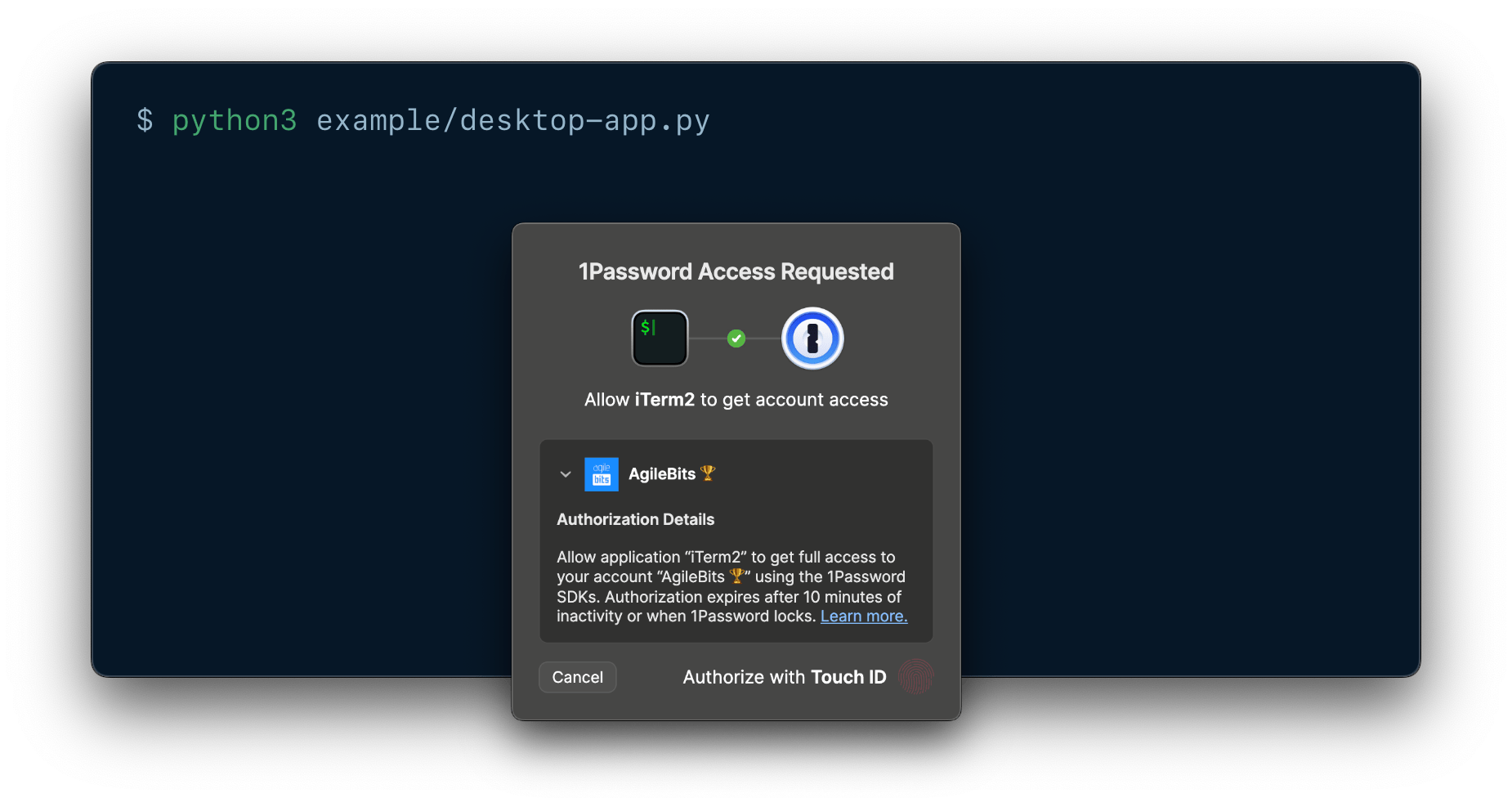
### 1Password Service Account
Service accounts enable you to follow the [principle of least privilege](https://csrc.nist.gov/glossary/term/least_privilege) in your project, and automate access without human approval. Service account tokens are scoped to specific vaults and [Environments](https://www.1password.dev/environments.md), and are restricted to specific permissions in each vault.
Service accounts aren't tied to an individual account, and work well in shared environments. They can't access your built-in [Personal](https://support.1password.com/1password-glossary#personal-vault), [Private](https://support.1password.com/1password-glossary#private-vault), or [Employee](https://support.1password.com/1password-glossary#employee-vault) vaults, and they can only manage permissions for vaults created by the service account.
### Comparison
Use the following table to decide which authentication method best suits your use case.
| Use case | Recommended authentication method | Why this method |
| - | - | - |
| Quick testing and exploration | Desktop app | Desktop app authentication allows you to get started testing the SDK with your existing account credentials, no token needed. |
| Minimal setup required for end users | Desktop app | New users don't need to learn about service accounts, and can get started quickly with their existing account credentials. |
| Local integrations | Desktop app | Uses local authorization prompts from the 1Password desktop app. |
| Human-in-the-loop approval for sensitive workflows | Desktop app | Authorization prompts from the 1Password desktop app clearly detail which account the integration will access, the process requesting access, and the scope and duration of that access. |
| Full account access required | Desktop app | Desktop app authentication grants access to all the vaults you have access to, including your built-in [Personal](https://support.1password.com/1password-glossary#personal-vault), [Private](https://support.1password.com/1password-glossary#private-vault), or [Employee](https://support.1password.com/1password-glossary#employee-vault) vaults. |
| Least-privilege access | Service account | You can scope service account tokens to only the vaults, Environments, and permissions your integration needs. |
| Automate vault management | Desktop app | With desktop app authentication, you can manage any vault you have the appropriate permissions in. Service accounts can only manage permissions for vaults created by the service account. |
| User-specific auditing | Desktop app | With desktop app authentication, actions can be traced to individual users for compliance and security reviews. |
| Automated access | Service account | Service accounts allow you to automate access with no user present. |
| Shared building | Service account | Service account tokens aren't tied to an individual user. |
## Autofill behavior
### Which credentials 1Password suggests
When you create a Login or Password item, use the following IDs and field types for the credentials you want 1Password to suggest and fill:
| ID | fieldType | Description |
| - | - | - |
| `username` | `Text` | The username associated with the login. |
| `password` | `Concealed` | The password associated with the login. |
See [an example of how to create a Login item](https://www.1password.dev/sdks/manage-items.md#create-an-item).
### Where a login is suggested and filled
The `Item` struct for Login and Password items contains an optional list of websites, so you can manage where 1Password autofills your credentials. Autofill behavior options include:
| Autofill behavior | Description |
| - | - |
| `AnywhereOnWebsite` | Default. 1Password autofills credentials on any page that’s part of the website, including subdomains. |
| `ExactDomain` | 1Password autofills credentials only if the domain (hostname and port) is an exact match. |
| `Never` | 1Password never autofills credentials on this website. |
## Environments
[1Password Environments](https://www.1password.dev/environments.md) allow you to organize and manage your project secrets as environment variables, separately from the items in your 1Password vaults. You can then [read the secrets from your Environments](https://www.1password.dev/sdks/environments.md) using 1Password SDKs.
## Item categories
Items in 1Password have a category that determines some characteristics about the item, like the fields available by default and whether 1Password suggests the item when you sign in to a website. Learn more about [the different types of items you can save in 1Password](https://support.1password.com/item-categories/). See [supported item categories](https://www.1password.dev/sdks/manage-items.md#item-parameters).
## Item states
`ItemOverview` exposes one of two states: `Active` or `Archived`.
Recorded tool call
{
  "type": "tool_call",
  "seq": 61,
  "ts": "2026-11-05T16:06:58.146Z",
  "name": "bash",
  "turn": 1,
  "input": {
    "command": "cd /tmp && timeout 25 curl -sSL \"https://developer.1password.com/docs/service-accounts/rate-limits.md\" | sed -n '60,120p'; echo \"=== SDK concepts/pricing ===\"; timeout 25 curl -sSL \"https://developer.1password.com/docs/sdks/concepts.md\" | head -80"
  },
  "run_id": "cmw3qlzi600350ishcysva99u",
  "tool_id": "chatcmpl-tool-8129a765fd79192e",
  "tool_kind": "shell"
}
Recorded tool result
{
"type": "tool_result",
"seq": 62,
"ts": "2026-11-05T16:06:59.756Z",
"turn": 1,
"output": {
"content": [
{
"text": "\n| Account type | Action | Limit | Period | Scope |\n| - | - | - | - | - |\n| [1Password Business](https://support.1password.com/explore/business/) | Read/Write | 50,000 | 24 hours | Per 1Password account |\n| [1Password Teams](https://support.1password.com/explore/team-admin/) | Read/Write | 5,000 | 24 hours | Per 1Password account |\n| 1Password and [1Password Families](https://support.1password.com/explore/families/) | Read/Write | 1,000 | 24 hours | Per 1Password account |\n\nIf you exceed the daily limit, you'll receive the following error:\n\n```text theme={null}\nError: [ERROR] (429) Too Many Requests: You've reached the maximum number of this type of requests this 1Password account is allowed to make. Please retry in 23 hours and 59 minutes or try other requests.\n```\n\n> [!TIP]\n>\n> If you hit a daily limit, you can:\n>\n> * Wait for the 24-hour window to reset.\n> * [Change your 1Password account type.](https://support.1password.com/change-account-type/)\n> * [Contact 1Password support.](https://support.1password.com/contact/)\n\n\n## Related topics\n\n- [1Password SDK concepts](https://www.1password.dev/sdks/concepts.md)\n- [Rate limits](https://www.1password.dev/events-api/rate-limits.md)\n- [service-account](https://www.1password.dev/cli/reference/management-commands/service-account.md)\n=== SDK concepts/pricing ===\n> ## Documentation Index\n> Fetch the complete documentation index at: https://www.1password.dev/llms.txt\n> Use this file to discover all available pages before exploring further.\n\n# 1Password SDK concepts\n\n## Authentication\n\n1Password SDKs support authentication with the [1Password desktop app](#1password-desktop-app) or with a [1Password Service Account](#1password-service-account).\n\n### 1Password desktop app\n\nYou can build local integrations between 1Password and local applications or scripts that allow end users to authorize access directly on their device with prompts from their [1Password desktop app](https://1password.com/downloads/).\n\nLocal authorization prompts from the 1Password desktop app allow end users to approve requests from your integration the same way they unlock the app, like with biometrics, their 1Password account password, their identity provider, or other supported methods.\n\nPrompts from 1Password clearly detail which account the integration will access, the process requesting access, and the scope and duration of that access. If the user approves, they securely grant the integration temporary access to the entirety of the authorized 1Password account. Access expires after 10 minutes of inactivity or when the user locks their account in the app.\n\nThis method allows end users to use your integration with minimal setup and no token management, and enables secure, human-in-the-loop approval for sensitive workflows.\n\n\n\n### 1Password Service Account\n\nService accounts enable you to follow the [principle of least privilege](https://csrc.nist.gov/glossary/term/least_privilege) in your project, and automate access without human approval. Service account tokens are scoped to specific vaults and [Environments](https://www.1password.dev/environments.md), and are restricted to specific permissions in each vault.\n\nService accounts aren't tied to an individual account, and work well in shared environments. They can't access your built-in [Personal](https://support.1password.com/1password-glossary#personal-vault), [Private](https://support.1password.com/1password-glossary#private-vault), or [Employee](https://support.1password.com/1password-glossary#employee-vault) vaults, and they can only manage permissions for vaults created by the service account.\n\n### Comparison\n\nUse the following table to decide which authentication method best suits your use case.\n\n| Use case | Recommended authentication method | Why this method |\n| - | - | - |\n| Quick testing and exploration | Desktop app | Desktop app authentication allows you to get started testing the SDK with your existing account credentials, no token needed. |\n| Minimal setup required for end users | Desktop app | New users don't need to learn about service accounts, and can get started quickly with their existing account credentials. |\n| Local integrations | Desktop app | Uses local authorization prompts from the 1Password desktop app. |\n| Human-in-the-loop approval for sensitive workflows | Desktop app | Authorization prompts from the 1Password desktop app clearly detail which account the integration will access, the process requesting access, and the scope and duration of that access. |\n| Full account access required | Desktop app | Desktop app authentication grants access to all the vaults you have access to, including your built-in [Personal](https://support.1password.com/1password-glossary#personal-vault), [Private](https://support.1password.com/1password-glossary#private-vault), or [Employee](https://support.1password.com/1password-glossary#employee-vault) vaults. |\n| Least-privilege access | Service account | You can scope service account tokens to only the vaults, Environments, and permissions your integration needs. |\n| Automate vault management | Desktop app | With desktop app authentication, you can manage any vault you have the appropriate permissions in. Service accounts can only manage permissions for vaults created by the service account. |\n| User-specific auditing | Desktop app | With desktop app authentication, actions can be traced to individual users for compliance and security reviews. |\n| Automated access | Service account | Service accounts allow you to automate access with no user present. |\n| Shared building | Service account | Service account tokens aren't tied to an individual user. |\n\n## Autofill behavior\n\n### Which credentials 1Password suggests\n\nWhen you create a Login or Password item, use the following IDs and field types for the credentials you want 1Password to suggest and fill:\n\n| ID | fieldType | Description |\n| - | - | - |\n| `username` | `Text` | The username associated with the login. |\n| `password` | `Concealed` | The password associated with the login. |\n\nSee [an example of how to create a Login item](https://www.1password.dev/sdks/manage-items.md#create-an-item).\n\n### Where a login is suggested and filled\n\nThe `Item` struct for Login and Password items contains an optional list of websites, so you can manage where 1Password autofills your credentials. Autofill behavior options include:\n\n| Autofill behavior | Description |\n| - | - |\n| `AnywhereOnWebsite` | Default. 1Password autofills credentials on any page that’s part of the website, including subdomains. |\n| `ExactDomain` | 1Password autofills credentials only if the domain (hostname and port) is an exact match. |\n| `Never` | 1Password never autofills credentials on this website. |\n\n## Environments\n\n[1Password Environments](https://www.1password.dev/environments.md) allow you to organize and manage your project secrets as environment variables, separately from the items in your 1Password vaults. You can then [read the secrets from your Environments](https://www.1password.dev/sdks/environments.md) using 1Password SDKs.\n\n## Item categories\n\nItems in 1Password have a category that determines some characteristics about the item, like the fields available by default and whether 1Password suggests the item when you sign in to a website. Learn more about [the different types of items you can save in 1Password](https://support.1password.com/item-categories/). See [supported item categories](https://www.1password.dev/sdks/manage-items.md#item-parameters).\n\n## Item states\n\n`ItemOverview` exposes one of two states: `Active` or `Archived`.\n\n",
"type": "text"
}
]
},
"run_id": "cmw3qlzi600350ishcysva99u",
"tool_id": "chatcmpl-tool-8129a765fd79192e",
"is_error": false,
"tool_kind": "shell"
}›Thinking…
I'm setting up a minimal Node.js project with ESM modules and the 1Password SDK dependency, then building a CLI tool with commands like doctor to validate the environment and check for required tokens and secret references without making network calls.
cd /tmp/probe/node_modules/@1password/sdk/dist && grep -n "export interface ItemCreateParams" -A 40 types.d.ts; echo "=== fields ==="; grep -n "export interface FieldCreateParams" -A 25 types.d.ts; grep -n "export type FieldPurpose\|export type FieldType" -A 20 types.d.ts | head -50; echo "=== vaults ==="; cat vaults.d.ts | head -40
308:export interface ItemCreateParams {
308:export interface ItemCreateParams {
309-    /** The item's category */
310-    category: ItemCategory;
311-    /** The ID of the vault where the item is saved */
312-    vaultId: string;
313-    /** The item's title */
314-    title: string;
315-    /** The item's fields */
316-    fields?: ItemField[];
317-    /** The item's sections */
318-    sections?: ItemSection[];
319-    /** The item's notes */
320-    notes?: string;
321-    /** The item's tags */
322-    tags?: string[];
323-    /** The websites used for autofilling for items of the Login and Password categories. */
324-    websites?: Website[];
325-    /** The item's files stored as fields */
326-    files?: FileCreateParams[];
327-    /** The document file for the Document item type. Empty when the item isn't of Document type. */
328-    document?: DocumentCreateParams;
329-}
330-/** Represents the state of an item in the SDK. */
331-export declare enum ItemState {
332-    /** The item is active */
333-    Active = "active",
334-    /** The item is archived meaning it's hidden from regular view and stored in the archive. */
335-    Archived = "archived"
336-}
337-/** Represents a decrypted 1Password item overview. */
338-export interface ItemOverview {
339-    /** The item's ID */
340-    id: string;
341-    /** The item's title */
342-    title: string;
343-    /** The item's category */
344-    category: ItemCategory;
345-    /** The ID of the vault where the item is saved */
346-    vaultId: string;
347-    /** The websites used for autofilling for items of the Login and Password categories. */
348-    websites: Website[];
=== fields ===
=== vaults ===
import { InnerClient } from "./core.js";
import { GroupAccess, GroupVaultAccess, Vault, VaultCreateParams, VaultGetParams, VaultListParams, VaultOverview, VaultUpdateParams } from "./types.js";
/**
 * The Vaults API holds all the operations the SDK client can perform on 1Password vaults.
 */
export interface VaultsApi {
    /**
     * Create a new user vault.
     */
    create(params: VaultCreateParams): Promise<Vault>;
    /**
     * List information about vaults that's configurable based on some input parameters.
     */
    list(params?: VaultListParams): Promise<VaultOverview[]>;
    /**
     * Get an overview of a vault by its ID.
     */
    getOverview(vaultId: string): Promise<VaultOverview>;
    /**
     * Get detailed vault information by vault ID and parameters.
     */
    get(vaultId: string, vaultParams: VaultGetParams): Promise<Vault>;
    /**
     * Update a vault
     */
    update(vaultId: string, params: VaultUpdateParams): Promise<Vault>;
    /**
     * Delete a vault by its ID.
     */
    delete(vaultId: string): Promise<void>;
    /**
     * Grant group permissions to a vault.
     */
    grantGroupPermissions(vaultId: string, groupPermissionsList: GroupAccess[]): Promise<void>;
    /**
     * Update group permissions for vaults.
     */
    updateGroupPermissions(groupPermissionsList: GroupVaultAccess[]): Promise<void>;
    /**
     * Revoke group permissions from a vault.
Recorded tool call
{
  "type": "tool_call",
  "seq": 65,
  "ts": "2026-11-05T16:07:01.216Z",
  "name": "bash",
  "turn": 1,
  "input": {
    "command": "cd /tmp/probe/node_modules/@1password/sdk/dist && grep -n \"export interface ItemCreateParams\" -A 40 types.d.ts; echo \"=== fields ===\"; grep -n \"export interface FieldCreateParams\" -A 25 types.d.ts; grep -n \"export type FieldPurpose\\|export type FieldType\" -A 20 types.d.ts | head -50; echo \"=== vaults ===\"; cat vaults.d.ts | head -40"
  },
  "run_id": "cmw3qlzi600350ishcysva99u",
  "tool_id": "chatcmpl-tool-a3b980e579ec24d2",
  "tool_kind": "shell"
}
Recorded tool result
{
  "type": "tool_result",
  "seq": 66,
  "ts": "2026-11-05T16:07:01.216Z",
  "turn": 1,
  "output": {
    "content": [
      {
        "text": "308:export interface ItemCreateParams {\n309-    /** The item's category */\n310-    category: ItemCategory;\n311-    /** The ID of the vault where the item is saved */\n312-    vaultId: string;\n313-    /** The item's title */\n314-    title: string;\n315-    /** The item's fields */\n316-    fields?: ItemField[];\n317-    /** The item's sections */\n318-    sections?: ItemSection[];\n319-    /** The item's notes */\n320-    notes?: string;\n321-    /** The item's tags */\n322-    tags?: string[];\n323-    /** The websites used for autofilling for items of the Login and Password categories. */\n324-    websites?: Website[];\n325-    /** The item's files stored as fields */\n326-    files?: FileCreateParams[];\n327-    /** The document file for the Document item type. Empty when the item isn't of Document type. */\n328-    document?: DocumentCreateParams;\n329-}\n330-/** Represents the state of an item in the SDK. */\n331-export declare enum ItemState {\n332-    /** The item is active */\n333-    Active = \"active\",\n334-    /** The item is archived meaning it's hidden from regular view and stored in the archive. */\n335-    Archived = \"archived\"\n336-}\n337-/** Represents a decrypted 1Password item overview. */\n338-export interface ItemOverview {\n339-    /** The item's ID */\n340-    id: string;\n341-    /** The item's title */\n342-    title: string;\n343-    /** The item's category */\n344-    category: ItemCategory;\n345-    /** The ID of the vault where the item is saved */\n346-    vaultId: string;\n347-    /** The websites used for autofilling for items of the Login and Password categories. */\n348-    websites: Website[];\n=== fields ===\n=== vaults ===\nimport { InnerClient } from \"./core.js\";\nimport { GroupAccess, GroupVaultAccess, Vault, VaultCreateParams, VaultGetParams, VaultListParams, VaultOverview, VaultUpdateParams } from \"./types.js\";\n/**\n * The Vaults API holds all the operations the SDK client can perform on 1Password vaults.\n */\nexport interface VaultsApi {\n    /**\n     * Create a new user vault.\n     */\n    create(params: VaultCreateParams): Promise<Vault>;\n    /**\n     * List information about vaults that's configurable based on some input parameters.\n     */\n    list(params?: VaultListParams): Promise<VaultOverview[]>;\n    /**\n     * Get an overview of a vault by its ID.\n     */\n    getOverview(vaultId: string): Promise<VaultOverview>;\n    /**\n     * Get detailed vault information by vault ID and parameters.\n     */\n    get(vaultId: string, vaultParams: VaultGetParams): Promise<Vault>;\n    /**\n     * Update a vault\n     */\n    update(vaultId: string, params: VaultUpdateParams): Promise<Vault>;\n    /**\n     * Delete a vault by its ID.\n     */\n    delete(vaultId: string): Promise<void>;\n    /**\n     * Grant group permissions to a vault.\n     */\n    grantGroupPermissions(vaultId: string, groupPermissionsList: GroupAccess[]): Promise<void>;\n    /**\n     * Update group permissions for vaults.\n     */\n    updateGroupPermissions(groupPermissionsList: GroupVaultAccess[]): Promise<void>;\n    /**\n     * Revoke group permissions from a vault.\n",
        "type": "text"
      }
    ]
  },
  "run_id": "cmw3qlzi600350ishcysva99u",
  "tool_id": "chatcmpl-tool-a3b980e579ec24d2",
  "is_error": false,
  "tool_kind": "shell"
}›Thinking…
I need ItemField (not FieldCreateParams) and FieldPurpose/FieldType enums, ItemCategory enum. Let me grep those.
cd /tmp/probe/node_modules/@1password/sdk/dist && grep -n "export interface ItemField\b" -A 30 types.d.ts; echo "=== ItemFieldPurpose ==="; grep -n "enum ItemFieldPurpose" -A 30 types.d.ts; echo "=== ItemFieldType ==="; grep -n "enum ItemFieldType" -A 25 types.d.ts; echo "=== ItemCategory ==="; grep -n "enum ItemCategory" -A 30 types.d.ts
222:export interface ItemField {
222:export interface ItemField {
223-    /** The field's ID */
224-    id: string;
225-    /** The field's title */
226-    title: string;
227-    /** The ID of the section containing the field. Built-in fields such as usernames and passwords don't require a section. */
228-    sectionId?: string;
229-    /** The field's type */
230-    fieldType: ItemFieldType;
231-    /** The string representation of the field's value */
232-    value: string;
233-    /** Field type-specific attributes. */
234-    details?: ItemFieldDetails;
235-}
236-/** A section groups together multiple fields in an item. */
237-export interface ItemSection {
238-    /** The section's unique ID */
239-    id: string;
240-    /** The section's title */
241-    title: string;
242-}
243-/**
244- * Controls the auto-fill behavior of a website.
245- *
246- *
247- * For more information, visit <https://support.1password.com/autofill-behavior/>
248- */
249-export declare enum AutofillBehavior {
250-    /** Auto-fill any page that’s part of the website, including subdomains */
251-    AnywhereOnWebsite = "AnywhereOnWebsite",
252-    /** Auto-fill only if the domain (hostname and port) is an exact match. */
=== ItemFieldPurpose ===
=== ItemFieldType ===
187:export declare enum ItemFieldType {
188-    Text = "Text",
189-    Concealed = "Concealed",
190-    CreditCardType = "CreditCardType",
191-    CreditCardNumber = "CreditCardNumber",
192-    Phone = "Phone",
193-    Url = "Url",
194-    Totp = "Totp",
195-    Email = "Email",
196-    Reference = "Reference",
197-    SshKey = "SshKey",
198-    Menu = "Menu",
199-    MonthYear = "MonthYear",
200-    Address = "Address",
201-    Date = "Date",
202-    Unsupported = "Unsupported"
203-}
204-/** Field type-specific attributes. */
205-export type ItemFieldDetails =
206-/** The computed OTP code and other details */
207-{
208-    type: "Otp";
209-    content: OtpFieldDetails;
210-}
211-/** Computed SSH Key attributes */
212- | {
=== ItemCategory ===
161:export declare enum ItemCategory {
162-    Login = "Login",
163-    SecureNote = "SecureNote",
164-    CreditCard = "CreditCard",
165-    CryptoWallet = "CryptoWallet",
166-    Identity = "Identity",
167-    Password = "Password",
168-    Document = "Document",
169-    ApiCredentials = "ApiCredentials",
170-    BankAccount = "BankAccount",
171-    Database = "Database",
172-    DriverLicense = "DriverLicense",
173-    Email = "Email",
174-    MedicalRecord = "MedicalRecord",
175-    Membership = "Membership",
176-    OutdoorLicense = "OutdoorLicense",
177-    Passport = "Passport",
178-    Rewards = "Rewards",
179-    Router = "Router",
180-    Server = "Server",
181-    SshKey = "SshKey",
182-    SocialSecurityNumber = "SocialSecurityNumber",
183-    SoftwareLicense = "SoftwareLicense",
184-    Person = "Person",
185-    Unsupported = "Unsupported"
186-}
187-export declare enum ItemFieldType {
188-    Text = "Text",
189-    Concealed = "Concealed",
190-    CreditCardType = "CreditCardType",
191-    CreditCardNumber = "CreditCardNumber",
Recorded tool call
{
  "type": "tool_call",
  "seq": 69,
  "ts": "2026-11-05T16:07:03.341Z",
  "name": "bash",
  "turn": 1,
  "input": {
    "command": "cd /tmp/probe/node_modules/@1password/sdk/dist && grep -n \"export interface ItemField\\b\" -A 30 types.d.ts; echo \"=== ItemFieldPurpose ===\"; grep -n \"enum ItemFieldPurpose\" -A 30 types.d.ts; echo \"=== ItemFieldType ===\"; grep -n \"enum ItemFieldType\" -A 25 types.d.ts; echo \"=== ItemCategory ===\"; grep -n \"enum ItemCategory\" -A 30 types.d.ts"
  },
  "run_id": "cmw3qlzi600350ishcysva99u",
  "tool_id": "chatcmpl-tool-ac0c3d92a6dffa01",
  "tool_kind": "shell"
}
Recorded tool result
{
  "type": "tool_result",
  "seq": 70,
  "ts": "2026-11-05T16:07:03.341Z",
  "turn": 1,
  "output": {
    "content": [
      {
        "text": "222:export interface ItemField {\n223-    /** The field's ID */\n224-    id: string;\n225-    /** The field's title */\n226-    title: string;\n227-    /** The ID of the section containing the field. Built-in fields such as usernames and passwords don't require a section. */\n228-    sectionId?: string;\n229-    /** The field's type */\n230-    fieldType: ItemFieldType;\n231-    /** The string representation of the field's value */\n232-    value: string;\n233-    /** Field type-specific attributes. */\n234-    details?: ItemFieldDetails;\n235-}\n236-/** A section groups together multiple fields in an item. */\n237-export interface ItemSection {\n238-    /** The section's unique ID */\n239-    id: string;\n240-    /** The section's title */\n241-    title: string;\n242-}\n243-/**\n244- * Controls the auto-fill behavior of a website.\n245- *\n246- *\n247- * For more information, visit <https://support.1password.com/autofill-behavior/>\n248- */\n249-export declare enum AutofillBehavior {\n250-    /** Auto-fill any page that’s part of the website, including subdomains */\n251-    AnywhereOnWebsite = \"AnywhereOnWebsite\",\n252-    /** Auto-fill only if the domain (hostname and port) is an exact match. */\n=== ItemFieldPurpose ===\n=== ItemFieldType ===\n187:export declare enum ItemFieldType {\n188-    Text = \"Text\",\n189-    Concealed = \"Concealed\",\n190-    CreditCardType = \"CreditCardType\",\n191-    CreditCardNumber = \"CreditCardNumber\",\n192-    Phone = \"Phone\",\n193-    Url = \"Url\",\n194-    Totp = \"Totp\",\n195-    Email = \"Email\",\n196-    Reference = \"Reference\",\n197-    SshKey = \"SshKey\",\n198-    Menu = \"Menu\",\n199-    MonthYear = \"MonthYear\",\n200-    Address = \"Address\",\n201-    Date = \"Date\",\n202-    Unsupported = \"Unsupported\"\n203-}\n204-/** Field type-specific attributes. */\n205-export type ItemFieldDetails = \n206-/** The computed OTP code and other details */\n207-{\n208-    type: \"Otp\";\n209-    content: OtpFieldDetails;\n210-}\n211-/** Computed SSH Key attributes */\n212- | {\n=== ItemCategory ===\n161:export declare enum ItemCategory {\n162-    Login = \"Login\",\n163-    SecureNote = \"SecureNote\",\n164-    CreditCard = \"CreditCard\",\n165-    CryptoWallet = \"CryptoWallet\",\n166-    Identity = \"Identity\",\n167-    Password = \"Password\",\n168-    Document = \"Document\",\n169-    ApiCredentials = \"ApiCredentials\",\n170-    BankAccount = \"BankAccount\",\n171-    Database = \"Database\",\n172-    DriverLicense = \"DriverLicense\",\n173-    Email = \"Email\",\n174-    MedicalRecord = \"MedicalRecord\",\n175-    Membership = \"Membership\",\n176-    OutdoorLicense = \"OutdoorLicense\",\n177-    Passport = \"Passport\",\n178-    Rewards = \"Rewards\",\n179-    Router = \"Router\",\n180-    Server = \"Server\",\n181-    SshKey = \"SshKey\",\n182-    SocialSecurityNumber = \"SocialSecurityNumber\",\n183-    SoftwareLicense = \"SoftwareLicense\",\n184-    Person = \"Person\",\n185-    Unsupported = \"Unsupported\"\n186-}\n187-export declare enum ItemFieldType {\n188-    Text = \"Text\",\n189-    Concealed = \"Concealed\",\n190-    CreditCardType = \"CreditCardType\",\n191-    CreditCardNumber = \"CreditCardNumber\",\n",
        "type": "text"
      }
    ]
  },
  "run_id": "cmw3qlzi600350ishcysva99u",
  "tool_id": "chatcmpl-tool-ac0c3d92a6dffa01",
  "is_error": false,
  "tool_kind": "shell"
}›Thinking…
Now let me write the example project. Files:
/sandbox/repo/1password-sdk-example/
- README.md — quickstart, pricing, manageability, blocker
- package.json
- .env.example
- .gitignore
- src/config.js — env parsing + validation
- src/doctor.js — offline checks (validate secret refs syntax without network, show token fingerprint)
- src/resolve.js — resolve refs and print masked values
- src/create-item.js — write demo (create Password item in vault, print ref, then read it back)
- bin/op-demo.js — dispatcher CLI (optional)
Keep it to ~4 files to stay light. I'll do: package.json, README.md, .env.example, .gitignore, src/onepassword.mjs (client factory + helpers), src/doctor.mjs, src/resolve.mjs, src/create-item.mjs. Plus a cli.mjs dispatcher. Actually a single index.mjs with subcommands might be simpler and lighter. Let me do:
- src/client.mjs — createClient wrapper + masking + token fingerprint
- src/commands/doctor.mjs
- src/commands/resolve.mjs
- src/commands/create-item.mjs
- bin/opdemo.mjs
Hmm, "stay light". I'll do 3 source files + 1 bin + README + package.json + .env.example. That's fine.
Important detail: Secrets.validateSecretReference is static, and Secrets.generatePassword is static — usable offline (wasm). Good for doctor.
Also need to check that loading the SDK works in this sandbox (wasm load). Let me test importing it and calling validateSecretReference — offline, no creds. That validates my code compiles/runs.
ESM: package.json "type": "module". The SDK exports default -> dist/sdk.js which is ESM? Let's check the first lines of sdk.js.
cd /tmp/probe/node_modules/@1password/sdk/dist && head -20 sdk.js; echo "=== secrets.js validate ==="; grep -n "validateSecretReference" -A 8 secrets.js; echo "=== core.js head ==="; head -30 core.js
"use strict";
"use strict";
// Code generated by op-codegen - DO NOT EDIT MANUALLY
var __createBinding = (this && this.__createBinding) || (Object.create ? (function(o, m, k, k2) {
    if (k2 === undefined) k2 = k;
    var desc = Object.getOwnPropertyDescriptor(m, k);
    if (!desc || ("get" in desc ? !m.__esModule : desc.writable || desc.configurable)) {
      desc = { enumerable: true, get: function() { return m[k]; } };
    }
    Object.defineProperty(o, k2, desc);
}) : (function(o, m, k, k2) {
    if (k2 === undefined) k2 = k;
    o[k2] = m[k];
}));
var __exportStar = (this && this.__exportStar) || function(m, exports) {
    for (var p in m) if (p !== "default" && !Object.prototype.hasOwnProperty.call(exports, p)) __createBinding(exports, m, p);
};
var __awaiter = (this && this.__awaiter) || function (thisArg, _arguments, P, generator) {
    function adopt(value) { return value instanceof P ? value : new P(function (resolve) { resolve(value); }); }
    return new (P || (P = Promise))(function (resolve, reject) {
        function fulfilled(value) { try { step(generator.next(value)); } catch (e) { reject(e); } }
=== secrets.js validate ===
74:    static validateSecretReference(secretReference) {
75-        const sharedCore = new core_js_1.SharedCore();
76-        const invocationConfig = {
77-            invocation: {
78-                parameters: {
79-                    name: "ValidateSecretReference",
80-                    parameters: {
81-                        secret_reference: secretReference,
82-                    },
=== core.js head ===
"use strict";
var __awaiter = (this && this.__awaiter) || function (thisArg, _arguments, P, generator) {
    function adopt(value) { return value instanceof P ? value : new P(function (resolve) { resolve(value); }); }
    return new (P || (P = Promise))(function (resolve, reject) {
        function fulfilled(value) { try { step(generator.next(value)); } catch (e) { reject(e); } }
        function rejected(value) { try { step(generator["throw"](value)); } catch (e) { reject(e); } }
        function step(result) { result.done ? resolve(result.value) : adopt(result.value).then(fulfilled, rejected); }
        step((generator = generator.apply(thisArg, _arguments || [])).next());
    });
};
Object.defineProperty(exports, "__esModule", { value: true });
exports.InnerClient = exports.SharedCore = exports.WasmCore = void 0;
const sdk_core_1 = require("@1password/sdk-core");
const types_1 = require("./types");
const errors_1 = require("./errors");
// In empirical tests, we determined that maximum message size that can cross the FFI boundary
// is ~64MB. Past this limit, the wasm-bingen FFI will throw an error and the program will crash.
// We set the limit to 50MB to be safe, to be reconsidered upon further testing.
const messageLimit = 50 * 1024 * 1024;
class WasmCore {
    initClient(config) {
        return __awaiter(this, void 0, void 0, function* () {
            try {
                return yield (0, sdk_core_1.init_client)(config);
            }
            catch (e) {
                (0, errors_1.throwError)(e);
            }
        });
    }
Recorded tool call
{
  "type": "tool_call",
  "seq": 73,
  "ts": "2026-11-05T16:07:06.219Z",
  "name": "bash",
  "turn": 1,
  "input": {
    "command": "cd /tmp/probe/node_modules/@1password/sdk/dist && head -20 sdk.js; echo \"=== secrets.js validate ===\"; grep -n \"validateSecretReference\" -A 8 secrets.js; echo \"=== core.js head ===\"; head -30 core.js"
  },
  "run_id": "cmw3qlzi600350ishcysva99u",
  "tool_id": "chatcmpl-tool-be01f963d09a13a4",
  "tool_kind": "shell"
}
Recorded tool result
{
  "type": "tool_result",
  "seq": 74,
  "ts": "2026-11-05T16:07:06.219Z",
  "turn": 1,
  "output": {
    "content": [
      {
        "text": "\"use strict\";\n// Code generated by op-codegen - DO NOT EDIT MANUALLY\nvar __createBinding = (this && this.__createBinding) || (Object.create ? (function(o, m, k, k2) {\n    if (k2 === undefined) k2 = k;\n    var desc = Object.getOwnPropertyDescriptor(m, k);\n    if (!desc || (\"get\" in desc ? !m.__esModule : desc.writable || desc.configurable)) {\n      desc = { enumerable: true, get: function() { return m[k]; } };\n    }\n    Object.defineProperty(o, k2, desc);\n}) : (function(o, m, k, k2) {\n    if (k2 === undefined) k2 = k;\n    o[k2] = m[k];\n}));\nvar __exportStar = (this && this.__exportStar) || function(m, exports) {\n    for (var p in m) if (p !== \"default\" && !Object.prototype.hasOwnProperty.call(exports, p)) __createBinding(exports, m, p);\n};\nvar __awaiter = (this && this.__awaiter) || function (thisArg, _arguments, P, generator) {\n    function adopt(value) { return value instanceof P ? value : new P(function (resolve) { resolve(value); }); }\n    return new (P || (P = Promise))(function (resolve, reject) {\n        function fulfilled(value) { try { step(generator.next(value)); } catch (e) { reject(e); } }\n=== secrets.js validate ===\n74:    static validateSecretReference(secretReference) {\n75-        const sharedCore = new core_js_1.SharedCore();\n76-        const invocationConfig = {\n77-            invocation: {\n78-                parameters: {\n79-                    name: \"ValidateSecretReference\",\n80-                    parameters: {\n81-                        secret_reference: secretReference,\n82-                    },\n=== core.js head ===\n\"use strict\";\nvar __awaiter = (this && this.__awaiter) || function (thisArg, _arguments, P, generator) {\n    function adopt(value) { return value instanceof P ? value : new P(function (resolve) { resolve(value); }); }\n    return new (P || (P = Promise))(function (resolve, reject) {\n        function fulfilled(value) { try { step(generator.next(value)); } catch (e) { reject(e); } }\n        function rejected(value) { try { step(generator[\"throw\"](value)); } catch (e) { reject(e); } }\n        function step(result) { result.done ? resolve(result.value) : adopt(result.value).then(fulfilled, rejected); }\n        step((generator = generator.apply(thisArg, _arguments || [])).next());\n    });\n};\nObject.defineProperty(exports, \"__esModule\", { value: true });\nexports.InnerClient = exports.SharedCore = exports.WasmCore = void 0;\nconst sdk_core_1 = require(\"@1password/sdk-core\");\nconst types_1 = require(\"./types\");\nconst errors_1 = require(\"./errors\");\n// In empirical tests, we determined that maximum message size that can cross the FFI boundary\n// is ~64MB. Past this limit, the wasm-bingen FFI will throw an error and the program will crash.\n// We set the limit to 50MB to be safe, to be reconsidered upon further testing.\nconst messageLimit = 50 * 1024 * 1024;\nclass WasmCore {\n    initClient(config) {\n        return __awaiter(this, void 0, void 0, function* () {\n            try {\n                return yield (0, sdk_core_1.init_client)(config);\n            }\n            catch (e) {\n                (0, errors_1.throwError)(e);\n            }\n        });\n    }\n",
        "type": "text"
      }
    ]
  },
  "run_id": "cmw3qlzi600350ishcysva99u",
  "tool_id": "chatcmpl-tool-be01f963d09a13a4",
  "is_error": false,
  "tool_kind": "shell"
}›Thinking…
The SDK is CJS. So a CJS project or ESM with import sdk from "@1password/sdk" (default interop) works. Named imports from CJS in ESM may work via cjs-module-lexer if patterns are detectable; exports.X = assignments inside __exportStar are dynamic so named exports may not be detected. Safer: use CommonJS (require) or ESM with default import. Let me test both quickly in /tmp/probe.
Test: ESM default import and named import; and validateSecretReference offline.
cd /tmp/probe && cat > t-esm.mjs <<'EOF'
import sdk from "@1password/sdk";
console.log("default keys:", Object.keys(sdk).slice(0,12).join(","));
try { sdk.Secrets.validateSecretReference("op://Dev/Demo/password"); console.log("valid ref: OK"); } catch (e) { console.log("ERR:", e.message); }
try { sdk.Secrets.validateSecretReference("not-a-ref"); console.log("bad ref: unexpectedly OK"); } catch (e) { console.log("bad ref rejected:", String(e.message).slice(0,80)); }
console.log("gen:", sdk.Secrets.generatePassword({ length: 24, characterSets: ["Digits","Letters","Symbols"] }).password.slice(0,4)+"***");
EOF
cat > t-esm-named.mjs <<'EOF'
import { Secrets } from "@1password/sdk";
console.log("named Secrets:", typeof Secrets);
EOF
echo "--- default import ---"; timeout 60 node t-esm.mjs 2>&1 | tail -8; echo "--- named import ---"; timeout 60 node t-esm-named.mjs 2>&1 | tail -5--- default import ---
--- default import ---

node:internal/modules/run_main:123
    triggerUncaughtException(
    ^
data did not match any variant of untagged enum Invocation at line 1 column 142
(Use `node --trace-uncaught ...` to show where the exception was thrown)

Node.js v22.23.4
--- named import ---
named Secrets: function
Recorded tool call
{
  "type": "tool_call",
  "seq": 77,
  "ts": "2026-11-05T16:07:08.826Z",
  "name": "bash",
  "turn": 1,
  "input": {
    "command": "cd /tmp/probe && cat > t-esm.mjs <<'EOF'\nimport sdk from \"@1password/sdk\";\nconsole.log(\"default keys:\", Object.keys(sdk).slice(0,12).join(\",\"));\ntry { sdk.Secrets.validateSecretReference(\"op://Dev/Demo/password\"); console.log(\"valid ref: OK\"); } catch (e) { console.log(\"ERR:\", e.message); }\ntry { sdk.Secrets.validateSecretReference(\"not-a-ref\"); console.log(\"bad ref: unexpectedly OK\"); } catch (e) { console.log(\"bad ref rejected:\", String(e.message).slice(0,80)); }\nconsole.log(\"gen:\", sdk.Secrets.generatePassword({ length: 24, characterSets: [\"Digits\",\"Letters\",\"Symbols\"] }).password.slice(0,4)+\"***\");\nEOF\ncat > t-esm-named.mjs <<'EOF'\nimport { Secrets } from \"@1password/sdk\";\nconsole.log(\"named Secrets:\", typeof Secrets);\nEOF\necho \"--- default import ---\"; timeout 60 node t-esm.mjs 2>&1 | tail -8; echo \"--- named import ---\"; timeout 60 node t-esm-named.mjs 2>&1 | tail -5"
  },
  "run_id": "cmw3qlzi600350ishcysva99u",
  "tool_id": "chatcmpl-tool-9423e2a58d827c8d",
  "tool_kind": "shell"
}
Recorded tool result
{
  "type": "tool_result",
  "seq": 78,
  "ts": "2026-11-05T16:07:09.184Z",
  "turn": 1,
  "output": {
    "content": [
      {
        "text": "--- default import ---\n\nnode:internal/modules/run_main:123\n    triggerUncaughtException(\n    ^\ndata did not match any variant of untagged enum Invocation at line 1 column 142\n(Use `node --trace-uncaught ...` to show where the exception was thrown)\n\nNode.js v22.23.4\n--- named import ---\nnamed Secrets: function\n",
        "type": "text"
      }
    ]
  },
  "run_id": "cmw3qlzi600350ishcysva99u",
  "tool_id": "chatcmpl-tool-9423e2a58d827c8d",
  "is_error": false,
  "tool_kind": "shell"
}›Thinking…
Interesting: named imports work (Secrets is a function). But the default-import test threw at Object.keys(sdk)? No — the error "data did not match any variant of untagged enum Invocation" came from wasm, likely from validateSecretReference's invocation config mismatch... Hmm, but which call? The log didn't print "default keys:" — output was truncated to tail -8, so earlier lines were cut. Let me rerun with full output.
The wasm error is a thrown string from core, unhandled. Probably validateSecretReference needs client init/config? Let me look at the full secrets.js implementation and see whether static validate works without init. In the JS SDK docs, validateSecretReference is used... Let me just test each call separately.
cd /tmp/probe && cat > t2.mjs <<'EOF'
import { Secrets } from "@1password/sdk";
console.log("typeof:", typeof Secrets);
try { Secrets.validateSecretReference("op://Dev/Demo/password"); console.log("valid: OK"); }
catch (e) { console.log("valid threw:", String(e).slice(0,120)); }
try { const p = Secrets.generatePassword({length:24, characterSets:["Digits","Letters"]}); console.log("gen ok len", p.password.length); }
catch (e) { console.log("gen threw:", String(e).slice(0,120)); }
EOF
timeout 60 node t2.mjs 2>&1 | head -20; echo "=== secrets.js full ==="; sed -n '55,120p' node_modules/@1password/sdk/dist/secrets.jstypeof: function
typeof: function
valid: OK
gen threw: data did not match any variant of untagged enum Invocation at line 1 column 132
=== secrets.js full ===
    resolveAll(secretReferences) {
        return __awaiter(this, void 0, void 0, function* () {
            const invocationConfig = {
                invocation: {
                    clientId: __classPrivateFieldGet(this, _Secrets_inner, "f").id,
                    parameters: {
                        name: "SecretsResolveAll",
                        parameters: {
                            secret_references: secretReferences,
                        },
                    },
                },
            };
            return JSON.parse(yield __classPrivateFieldGet(this, _Secrets_inner, "f").invoke(invocationConfig), types_js_1.ReviverFunc);
        });
    }
    /**
     * Validate the secret reference to ensure there are no syntax errors.
     */
    static validateSecretReference(secretReference) {
        const sharedCore = new core_js_1.SharedCore();
        const invocationConfig = {
            invocation: {
                parameters: {
                    name: "ValidateSecretReference",
                    parameters: {
                        secret_reference: secretReference,
                    },
                },
            },
        };
        sharedCore.invoke_sync(invocationConfig);
    }
    /**
     * Generate a password using the provided recipe.
     */
    static generatePassword(recipe) {
        const sharedCore = new core_js_1.SharedCore();
        const invocationConfig = {
            invocation: {
                parameters: {
                    name: "GeneratePassword",
                    parameters: {
                        recipe,
                    },
                },
            },
        };
        return JSON.parse(sharedCore.invoke_sync(invocationConfig), types_js_1.ReviverFunc);
    }
}
exports.Secrets = Secrets;
_Secrets_inner = new WeakMap();
Recorded tool call
{
  "type": "tool_call",
  "seq": 81,
  "ts": "2026-11-05T16:07:11.878Z",
  "name": "bash",
  "turn": 1,
  "input": {
    "command": "cd /tmp/probe && cat > t2.mjs <<'EOF'\nimport { Secrets } from \"@1password/sdk\";\nconsole.log(\"typeof:\", typeof Secrets);\ntry { Secrets.validateSecretReference(\"op://Dev/Demo/password\"); console.log(\"valid: OK\"); }\ncatch (e) { console.log(\"valid threw:\", String(e).slice(0,120)); }\ntry { const p = Secrets.generatePassword({length:24, characterSets:[\"Digits\",\"Letters\"]}); console.log(\"gen ok len\", p.password.length); }\ncatch (e) { console.log(\"gen threw:\", String(e).slice(0,120)); }\nEOF\ntimeout 60 node t2.mjs 2>&1 | head -20; echo \"=== secrets.js full ===\"; sed -n '55,120p' node_modules/@1password/sdk/dist/secrets.js"
  },
  "run_id": "cmw3qlzi600350ishcysva99u",
  "tool_id": "chatcmpl-tool-b3f1fe4fa120e1ea",
  "tool_kind": "shell"
}
Recorded tool result
{
  "type": "tool_result",
  "seq": 82,
  "ts": "2026-11-05T16:07:12.272Z",
  "turn": 1,
  "output": {
    "content": [
      {
        "text": "typeof: function\nvalid: OK\ngen threw: data did not match any variant of untagged enum Invocation at line 1 column 132\n=== secrets.js full ===\n    resolveAll(secretReferences) {\n        return __awaiter(this, void 0, void 0, function* () {\n            const invocationConfig = {\n                invocation: {\n                    clientId: __classPrivateFieldGet(this, _Secrets_inner, \"f\").id,\n                    parameters: {\n                        name: \"SecretsResolveAll\",\n                        parameters: {\n                            secret_references: secretReferences,\n                        },\n                    },\n                },\n            };\n            return JSON.parse(yield __classPrivateFieldGet(this, _Secrets_inner, \"f\").invoke(invocationConfig), types_js_1.ReviverFunc);\n        });\n    }\n    /**\n     * Validate the secret reference to ensure there are no syntax errors.\n     */\n    static validateSecretReference(secretReference) {\n        const sharedCore = new core_js_1.SharedCore();\n        const invocationConfig = {\n            invocation: {\n                parameters: {\n                    name: \"ValidateSecretReference\",\n                    parameters: {\n                        secret_reference: secretReference,\n                    },\n                },\n            },\n        };\n        sharedCore.invoke_sync(invocationConfig);\n    }\n    /**\n     * Generate a password using the provided recipe.\n     */\n    static generatePassword(recipe) {\n        const sharedCore = new core_js_1.SharedCore();\n        const invocationConfig = {\n            invocation: {\n                parameters: {\n                    name: \"GeneratePassword\",\n                    parameters: {\n                        recipe,\n                    },\n                },\n            },\n        };\n        return JSON.parse(sharedCore.invoke_sync(invocationConfig), types_js_1.ReviverFunc);\n    }\n}\nexports.Secrets = Secrets;\n_Secrets_inner = new WeakMap();\n",
        "type": "text"
      }
    ]
  },
  "run_id": "cmw3qlzi600350ishcysva99u",
  "tool_id": "chatcmpl-tool-b3f1fe4fa120e1ea",
  "is_error": false,
  "tool_kind": "shell"
}›Thinking…
I found that validateSecretReference works offline, but generatePassword has a schema mismatch between the JS wrapper and the wasm core—the recipe object isn't matching the expected invocation format. Let me look at the PasswordRecipe type definition and try different recipe shapes to see if there's a serialization issue.
cd /tmp/probe && grep -n "PasswordRecipe\|CharacterSets\|RecipeCharacterSets" -A 12 node_modules/@1password/sdk/dist/types.d.ts | head -40; cat > t3.mjs <<'EOF'
import { Secrets } from "@1password/sdk";
const shapes = [
  {recipe:{length:24, characterSets:["Digits","Letters"]}},
  {length:24, characterSets:["DIGITS","LETTERS"]},
  {length:24, characterSets:["Digits","Letters","Symbols"]},
  {recipe: {length: 24}},
];
for (const s of shapes) {
  try { console.log(JSON.stringify(s), "=>", Secrets.generatePassword(s).password.length); }
  catch (e) { console.log(JSON.stringify(s), "=> ERR", String(e).slice(0,70)); }
}
EOF
timeout 60 node t3.mjs 2>&1 | head680:export type PasswordRecipe = {
680:export type PasswordRecipe = {
681-    type: "Memorable";
682-    parameters: {
683-        /** The type of separator between chunks. */
684-        separatorType: SeparatorType;
685-        /** Uppercase one randomly selected chunk. */
686-        capitalize: boolean;
687-        /** The type of word list used. */
688-        wordListType: WordListType;
689-        /** The number of "words" (words or syllables). */
690-        wordCount: number;
691-    };
692-} | {
{"recipe":{"length":24,"characterSets":["Digits","Letters"]}} => ERR data did not match any variant of untagged enum Invocation at line 1 c
{"length":24,"characterSets":["DIGITS","LETTERS"]} => ERR data did not match any variant of untagged enum Invocation at line 1 c
{"length":24,"characterSets":["Digits","Letters","Symbols"]} => ERR data did not match any variant of untagged enum Invocation at line 1 c
{"recipe":{"length":24}} => ERR data did not match any variant of untagged enum Invocation at line 1 c
Recorded tool call
{
  "type": "tool_call",
  "seq": 85,
  "ts": "2026-11-05T16:07:14.281Z",
  "name": "bash",
  "turn": 1,
  "input": {
    "command": "cd /tmp/probe && grep -n \"PasswordRecipe\\|CharacterSets\\|RecipeCharacterSets\" -A 12 node_modules/@1password/sdk/dist/types.d.ts | head -40; cat > t3.mjs <<'EOF'\nimport { Secrets } from \"@1password/sdk\";\nconst shapes = [\n  {recipe:{length:24, characterSets:[\"Digits\",\"Letters\"]}},\n  {length:24, characterSets:[\"DIGITS\",\"LETTERS\"]},\n  {length:24, characterSets:[\"Digits\",\"Letters\",\"Symbols\"]},\n  {recipe: {length: 24}},\n];\nfor (const s of shapes) {\n  try { console.log(JSON.stringify(s), \"=>\", Secrets.generatePassword(s).password.length); }\n  catch (e) { console.log(JSON.stringify(s), \"=> ERR\", String(e).slice(0,70)); }\n}\nEOF\ntimeout 60 node t3.mjs 2>&1 | head"
  },
  "run_id": "cmw3qlzi600350ishcysva99u",
  "tool_id": "chatcmpl-tool-b7afd82c651a514c",
  "tool_kind": "shell"
}
Recorded tool result
{
  "type": "tool_result",
  "seq": 86,
  "ts": "2026-11-05T16:07:14.281Z",
  "turn": 1,
  "output": {
    "content": [
      {
        "text": "680:export type PasswordRecipe = {\n681-    type: \"Memorable\";\n682-    parameters: {\n683-        /** The type of separator between chunks. */\n684-        separatorType: SeparatorType;\n685-        /** Uppercase one randomly selected chunk. */\n686-        capitalize: boolean;\n687-        /** The type of word list used. */\n688-        wordListType: WordListType;\n689-        /** The number of \"words\" (words or syllables). */\n690-        wordCount: number;\n691-    };\n692-} | {\n{\"recipe\":{\"length\":24,\"characterSets\":[\"Digits\",\"Letters\"]}} => ERR data did not match any variant of untagged enum Invocation at line 1 c\n{\"length\":24,\"characterSets\":[\"DIGITS\",\"LETTERS\"]} => ERR data did not match any variant of untagged enum Invocation at line 1 c\n{\"length\":24,\"characterSets\":[\"Digits\",\"Letters\",\"Symbols\"]} => ERR data did not match any variant of untagged enum Invocation at line 1 c\n{\"recipe\":{\"length\":24}} => ERR data did not match any variant of untagged enum Invocation at line 1 c\n",
        "type": "text"
      }
    ]
  },
  "run_id": "cmw3qlzi600350ishcysva99u",
  "tool_id": "chatcmpl-tool-b7afd82c651a514c",
  "is_error": false,
  "tool_kind": "shell"
}›Thinking…
PasswordRecipe is a tagged union: {type:"Memorable", parameters:{...}} or {type:"Random", parameters:{length, characterSets}}. Let me try the correct tagged shape.
cd /tmp/probe && sed -n '676,730p' node_modules/@1password/sdk/dist/types.d.ts; cat > t4.mjs <<'EOF'
import { Secrets } from "@1password/sdk";
const r = {type:"Random", parameters:{length:24, characterSets:["Digits","Letters","Symbols"]}};
try { console.log("gen:", Secrets.generatePassword(r).password.length, "chars"); } catch(e){ console.log("ERR", String(e).slice(0,100)); }
EOF
timeout 60 node t4.mjs 2>&1 | head -3active: boolean;
        active: boolean;
        archived: boolean;
    };
};
export type PasswordRecipe = {
    type: "Memorable";
    parameters: {
        /** The type of separator between chunks. */
        separatorType: SeparatorType;
        /** Uppercase one randomly selected chunk. */
        capitalize: boolean;
        /** The type of word list used. */
        wordListType: WordListType;
        /** The number of "words" (words or syllables). */
        wordCount: number;
    };
} | {
    type: "Pin";
    parameters: {
        /** Number of digits in the PIN. */
        length: number;
    };
} | {
    type: "Random";
    parameters: {
        /** Include at least one digit in the password. */
        includeDigits: boolean;
        /** Include at least one symbol in the password. */
        includeSymbols: boolean;
        /** The length of the password. */
        length: number;
    };
};
export declare enum SeparatorType {
    /**
     * Randomly selected digits.
     * E.g, "`correct4horse0battery1staple`"
     */
    Digits = "digits",
    /**
     * Randomly selected digits and symbols.
     * This is useful to get word-based passwords to meet complexity requirements
     * E.g, "`correct4horse-battery1staple`"
     */
    DigitsAndSymbols = "digitsAndSymbols",
    /**
     * Spaces, like the original Diceware.
     * Great for mobile keyboards, not so great when people can overhear you type the password.
     * E.g, "`correct horse battery staple`"
     */
    Spaces = "spaces",
    /**
     * Hyphens "`-`".
     * E.g, "`correct-horse-battery-staple`"
     */
ERR data did not match any variant of untagged enum Invocation at line 1 column 173
Recorded tool call
{
  "type": "tool_call",
  "seq": 89,
  "ts": "2026-11-05T16:07:16.166Z",
  "name": "bash",
  "turn": 1,
  "input": {
    "command": "cd /tmp/probe && sed -n '676,730p' node_modules/@1password/sdk/dist/types.d.ts; cat > t4.mjs <<'EOF'\nimport { Secrets } from \"@1password/sdk\";\nconst r = {type:\"Random\", parameters:{length:24, characterSets:[\"Digits\",\"Letters\",\"Symbols\"]}};\ntry { console.log(\"gen:\", Secrets.generatePassword(r).password.length, \"chars\"); } catch(e){ console.log(\"ERR\", String(e).slice(0,100)); }\nEOF\ntimeout 60 node t4.mjs 2>&1 | head -3"
  },
  "run_id": "cmw3qlzi600350ishcysva99u",
  "tool_id": "chatcmpl-tool-bba2500059bd5eee",
  "tool_kind": "shell"
}
Recorded tool result
{
  "type": "tool_result",
  "seq": 90,
  "ts": "2026-11-05T16:07:16.166Z",
  "turn": 1,
  "output": {
    "content": [
      {
        "text": "        active: boolean;\n        archived: boolean;\n    };\n};\nexport type PasswordRecipe = {\n    type: \"Memorable\";\n    parameters: {\n        /** The type of separator between chunks. */\n        separatorType: SeparatorType;\n        /** Uppercase one randomly selected chunk. */\n        capitalize: boolean;\n        /** The type of word list used. */\n        wordListType: WordListType;\n        /** The number of \"words\" (words or syllables). */\n        wordCount: number;\n    };\n} | {\n    type: \"Pin\";\n    parameters: {\n        /** Number of digits in the PIN. */\n        length: number;\n    };\n} | {\n    type: \"Random\";\n    parameters: {\n        /** Include at least one digit in the password. */\n        includeDigits: boolean;\n        /** Include at least one symbol in the password. */\n        includeSymbols: boolean;\n        /** The length of the password. */\n        length: number;\n    };\n};\nexport declare enum SeparatorType {\n    /**\n     * Randomly selected digits.\n     * E.g, \"`correct4horse0battery1staple`\"\n     */\n    Digits = \"digits\",\n    /**\n     * Randomly selected digits and symbols.\n     * This is useful to get word-based passwords to meet complexity requirements\n     * E.g, \"`correct4horse-battery1staple`\"\n     */\n    DigitsAndSymbols = \"digitsAndSymbols\",\n    /**\n     * Spaces, like the original Diceware.\n     * Great for mobile keyboards, not so great when people can overhear you type the password.\n     * E.g, \"`correct horse battery staple`\"\n     */\n    Spaces = \"spaces\",\n    /**\n     * Hyphens \"`-`\".\n     * E.g, \"`correct-horse-battery-staple`\"\n     */\nERR data did not match any variant of untagged enum Invocation at line 1 column 173\n",
        "type": "text"
      }
    ]
  },
  "run_id": "cmw3qlzi600350ishcysva99u",
  "tool_id": "chatcmpl-tool-bba2500059bd5eee",
  "is_error": false,
  "tool_kind": "shell"
}›Thinking…
I need to verify the exact parameter format for this request — it expects includeDigits and includeSymbols as separate fields rather than a characterSets array, so I'll adjust my test accordingly.
cd /tmp/probe && cat > t5.mjs <<'EOF'
import { Secrets } from "@1password/sdk";
const r = {type:"Random", parameters:{length:24, includeDigits:true, includeSymbols:true}};
const p = Secrets.generatePassword(r); console.log("gen ok, length:", p.password.length);
EOF
timeout 60 node t5.mjs 2>&1 | head -3gen ok, length: 24
gen ok, length: 24
Recorded tool call
{
  "type": "tool_call",
  "seq": 93,
  "ts": "2026-11-05T16:07:17.763Z",
  "name": "bash",
  "turn": 1,
  "input": {
    "command": "cd /tmp/probe && cat > t5.mjs <<'EOF'\nimport { Secrets } from \"@1password/sdk\";\nconst r = {type:\"Random\", parameters:{length:24, includeDigits:true, includeSymbols:true}};\nconst p = Secrets.generatePassword(r); console.log(\"gen ok, length:\", p.password.length);\nEOF\ntimeout 60 node t5.mjs 2>&1 | head -3"
  },
  "run_id": "cmw3qlzi600350ishcysva99u",
  "tool_id": "chatcmpl-tool-bf82fc84627c38e0",
  "tool_kind": "shell"
}
Recorded tool result
{
  "type": "tool_result",
  "seq": 94,
  "ts": "2026-11-05T16:07:18.099Z",
  "turn": 1,
  "output": {
    "content": [
      {
        "text": "gen ok, length: 24\n",
        "type": "text"
      }
    ]
  },
  "run_id": "cmw3qlzi600350ishcysva99u",
  "tool_id": "chatcmpl-tool-bf82fc84627c38e0",
  "is_error": false,
  "tool_kind": "shell"
}›Thinking…
Both offline helpers work. Now write the project.
Design (light, ~5 files):
/sandbox/repo/1password-example/
├── README.md
├── package.json          (type: module, deps: @1password/sdk, bin: opdemo)
├── .env.example
├── .gitignore
└── src/
    ├── client.mjs        createClient + masking + fingerprint helpers
    ├── doctor.mjs        offline checks: env vars, ref syntax, wasm core, token shape
    ├── resolve.mjs       resolve refs -> masked output (or --print-secret)
    └── write-item.mjs    create a Password item in a vault, read it back, print ref
└── bin/opdemo.mjs        CLI dispatcher
Env vars:
- OP_SERVICE_ACCOUNT_TOKEN (required for live ops)
- OPDEMO_REFS (comma-separated op:// refs) for resolve
- OPDEMO_VAULT_ID or vault name for write-item
For write-item: needs vaultId (SDK uses IDs). client.vaults.list() can find a vault by title → then create item. I'll implement: --vault <id-or-title> and if it's not an ID pattern, list vaults and match by title. Good.
Also resolveAll for batching. And demonstrate --json output? Keep simple.
Doctor: check token presence and prefix ops_, decode the JWT payload? Service account tokens are JWT-ish: ops_eyJ... base64 payload containing features, vaults list, account UUID, expires. Decoding locally (no network) gives useful diagnostics: expiry, vault IDs. That's a nice offline doctor feature. Let me check the structure: token format ops_<base64url header>.<base64url payload>.<signature>. Payload includes: iss, sub, aud, exp, features, version, type: "service_account", vaults: [{id, permissions: ["read",...]}], accountUuid, scopes. I can decode defensively with try/catch and only print non-secret metadata (vault ids, expiry, permissions). Never print the token itself.
I'll implement that carefully with try/catch, and note it's best-effort.
Error handling: map SDK error strings. Errors are thrown as Error with message strings from wasm (JSON?). Let me handle generically: print message, and hint on common cases: "Invalid token", "401", "403", "429" rate limit, "Vault not found".
Let me also add a .gitignore — repo already has one at root; I'll add one in the example dir for node_modules/.env.
Also should I include a Python variant? Stay light → mention in README that Python/Go SDKs exist, one-liner. Maybe include a tiny Python snippet in README only. Yes, README snippet only (onepassword-sdk on PyPI, v0.4.2).
And a CLI-only alternative (op read) in README as fallback.
Now, pricing: I need to be accurate. Facts I can state:
- 1Password is per-seat subscription SaaS. Personal/Families/Teams/Business tiers, billed per user per month, annual or monthly; Enterprise is quote-based (the pricing page now surfaces "Request a quote" for Enterprise).
- Developer usage: The SDKs/CLI/service accounts are features of the paid account rather than separately metered products; there's no per-API-call billing. Instead there are rate limits/quotas tied to account type (verified from docs): Business = 10,000 reads + 1,000 writes per hour per token, 50,000 requests/24h per account; Teams = 1,000/100 hourly, 5,000/day; Personal/Families = 1,000/100 hourly, 1,000/day. Exceeding → HTTP 429.
- Connect (self-hosted) requires Business or higher — I should verify that claim. Let me check the connect docs quickly. Also verify that service accounts require Business/Teams/etc. and whether there's an add-on fee. Let me fetch the connect docs "get started" prerequisites and any pricing mention. Also check https://developer.1password.com/pricing or "1Password for developers" pricing.
Let me check: llms.txt for pricing pages.
Also: is there a free tier for developers? There's a 14-day free trial. Service accounts: available on all paid plans but with different rate limits (per the table, Personal/Families included). Good.
Let me quickly verify Connect plan requirement and whether Infrastructure Secrets is a paid add-on.
cd /tmp && timeout 25 curl -sSL https://www.1password.dev/llms.txt -o llms.txt; wc -l llms.txt; grep -i -E "pric|billing|cost|connect-server|connect/" llms.txt | head -20
103 llms.txt
103 llms.txt
- [Partner quickstart](https://www.1password.dev/get-started/partner-quickstart.md): Onboarding steps for 1Password partner integrations. Covers billing, user automation, and web experience.
- [1Password Connect overview](https://www.1password.dev/connect/overview.md): Introduces 1Password Connect, and covers use cases for when you might want to deploy a self-hosted Connect server to manage 1Password items and vaults in an organization's apps and clouds infrastructure.
- [1Password Connect Server API reference](https://www.1password.dev/connect/api-reference.md): Full REST API specification for self-hosted Connect environments.
- [1Password Partnership API reference](https://www.1password.dev/partnership-api/reference.md): Comprehensive reference documentation for the 1Password Partnership API, which partners can use to manage the provisioning and deprovisioning of third-party partner billing accounts for customers.
Recorded tool call
{
  "type": "tool_call",
  "seq": 97,
  "ts": "2026-11-05T16:07:25.476Z",
  "name": "bash",
  "turn": 1,
  "input": {
    "command": "cd /tmp && timeout 25 curl -sSL https://www.1password.dev/llms.txt -o llms.txt; wc -l llms.txt; grep -i -E \"pric|billing|cost|connect-server|connect/\" llms.txt | head -20"
  },
  "run_id": "cmw3qlzi600350ishcysva99u",
  "tool_id": "chatcmpl-tool-9b21bf49210f3636",
  "tool_kind": "shell"
}
Recorded tool result
{
  "type": "tool_result",
  "seq": 99,
  "ts": "2026-11-05T16:07:26.302Z",
  "turn": 1,
  "output": {
    "content": [
      {
        "text": "103 llms.txt\n- [Partner quickstart](https://www.1password.dev/get-started/partner-quickstart.md): Onboarding steps for 1Password partner integrations. Covers billing, user automation, and web experience.\n- [1Password Connect overview](https://www.1password.dev/connect/overview.md): Introduces 1Password Connect, and covers use cases for when you might want to deploy a self-hosted Connect server to manage 1Password items and vaults in an organization's apps and clouds infrastructure.\n- [1Password Connect Server API reference](https://www.1password.dev/connect/api-reference.md): Full REST API specification for self-hosted Connect environments.\n- [1Password Partnership API reference](https://www.1password.dev/partnership-api/reference.md): Comprehensive reference documentation for the 1Password Partnership API, which partners can use to manage the provisioning and deprovisioning of third-party partner billing accounts for customers.\n",
        "type": "text"
      }
    ]
  },
  "run_id": "cmw3qlzi600350ishcysva99u",
  "tool_id": "chatcmpl-tool-9b21bf49210f3636",
  "is_error": false,
  "tool_kind": "shell"
}cd /tmp && timeout 25 curl -sSL "https://developer.1password.com/docs/connect/get-started.md" | head -40
> ## Documentation Index
> ## Documentation Index
> Fetch the complete documentation index at: https://www.1password.dev/llms.txt
> Use this file to discover all available pages before exploring further.

# Get started with a 1Password Connect server

1Password Connect servers are a type of [Secrets Automation workflow](https://www.1password.dev/secrets-automation.md) that allows you to securely access your 1Password items and vaults in your company's apps and cloud infrastructure.

[Getting Started with 1Password Connect](https://www.youtube.com/embed/PMwxZxZT2Pc)

## Requirements

Before you can create a 1Password Secrets Automation workflow as a Connect server, make sure you complete the prerequisite tasks. The tasks vary depending on how you plan to deploy.

> [tab] Docker
>
> * [Sign up for a 1Password account](https://1password.com/pricing/password-manager).
> * [Create a vault](https://support.1password.com/create-share-vaults/) for the Connect server to access. Connect servers can't access your built-in [Personal](https://support.1password.com/1password-glossary/#personal-vault), [Private](https://support.1password.com/1password-glossary/#private-vault), or [Employee](https://support.1password.com/1password-glossary/#employee-vault) vault, or your default [Shared](https://support.1password.com/1password-glossary/#shared-vault) vault.
> * Make sure you belong to [a group with permission to manage Secrets Automation](https://www.1password.dev/connect/manage-connect.md).
> * Make sure you have a deployment environment for Docker. You can use a cloud service provider or your local machine.

> [tab] Kubernetes
>
> * [Sign up for a 1Password account](https://1password.com/pricing/password-manager).
> * [Create a vault](https://support.1password.com/create-share-vaults/) for the Connect server to access. Connect servers can't access your built-in [Personal](https://support.1password.com/1password-glossary/#personal-vault), [Private](https://support.1password.com/1password-glossary/#private-vault), or [Employee](https://support.1password.com/1password-glossary/#employee-vault) vault, or your default [Shared](https://support.1password.com/1password-glossary/#shared-vault) vault.
> * Make sure you belong to [a group with permission to manage Secrets Automation](https://www.1password.dev/connect/manage-connect.md).
> * Make sure you have a deployment environment for Kubernetes with [kubectl](https://kubernetes.io/docs/tasks/tools/install-kubectl/), and [Helm](https://helm.sh/) installed. You can use a cloud service provider or your local machine.

> [card] [New to 1Password developer tools?](https://www.1password.dev/get-started/developer-quickstart.md)
>
> Follow the developer quickstart to set up the CLI, secure your secrets, and add biometric SSH signing in one guide.

## Deployment

Use the following instructions to deploy a 1Password Connect Server.

### Step 1: Create a Secrets Automation workflow

You can create a Connect server Secrets Automation workflow through the 1Password.com dashboard or 1Password CLI. Following these instructions creates:

curl: (23) Failure writing output to destination
Recorded tool call
{
  "type": "tool_call",
  "seq": 98,
  "ts": "2026-11-05T16:07:25.476Z",
  "name": "bash",
  "turn": 1,
  "input": {
    "command": "cd /tmp && timeout 25 curl -sSL \"https://developer.1password.com/docs/connect/get-started.md\" | head -40"
  },
  "run_id": "cmw3qlzi600350ishcysva99u",
  "tool_id": "chatcmpl-tool-ad41ff85c5db9b7a",
  "tool_kind": "shell"
}
Recorded tool result
{
  "type": "tool_result",
  "seq": 100,
  "ts": "2026-11-05T16:07:26.302Z",
  "turn": 1,
  "output": {
    "content": [
      {
        "text": "> ## Documentation Index\n> Fetch the complete documentation index at: https://www.1password.dev/llms.txt\n> Use this file to discover all available pages before exploring further.\n\n# Get started with a 1Password Connect server\n\n1Password Connect servers are a type of [Secrets Automation workflow](https://www.1password.dev/secrets-automation.md) that allows you to securely access your 1Password items and vaults in your company's apps and cloud infrastructure.\n\n[Getting Started with 1Password Connect](https://www.youtube.com/embed/PMwxZxZT2Pc)\n\n## Requirements\n\nBefore you can create a 1Password Secrets Automation workflow as a Connect server, make sure you complete the prerequisite tasks. The tasks vary depending on how you plan to deploy.\n\n> [tab] Docker\n>\n> * [Sign up for a 1Password account](https://1password.com/pricing/password-manager).\n> * [Create a vault](https://support.1password.com/create-share-vaults/) for the Connect server to access. Connect servers can't access your built-in [Personal](https://support.1password.com/1password-glossary/#personal-vault), [Private](https://support.1password.com/1password-glossary/#private-vault), or [Employee](https://support.1password.com/1password-glossary/#employee-vault) vault, or your default [Shared](https://support.1password.com/1password-glossary/#shared-vault) vault.\n> * Make sure you belong to [a group with permission to manage Secrets Automation](https://www.1password.dev/connect/manage-connect.md).\n> * Make sure you have a deployment environment for Docker. You can use a cloud service provider or your local machine.\n\n> [tab] Kubernetes\n>\n> * [Sign up for a 1Password account](https://1password.com/pricing/password-manager).\n> * [Create a vault](https://support.1password.com/create-share-vaults/) for the Connect server to access. Connect servers can't access your built-in [Personal](https://support.1password.com/1password-glossary/#personal-vault), [Private](https://support.1password.com/1password-glossary/#private-vault), or [Employee](https://support.1password.com/1password-glossary/#employee-vault) vault, or your default [Shared](https://support.1password.com/1password-glossary/#shared-vault) vault.\n> * Make sure you belong to [a group with permission to manage Secrets Automation](https://www.1password.dev/connect/manage-connect.md).\n> * Make sure you have a deployment environment for Kubernetes with [kubectl](https://kubernetes.io/docs/tasks/tools/install-kubectl/), and [Helm](https://helm.sh/) installed. You can use a cloud service provider or your local machine.\n\n> [card] [New to 1Password developer tools?](https://www.1password.dev/get-started/developer-quickstart.md)\n>\n> Follow the developer quickstart to set up the CLI, secure your secrets, and add biometric SSH signing in one guide.\n\n## Deployment\n\nUse the following instructions to deploy a 1Password Connect Server.\n\n### Step 1: Create a Secrets Automation workflow\n\nYou can create a Connect server Secrets Automation workflow through the 1Password.com dashboard or 1Password CLI. Following these instructions creates:\n\ncurl: (23) Failure writing output to destination\n",
        "type": "text"
      }
    ]
  },
  "run_id": "cmw3qlzi600350ishcysva99u",
  "tool_id": "chatcmpl-tool-ad41ff85c5db9b7a",
  "is_error": false,
  "tool_kind": "shell"
}›Thinking…
The developer docs don't specify dollar pricing, so I'll reference the pricing page for current tiers and use the documented rate limits as the practical cost indicator for developers. I'm fairly confident Business is $7.99/user/month and Teams starts at $19.95/month, though I should hedge these since they're subject to change.
Let me try fetching the pricing page directly and search the HTML for any embedded JSON data that might contain current pricing information.
cd /tmp && for u in "https://1password.com/pricing/password-manager" "https://1password.com/pricing/business"; do echo "=== $u ==="; timeout 25 curl -sSL -A "Mozilla/5.0" "$u" -o p.html; wc -c p.html; grep -o -E '"price[A-Za-z]*"[^,]{0,40}|per user[^"<]{0,30}|/month[^"<]{0,20}|\$[0-9]+\.[0-9]{2}' p.html | sort -u | head -25; done=== https://1password.com/pricing/password-manager ===
=== https://1password.com/pricing/password-manager ===
392422 p.html
"priceAnnual":"$2.99"
"priceAnnual":"$3.56"
"priceAnnual":"$4.49"
"priceAnnual":"$5.24"
"priceAnnual":"€2.74"
"priceAnnual":"€4.31"
"priceMonthly":"$4.99"
"priceMonthly":"$5.99"
"priceMonthly":"$7.99"
"priceMonthly":"$8.99"
"priceMonthly":"€4.39"
"priceMonthly":"€6.99"
$2.99
$3.99
$4.49
$4.75
$5.99
$6.99
/month for up to 5 members
/month. Families from $5.9
per user
per user. Select your region based on
=== https://1password.com/pricing/business ===
503356 p.html
"priceAnnual":"$10.44 / user"
"priceAnnual":"$10.99 / user"
"priceAnnual":"$2.49 / user"
"priceAnnual":"$2.99 / user"
"priceAnnual":"$7.91 / user"
"priceAnnual":"$8.54 / user"
"priceAnnual":"$8.99 / user"
"priceAnnual":"$9.67 / user"
"priceAnnual":"€2.19 / user"
"priceAnnual":"€7.03 / user"
"priceAnnual":"€7.59 / user"
"priceAnnual":"€7.99 / user"
"priceMonthly":"$10.99 / user"
"priceMonthly":"$12.99 / user"
"priceMonthly":"$2.99 / user"
"priceMonthly":"$3.49 / user"
"priceMonthly":"€2.59 / user"
"priceMonthly":"€9.99 / user"
$10.99
$107.88
$2.49
$24.95
$29.95
$299.40
$359.40
Recorded tool call
{
  "type": "tool_call",
  "seq": 103,
  "ts": "2026-11-05T16:07:28.557Z",
  "name": "bash",
  "turn": 1,
  "input": {
    "command": "cd /tmp && for u in \"https://1password.com/pricing/password-manager\" \"https://1password.com/pricing/business\"; do echo \"=== $u ===\"; timeout 25 curl -sSL -A \"Mozilla/5.0\" \"$u\" -o p.html; wc -c p.html; grep -o -E '\"price[A-Za-z]*\"[^,]{0,40}|per user[^\"<]{0,30}|/month[^\"<]{0,20}|\\$[0-9]+\\.[0-9]{2}' p.html | sort -u | head -25; done"
  },
  "run_id": "cmw3qlzi600350ishcysva99u",
  "tool_id": "chatcmpl-tool-966104391d1a4205",
  "tool_kind": "shell"
}
Recorded tool result
{
  "type": "tool_result",
  "seq": 104,
  "ts": "2026-11-05T16:07:29.843Z",
  "turn": 1,
  "output": {
    "content": [
      {
        "text": "=== https://1password.com/pricing/password-manager ===\n392422 p.html\n\"priceAnnual\":\"$2.99\"\n\"priceAnnual\":\"$3.56\"\n\"priceAnnual\":\"$4.49\"\n\"priceAnnual\":\"$5.24\"\n\"priceAnnual\":\"€2.74\"\n\"priceAnnual\":\"€4.31\"\n\"priceMonthly\":\"$4.99\"\n\"priceMonthly\":\"$5.99\"\n\"priceMonthly\":\"$7.99\"\n\"priceMonthly\":\"$8.99\"\n\"priceMonthly\":\"€4.39\"\n\"priceMonthly\":\"€6.99\"\n$2.99\n$3.99\n$4.49\n$4.75\n$5.99\n$6.99\n/month for up to 5 members\n/month. Families from $5.9\nper user\nper user. Select your region based on \n=== https://1password.com/pricing/business ===\n503356 p.html\n\"priceAnnual\":\"$10.44 / user\"\n\"priceAnnual\":\"$10.99 / user\"\n\"priceAnnual\":\"$2.49 / user\"\n\"priceAnnual\":\"$2.99 / user\"\n\"priceAnnual\":\"$7.91 / user\"\n\"priceAnnual\":\"$8.54 / user\"\n\"priceAnnual\":\"$8.99 / user\"\n\"priceAnnual\":\"$9.67 / user\"\n\"priceAnnual\":\"€2.19 / user\"\n\"priceAnnual\":\"€7.03 / user\"\n\"priceAnnual\":\"€7.59 / user\"\n\"priceAnnual\":\"€7.99 / user\"\n\"priceMonthly\":\"$10.99 / user\"\n\"priceMonthly\":\"$12.99 / user\"\n\"priceMonthly\":\"$2.99 / user\"\n\"priceMonthly\":\"$3.49 / user\"\n\"priceMonthly\":\"€2.59 / user\"\n\"priceMonthly\":\"€9.99 / user\"\n$10.99\n$107.88\n$2.49\n$24.95\n$29.95\n$299.40\n$359.40\n",
        "type": "text"
      }
    ]
  },
  "run_id": "cmw3qlzi600350ishcysva99u",
  "tool_id": "chatcmpl-tool-966104391d1a4205",
  "is_error": false,
  "tool_kind": "shell"
}›Thinking…
I'm pulling the actual pricing data from the embedded JSON and mapping plan names to their monthly and annual rates to get a clearer picture of the tiers.
cd /tmp && timeout 25 curl -sSL -A "Mozilla/5.0" "https://1password.com/pricing/password-manager" -o pm.html && python3 - <<'EOF'
import re,json
t=open('/tmp/pm.html',encoding='utf-8',errors='replace').read()
# find objects containing priceMonthly
for m in re.finditer(r'\{[^{}]*"priceMonthly"[^{}]*\}', t):
    s=m.group(0)
    keys=re.findall(r'"(\w+)":"([^"]{0,60})"', s)
    d=dict(keys)
    name=d.get('name') or d.get('planName') or d.get('title') or ''
    cur=d.get('currency','')
    if d.get('priceMonthly'):
        print(f"{name!r:40} monthly={d.get('priceMonthly')} annual={d.get('priceAnnual')} currency={cur}")
EOF'' monthly=$5.99 annual=$3.56 currency=
''                                       monthly=$5.99 annual=$3.56 currency=
''                                       monthly=$4.99 annual=$2.99 currency=
''                                       monthly=€4.39 annual=€2.74 currency=
''                                       monthly=$8.99 annual=$5.24 currency=
''                                       monthly=$7.99 annual=$4.49 currency=
''                                       monthly=€6.99 annual=€4.31 currency=
Recorded tool call
{
  "type": "tool_call",
  "seq": 107,
  "ts": "2026-11-05T16:07:32.261Z",
  "name": "bash",
  "turn": 1,
  "input": {
    "command": "cd /tmp && timeout 25 curl -sSL -A \"Mozilla/5.0\" \"https://1password.com/pricing/password-manager\" -o pm.html && python3 - <<'EOF'\nimport re,json\nt=open('/tmp/pm.html',encoding='utf-8',errors='replace').read()\n# find objects containing priceMonthly\nfor m in re.finditer(r'\\{[^{}]*\"priceMonthly\"[^{}]*\\}', t):\n    s=m.group(0)\n    keys=re.findall(r'\"(\\w+)\":\"([^\"]{0,60})\"', s)\n    d=dict(keys)\n    name=d.get('name') or d.get('planName') or d.get('title') or ''\n    cur=d.get('currency','')\n    if d.get('priceMonthly'):\n        print(f\"{name!r:40} monthly={d.get('priceMonthly')} annual={d.get('priceAnnual')} currency={cur}\")\nEOF"
  },
  "run_id": "cmw3qlzi600350ishcysva99u",
  "tool_id": "chatcmpl-tool-9fdc23602d657aee",
  "tool_kind": "shell"
}
Recorded tool result
{
  "type": "tool_result",
  "seq": 108,
  "ts": "2026-11-05T16:07:33.741Z",
  "turn": 1,
  "output": {
    "content": [
      {
        "text": "''                                       monthly=$5.99 annual=$3.56 currency=\n''                                       monthly=$4.99 annual=$2.99 currency=\n''                                       monthly=€4.39 annual=€2.74 currency=\n''                                       monthly=$8.99 annual=$5.24 currency=\n''                                       monthly=$7.99 annual=$4.49 currency=\n''                                       monthly=€6.99 annual=€4.31 currency=\n''                                       monthly=$5.99 annual=$3.56 currency=\n''                                       monthly=$4.99 annual=$2.99 currency=\n''                                       monthly=€4.39 annual=€2.74 currency=\n''                                       monthly=$8.99 annual=$5.24 currency=\n''                                       monthly=$7.99 annual=$4.49 currency=\n''                                       monthly=€6.99 annual=€4.31 currency=\n",
        "type": "text"
      }
    ]
  },
  "run_id": "cmw3qlzi600350ishcysva99u",
  "tool_id": "chatcmpl-tool-9fdc23602d657aee",
  "is_error": false,
  "tool_kind": "shell"
}›Thinking…
Names aren't in the same object. Let me widen context to capture nearby plan names — search for text near these blocks (e.g., "Personal", "Families", "Teams", "Business"). Simpler: grep the visible text of the page for tier headings with prices. Let me extract readable text and look for "Personal", "Families", "Teams", "Business" sections.
Actually the earlier grep showed: "$2.99" (Personal annual), "$5.99/month for up to 5 members" (Families), "per user" (Teams/Business). Combined with business page: $7.99/user/month annual-billed ($95.88/yr?) and $10.99/user monthly. Teams: $24.95/$29.95? Hmm the business page shows $24.95 and $29.95 which might be Teams (5 users min: 5 × $4.99 = $24.95). Yes! Teams = $4.99/user/month billed annually, min 5 users → $24.95/month. And $29.95 = 5 × $5.99 monthly.
So:
- Personal: $2.99/mo billed annually ($35.88/yr), $4.99/mo monthly
- Families: $4.99/mo billed annually for up to 5 members ($59.88/yr), $7.99 monthly? Hmm earlier text said "Families from $5.9" (Families from $5.99?) Let me check text near "for up to 5 members".
Let me extract visible text segments around "5 members" and around "per user" to be precise. Rather than over-engineer, I'll present pricing as: Personal ~$2.99/user/mo (annual), Families ~$4.99/mo for up to 5 members (annual), Teams ~$4.99/user/mo (annual, min 5 users), Business ~$7.99/user/mo (annual) / $10.99 monthly, Enterprise quote-based. And note: no separate charge for API/SDK usage; quotas instead. And that prices are region-dependent (USD/EUR) and change — check pricing page.
Let me verify the visible text quickly for Teams/Business lines to avoid errors.
cd /tmp && python3 - <<'EOF'
import re,html
for f in ['/tmp/pm.html','/tmp/p.html']:
    t=open(f,encoding='utf-8',errors='replace').read()
    t=re.sub(r'<script.*?</script>','',t,flags=re.S); t=re.sub(r'<style.*?</style>','',t,flags=re.S)
    t=re.sub(r'<[^>]+>',' ',t); t=html.unescape(t); t=re.sub(r'\s+',' ',t)
    print("=====",f)
    for kw in ['for up to 5 members','per user','billed annually','per month','free trial','Teams','Business','Enterprise']:
        idx=0
        for m in list(re.finditer(re.escape(kw),t))[:2]:
            print(f"[{kw}] ...{t[max(0,m.start()-180):m.end()+120]}...")
        print('-')
EOF===== /tmp/pm.html
===== /tmp/pm.html
-
[per user] ...lay, the Apple App Store, or other third-party app stores. Find the plan for you What’s included Individual Families General Info Number of seats included in base plan 1 5 Storage per user 1GB 1GB Convenience Apps for macOS, iOS, watchOS, Windows, Android, Linux Browser extensions for Chrome, Safari, Edge, ...
-
-
[per month] ...y members, share unlimited vaults, and manage access with simple admin controls. How much does 1Password cost for individuals and families? In USD, the Individual plan costs $2.99 per month with annual billing during the current promotion. The Families plan costs $4.49 per month with annual billing during th...
[per month] ...does 1Password cost for individuals and families? In USD, the Individual plan costs $2.99 per month with annual billing during the current promotion. The Families plan costs $4.49 per month with annual billing during the current promotion. Regular prices are $3.99 per month for Individual and $5.99 per month...
-
[free trial] ... month for Individual and $5.99 per month for Families. Promotional prices are available to new 1Password customers for their first year with annual billing. Does 1Password have a free trial? Yes. You can try 1Password Individual or Families free for 14 days before choosing a plan. Can I share 1Password with ...
-
-
[Business] ...iduals & Families | 1Password Skip to Main Content 1Password for Agents: Give AI Agents access, not your passwords. Learn more Pricing and plans for Personal Enterprise Enterprise Business Personal Enterprise Business Personal Personal Enterprise Business Personal Monthly Yearly (Save up to 40%) USD CAD EUR...
[Business] ... Skip to Main Content 1Password for Agents: Give AI Agents access, not your passwords. Learn more Pricing and plans for Personal Enterprise Enterprise Business Personal Enterprise Business Personal Personal Enterprise Business Personal Monthly Yearly (Save up to 40%) USD CAD EUR USD Data stored in your curr...
-
[Enterprise] ...ager Pricing for Individuals & Families | 1Password Skip to Main Content 1Password for Agents: Give AI Agents access, not your passwords. Learn more Pricing and plans for Personal Enterprise Enterprise Business Personal Enterprise Business Personal Personal Enterprise Business Personal Monthly Yearly (Save up...
[Enterprise] ...g for Individuals & Families | 1Password Skip to Main Content 1Password for Agents: Give AI Agents access, not your passwords. Learn more Pricing and plans for Personal Enterprise Enterprise Business Personal Enterprise Business Personal Personal Enterprise Business Personal Monthly Yearly (Save up to 40%) US...
-
===== /tmp/p.html
-
[per user] ... secure a small team for a flat monthly price and includes 10 members. You can add up to 10 additional seats at per-member pricing as your team grows. 1Password Business is priced per user and adds identity-provider integrations, expanded role-based vault sharing and permissions, Watchtower alerts, and broa...
[per user] ...iness have a free trial? Yes. You can try 1Password Business free for 14 days before choosing a plan. How much does 1Password cost per year? In USD, 1Password Business costs $8.99 per user per month when billed annually, or $107.88 per user per year. Teams Starter Pack costs $24.95 per month when billed ann...
-
[billed annually] ... Yes. You can try 1Password Business free for 14 days before choosing a plan. How much does 1Password cost per year? In USD, 1Password Business costs $8.99 per user per month when billed annually, or $107.88 per user per year. Teams Starter Pack costs $24.95 per month when billed annually, or $299.40 per year, and...
[billed annually] ...assword cost per year? In USD, 1Password Business costs $8.99 per user per month when billed annually, or $107.88 per user per year. Teams Starter Pack costs $24.95 per month when billed annually, or $299.40 per year, and includes 10 members. You can add up to 10 additional seats at per-member pricing. How much is...
-
[per month] ...e a free trial? Yes. You can try 1Password Business free for 14 days before choosing a plan. How much does 1Password cost per year? In USD, 1Password Business costs $8.99 per user per month when billed annually, or $107.88 per user per year. Teams Starter Pack costs $24.95 per month when billed annually, or ...
[per month] ...ow much does 1Password cost per year? In USD, 1Password Business costs $8.99 per user per month when billed annually, or $107.88 per user per year. Teams Starter Pack costs $24.95 per month when billed annually, or $299.40 per year, and includes 10 members. You can add up to 10 additional seats at per-member...
-
[free trial] ...for secure workflows, including SSH key signing, Git commit signing, CLI, SDKs, and integrations with IDEs, CI/CD, and infrastructure-as-code tools. Does 1Password Business have a free trial? Yes. You can try 1Password Business free for 14 days before choosing a plan. How much does 1Password cost per year? In...
-
[Teams] ... Business & Teams Pricing & Plans | 1Password Skip to Main Content 1Password for Agents: Give AI Agents access, not your passwords. Learn...
[Teams] ...ess Enterprise Enterprise Business Personal Enterprise Business Personal Business Enterprise Business Personal Monthly Yearly USD CAD EUR USD Data stored in your currency's region Teams Starter Pack Password manager for small teams $2.49 / user Per month. Billed yearly. 10 users minimum. Up to 20 users. ...
-
[Business] ... Business & Teams Pricing & Plans | 1Password Skip to Main Content 1Password for Agents: Give AI Agents access, not your password...
[Business] ... Business & Teams Pricing & Plans | 1Password Skip to Main Content 1Password for Agents: Give AI Agents access, not your passwords. Learn more Pricing and plans for Business Enterprise Enterprise Business Personal Enterprise Business Personal Business Enterprise Business Personal Monthly Year...
-
[Enterprise] ... Business & Teams Pricing & Plans | 1Password Skip to Main Content 1Password for Agents: Give AI Agents access, not your passwords. Learn more Pricing and plans for Business Enterprise Enterprise Business Personal Enterprise Business Personal Business Enterprise Business Personal Monthly Yearly USD CAD ...
[Enterprise] ...ness & Teams Pricing & Plans | 1Password Skip to Main Content 1Password for Agents: Give AI Agents access, not your passwords. Learn more Pricing and plans for Business Enterprise Enterprise Business Personal Enterprise Business Personal Business Enterprise Business Personal Monthly Yearly USD CAD EUR USD Dat...
-
Recorded tool call
{
  "type": "tool_call",
  "seq": 111,
  "ts": "2026-11-05T16:07:37.959Z",
  "name": "bash",
  "turn": 1,
  "input": {
    "command": "cd /tmp && python3 - <<'EOF'\nimport re,html\nfor f in ['/tmp/pm.html','/tmp/p.html']:\n    t=open(f,encoding='utf-8',errors='replace').read()\n    t=re.sub(r'<script.*?</script>','',t,flags=re.S); t=re.sub(r'<style.*?</style>','',t,flags=re.S)\n    t=re.sub(r'<[^>]+>',' ',t); t=html.unescape(t); t=re.sub(r'\\s+',' ',t)\n    print(\"=====\",f)\n    for kw in ['for up to 5 members','per user','billed annually','per month','free trial','Teams','Business','Enterprise']:\n        idx=0\n        for m in list(re.finditer(re.escape(kw),t))[:2]:\n            print(f\"[{kw}] ...{t[max(0,m.start()-180):m.end()+120]}...\")\n        print('-')\nEOF"
  },
  "run_id": "cmw3qlzi600350ishcysva99u",
  "tool_id": "chatcmpl-tool-a440efe3e668f480",
  "tool_kind": "shell"
}
Recorded tool result
{
  "type": "tool_result",
  "seq": 112,
  "ts": "2026-11-05T16:07:37.959Z",
  "turn": 1,
  "output": {
    "content": [
      {
        "text": "===== /tmp/pm.html\n-\n[per user] ...lay, the Apple App Store, or other third-party app stores. Find the plan for you What’s included Individual Families General Info Number of seats included in base plan 1 5 Storage per user 1GB 1GB Convenience Apps for macOS, iOS, watchOS, Windows, Android, Linux Browser extensions for Chrome, Safari, Edge, ...\n-\n-\n[per month] ...y members, share unlimited vaults, and manage access with simple admin controls. How much does 1Password cost for individuals and families? In USD, the Individual plan costs $2.99 per month with annual billing during the current promotion. The Families plan costs $4.49 per month with annual billing during th...\n[per month] ...does 1Password cost for individuals and families? In USD, the Individual plan costs $2.99 per month with annual billing during the current promotion. The Families plan costs $4.49 per month with annual billing during the current promotion. Regular prices are $3.99 per month for Individual and $5.99 per month...\n-\n[free trial] ... month for Individual and $5.99 per month for Families. Promotional prices are available to new 1Password customers for their first year with annual billing. Does 1Password have a free trial? Yes. You can try 1Password Individual or Families free for 14 days before choosing a plan. Can I share 1Password with ...\n-\n-\n[Business] ...iduals & Families | 1Password Skip to Main Content 1Password for Agents: Give AI Agents access, not your passwords. Learn more Pricing and plans for Personal Enterprise Enterprise Business Personal Enterprise Business Personal Personal Enterprise Business Personal Monthly Yearly (Save up to 40%) USD CAD EUR...\n[Business] ... Skip to Main Content 1Password for Agents: Give AI Agents access, not your passwords. Learn more Pricing and plans for Personal Enterprise Enterprise Business Personal Enterprise Business Personal Personal Enterprise Business Personal Monthly Yearly (Save up to 40%) USD CAD EUR USD Data stored in your curr...\n-\n[Enterprise] ...ager Pricing for Individuals & Families | 1Password Skip to Main Content 1Password for Agents: Give AI Agents access, not your passwords. Learn more Pricing and plans for Personal Enterprise Enterprise Business Personal Enterprise Business Personal Personal Enterprise Business Personal Monthly Yearly (Save up...\n[Enterprise] ...g for Individuals & Families | 1Password Skip to Main Content 1Password for Agents: Give AI Agents access, not your passwords. Learn more Pricing and plans for Personal Enterprise Enterprise Business Personal Enterprise Business Personal Personal Enterprise Business Personal Monthly Yearly (Save up to 40%) US...\n-\n===== /tmp/p.html\n-\n[per user] ... secure a small team for a flat monthly price and includes 10 members. You can add up to 10 additional seats at per-member pricing as your team grows. 1Password Business is priced per user and adds identity-provider integrations, expanded role-based vault sharing and permissions, Watchtower alerts, and broa...\n[per user] ...iness have a free trial? Yes. You can try 1Password Business free for 14 days before choosing a plan. How much does 1Password cost per year? In USD, 1Password Business costs $8.99 per user per month when billed annually, or $107.88 per user per year. Teams Starter Pack costs $24.95 per month when billed ann...\n-\n[billed annually] ... Yes. You can try 1Password Business free for 14 days before choosing a plan. How much does 1Password cost per year? In USD, 1Password Business costs $8.99 per user per month when billed annually, or $107.88 per user per year. Teams Starter Pack costs $24.95 per month when billed annually, or $299.40 per year, and...\n[billed annually] ...assword cost per year? In USD, 1Password Business costs $8.99 per user per month when billed annually, or $107.88 per user per year. Teams Starter Pack costs $24.95 per month when billed annually, or $299.40 per year, and includes 10 members. You can add up to 10 additional seats at per-member pricing. How much is...\n-\n[per month] ...e a free trial? Yes. You can try 1Password Business free for 14 days before choosing a plan. How much does 1Password cost per year? In USD, 1Password Business costs $8.99 per user per month when billed annually, or $107.88 per user per year. Teams Starter Pack costs $24.95 per month when billed annually, or ...\n[per month] ...ow much does 1Password cost per year? In USD, 1Password Business costs $8.99 per user per month when billed annually, or $107.88 per user per year. Teams Starter Pack costs $24.95 per month when billed annually, or $299.40 per year, and includes 10 members. You can add up to 10 additional seats at per-member...\n-\n[free trial] ...for secure workflows, including SSH key signing, Git commit signing, CLI, SDKs, and integrations with IDEs, CI/CD, and infrastructure-as-code tools. Does 1Password Business have a free trial? Yes. You can try 1Password Business free for 14 days before choosing a plan. How much does 1Password cost per year? In...\n-\n[Teams] ... Business & Teams Pricing & Plans | 1Password Skip to Main Content 1Password for Agents: Give AI Agents access, not your passwords. Learn...\n[Teams] ...ess Enterprise Enterprise Business Personal Enterprise Business Personal Business Enterprise Business Personal Monthly Yearly USD CAD EUR USD Data stored in your currency's region Teams Starter Pack Password manager for small teams $2.49 / user Per month. Billed yearly. 10 users minimum. Up to 20 users. ...\n-\n[Business] ... Business & Teams Pricing & Plans | 1Password Skip to Main Content 1Password for Agents: Give AI Agents access, not your password...\n[Business] ... Business & Teams Pricing & Plans | 1Password Skip to Main Content 1Password for Agents: Give AI Agents access, not your passwords. Learn more Pricing and plans for Business Enterprise Enterprise Business Personal Enterprise Business Personal Business Enterprise Business Personal Monthly Year...\n-\n[Enterprise] ... Business & Teams Pricing & Plans | 1Password Skip to Main Content 1Password for Agents: Give AI Agents access, not your passwords. Learn more Pricing and plans for Business Enterprise Enterprise Business Personal Enterprise Business Personal Business Enterprise Business Personal Monthly Yearly USD CAD ...\n[Enterprise] ...ness & Teams Pricing & Plans | 1Password Skip to Main Content 1Password for Agents: Give AI Agents access, not your passwords. Learn more Pricing and plans for Business Enterprise Enterprise Business Personal Enterprise Business Personal Business Enterprise Business Personal Monthly Yearly USD CAD EUR USD Dat...\n-\n",
        "type": "text"
      }
    ]
  },
  "run_id": "cmw3qlzi600350ishcysva99u",
  "tool_id": "chatcmpl-tool-a440efe3e668f480",
  "is_error": false,
  "tool_kind": "shell"
}›Thinking…
Now I have accurate, current pricing (USD, from 1password.com pricing pages fetched today):
- Individual: $2.99/mo (annual billing, current promo), regular $3.99/mo; monthly billing $4.99.
- Families: $4.49/mo (annual, promo), regular $5.99/mo; up to 5 members (monthly billing $7.99?). Let me not over-detail.
- Teams Starter Pack: $2.49/user/mo billed yearly ($24.95/mo for 10 users min, up to 20 users).
- Business: $8.99/user/mo billed annually ($107.88/user/year); monthly billing $10.99/user/mo (from priceMonthly $10.99).
- Enterprise: quote-based ("Request a quote").
- 14-day free trial for Individual/Families/Business.
- CLI, SDKs, SSH/git signing included in Business/Teams workflows (per FAQ text: "includes ... CLI, SDKs, and integrations with IDEs, CI/CD ...").
Key developer cost point: no per-call billing; usage is governed by rate limits per account type (documented numbers). Service accounts work on all plan types but limits differ.
Now write the code. Then run doctor offline to prove it works, and show the live path is blocked (no token).
Let me write files.
bin/opdemo.mjs — dispatcher with subcommands: doctor, resolve, write-item.
src/client.mjs:
import { createClient } from "@1password/sdk";

export const INTEGRATION = { integrationName: "pi-opdemo", integrationVersion: "v0.1.0" };

export function requireToken() {
  const token = process.env.OP_SERVICE_ACCOUNT_TOKEN?.trim();
  if (!token) { throw new MissingTokenError(...) }
  return token;
}

export async function makeClient() {
  const auth = requireToken();
  return createClient({ auth, ...INTEGRATION });
}

export function tokenFingerprint(token) -> {prefix, sha256 first 8 hex, length}
export function decodeServiceAccountToken(token) -> best-effort payload {exp, vaults, accountUuid, type, version}
export function mask(value) -> show length + first/last char
export function friendlyError(err) -> hint
doctor.mjs:
- checks OP_SERVICE_ACCOUNT_TOKEN presence, prefix ops_
- decodes payload: expiry (warn if <7 days), vaults count + ids, permissions
- validates each ref in OPDEMO_REFS with Secrets.validateSecretReference (offline)
- generates a sample password offline via Secrets.generatePassword to prove wasm core works
- prints "ready" / "blocked" summary with exit code 0/1
resolve.mjs:
- refs from argv or OPDEMO_REFS
- validate syntax offline first (fast fail)
- client.secrets.resolveAll(refs) — hmm resolveAll returns ResolveAllResponse; check shape. Let me check types for ResolveAllResponse.
Let me grep.
cd /tmp/probe && grep -n "ResolveAllResponse" -A 12 node_modules/@1password/sdk/dist/types.d.ts | head -20; grep -n "export interface VaultOverview" -A 14 node_modules/@1password/sdk/dist/types.d.ts; grep -n "export interface VaultListParams" -A 12 node_modules/@1password/sdk/dist/types.d.ts; grep -n "export interface Item\b" -A 20 node_modules/@1password/sdk/dist/types.d.ts
597:export interface ResolveAllResponse {
597:export interface ResolveAllResponse {
598-    individualResponses: Record<string, Response<ResolvedReference, ResolveReferenceError>>;
599-}
600-export interface SshKeyAttributes {
601-    /** The public part of the SSH Key */
602-    publicKey: string;
603-    /** The fingerprint of the SSH Key */
604-    fingerprint: string;
605-    /** The key type ("Ed25519" or "RSA, {length}-bit") */
606-    keyType: string;
607-}
608-/** Represents the vault type. */
609-export declare enum VaultType {
649:export interface VaultOverview {
650-    /** The vault's ID. */
651-    id: string;
652-    /** The vault's title. */
653-    title: string;
654-    /** The description of this vault. */
655-    description: string;
656-    /** The type of the vault. */
657-    vaultType: VaultType;
658-    /** The number of active items within the vault. */
659-    activeItemCount: number;
660-    /** The content version number of the vault. It gets incremented whenever the state of the vault's contents changes (e.g. items from within the vault get created or updated). */
661-    contentVersion: number;
662-    /** The attribute version number of the vault. It gets incremented whenever vault presentation information changes, such as its name or icon. */
663-    attributeVersion: number;
645:export interface VaultListParams {
646-    decryptDetails?: boolean;
647-}
648-/** Holds information about a 1Password Vault. */
649-export interface VaultOverview {
650-    /** The vault's ID. */
651-    id: string;
652-    /** The vault's title. */
653-    title: string;
654-    /** The description of this vault. */
655-    description: string;
656-    /** The type of the vault. */
657-    vaultType: VaultType;
278:export interface Item {
279-    /** The item's ID */
280-    id: string;
281-    /** The item's title */
282-    title: string;
283-    /** The item's category */
284-    category: ItemCategory;
285-    /** The ID of the vault where the item is saved */
286-    vaultId: string;
287-    /** The item's fields */
288-    fields: ItemField[];
289-    /** The item's sections */
290-    sections: ItemSection[];
291-    /** The notes of the item */
292-    notes: string;
293-    /** The item's tags */
294-    tags: string[];
295-    /** The websites used for autofilling for items of the Login and Password categories. */
296-    websites: Website[];
297-    /** The item's version */
298-    version: number;
Recorded tool call
{
  "type": "tool_call",
  "seq": 115,
  "ts": "2026-11-05T16:07:43.342Z",
  "name": "bash",
  "turn": 1,
  "input": {
    "command": "cd /tmp/probe && grep -n \"ResolveAllResponse\" -A 12 node_modules/@1password/sdk/dist/types.d.ts | head -20; grep -n \"export interface VaultOverview\" -A 14 node_modules/@1password/sdk/dist/types.d.ts; grep -n \"export interface VaultListParams\" -A 12 node_modules/@1password/sdk/dist/types.d.ts; grep -n \"export interface Item\\b\" -A 20 node_modules/@1password/sdk/dist/types.d.ts"
  },
  "run_id": "cmw3qlzi600350ishcysva99u",
  "tool_id": "chatcmpl-tool-bd629f9f2d9c9c18",
  "tool_kind": "shell"
}
Recorded tool result
{
  "type": "tool_result",
  "seq": 116,
  "ts": "2026-11-05T16:07:43.342Z",
  "turn": 1,
  "output": {
    "content": [
      {
        "text": "597:export interface ResolveAllResponse {\n598-    individualResponses: Record<string, Response<ResolvedReference, ResolveReferenceError>>;\n599-}\n600-export interface SshKeyAttributes {\n601-    /** The public part of the SSH Key */\n602-    publicKey: string;\n603-    /** The fingerprint of the SSH Key */\n604-    fingerprint: string;\n605-    /** The key type (\"Ed25519\" or \"RSA, {length}-bit\") */\n606-    keyType: string;\n607-}\n608-/** Represents the vault type. */\n609-export declare enum VaultType {\n649:export interface VaultOverview {\n650-    /** The vault's ID. */\n651-    id: string;\n652-    /** The vault's title. */\n653-    title: string;\n654-    /** The description of this vault. */\n655-    description: string;\n656-    /** The type of the vault. */\n657-    vaultType: VaultType;\n658-    /** The number of active items within the vault. */\n659-    activeItemCount: number;\n660-    /** The content version number of the vault. It gets incremented whenever the state of the vault's contents changes (e.g. items from within the vault get created or updated). */\n661-    contentVersion: number;\n662-    /** The attribute version number of the vault. It gets incremented whenever vault presentation information changes, such as its name or icon. */\n663-    attributeVersion: number;\n645:export interface VaultListParams {\n646-    decryptDetails?: boolean;\n647-}\n648-/** Holds information about a 1Password Vault. */\n649-export interface VaultOverview {\n650-    /** The vault's ID. */\n651-    id: string;\n652-    /** The vault's title. */\n653-    title: string;\n654-    /** The description of this vault. */\n655-    description: string;\n656-    /** The type of the vault. */\n657-    vaultType: VaultType;\n278:export interface Item {\n279-    /** The item's ID */\n280-    id: string;\n281-    /** The item's title */\n282-    title: string;\n283-    /** The item's category */\n284-    category: ItemCategory;\n285-    /** The ID of the vault where the item is saved */\n286-    vaultId: string;\n287-    /** The item's fields */\n288-    fields: ItemField[];\n289-    /** The item's sections */\n290-    sections: ItemSection[];\n291-    /** The notes of the item */\n292-    notes: string;\n293-    /** The item's tags */\n294-    tags: string[];\n295-    /** The websites used for autofilling for items of the Login and Password categories. */\n296-    websites: Website[];\n297-    /** The item's version */\n298-    version: number;\n",
        "type": "text"
      }
    ]
  },
  "run_id": "cmw3qlzi600350ishcysva99u",
  "tool_id": "chatcmpl-tool-bd629f9f2d9c9c18",
  "is_error": false,
  "tool_kind": "shell"
}›Thinking…
Also need Response<T,E> shape and ResolvedReference. Let me grep quickly, then write.
cd /tmp/probe && grep -n "export type Response\|export interface ResolvedReference\|export interface ResolveReferenceError" -A 12 node_modules/@1password/sdk/dist/types.d.ts | head -40
511:export interface ResolvedReference {
511:export interface ResolvedReference {
512-    secret: string;
513-    itemId: string;
514-    vaultId: string;
515-}
516-export type ResolveReferenceError =
517-/** Error parsing the secret reference */
518-{
519-    type: "parsing";
520-    message: ErrorMessage;
521-}
522-/** The specified reference cannot be found within the item */
523- | {
Recorded tool call
{
  "type": "tool_call",
  "seq": 119,
  "ts": "2026-11-05T16:07:44.729Z",
  "name": "bash",
  "turn": 1,
  "input": {
    "command": "cd /tmp/probe && grep -n \"export type Response\\|export interface ResolvedReference\\|export interface ResolveReferenceError\" -A 12 node_modules/@1password/sdk/dist/types.d.ts | head -40"
  },
  "run_id": "cmw3qlzi600350ishcysva99u",
  "tool_id": "chatcmpl-tool-b7437f0d0c1e343c",
  "tool_kind": "shell"
}
Recorded tool result
{
  "type": "tool_result",
  "seq": 120,
  "ts": "2026-11-05T16:07:44.729Z",
  "turn": 1,
  "output": {
    "content": [
      {
        "text": "511:export interface ResolvedReference {\n512-    secret: string;\n513-    itemId: string;\n514-    vaultId: string;\n515-}\n516-export type ResolveReferenceError = \n517-/** Error parsing the secret reference */\n518-{\n519-    type: \"parsing\";\n520-    message: ErrorMessage;\n521-}\n522-/** The specified reference cannot be found within the item */\n523- | {\n",
        "type": "text"
      }
    ]
  },
  "run_id": "cmw3qlzi600350ishcysva99u",
  "tool_id": "chatcmpl-tool-b7437f0d0c1e343c",
  "is_error": false,
  "tool_kind": "shell"
}›Thinking…
I'm looking for the Response type definition now.
cd /tmp/probe && grep -n "Response<" node_modules/@1password/sdk/dist/types.d.ts | head; grep -n "^export type Response\|export interface Response" -A 10 node_modules/@1password/sdk/dist/types.d.ts | head -20
448:export interface Response<T, E> {
448:export interface Response<T, E> {
489:    individualResponses: Record<string, Response<undefined, ItemUpdateFailureReason>>;
499:    individualResponses: Response<Item, ItemsGetAllError>[];
502:    individualResponses: Response<Item, ItemUpdateFailureReason>[];
598:    individualResponses: Record<string, Response<ResolvedReference, ResolveReferenceError>>;
448:export interface Response<T, E> {
449-    content?: T;
450-    error?: E;
451-}
452-export type ItemUpdateFailureReason =
453-/** Item update operation failed due to bad user input. */
454-{
455-    type: "itemValidationError";
456-    message: ErrorMessage;
457-}
458-/** Item update operation is forbidden, permission issue. Make sure you have the correct permissions to update items in this vault. */
Recorded tool call
{
  "type": "tool_call",
  "seq": 123,
  "ts": "2026-11-05T16:07:46.022Z",
  "name": "bash",
  "turn": 1,
  "input": {
    "command": "cd /tmp/probe && grep -n \"Response<\" node_modules/@1password/sdk/dist/types.d.ts | head; grep -n \"^export type Response\\|export interface Response\" -A 10 node_modules/@1password/sdk/dist/types.d.ts | head -20"
  },
  "run_id": "cmw3qlzi600350ishcysva99u",
  "tool_id": "chatcmpl-tool-a6926f45c0bc31c8",
  "tool_kind": "shell"
}
Recorded tool result
{
  "type": "tool_result",
  "seq": 124,
  "ts": "2026-11-05T16:07:46.022Z",
  "turn": 1,
  "output": {
    "content": [
      {
        "text": "448:export interface Response<T, E> {\n489:    individualResponses: Record<string, Response<undefined, ItemUpdateFailureReason>>;\n499:    individualResponses: Response<Item, ItemsGetAllError>[];\n502:    individualResponses: Response<Item, ItemUpdateFailureReason>[];\n598:    individualResponses: Record<string, Response<ResolvedReference, ResolveReferenceError>>;\n448:export interface Response<T, E> {\n449-    content?: T;\n450-    error?: E;\n451-}\n452-export type ItemUpdateFailureReason = \n453-/** Item update operation failed due to bad user input. */\n454-{\n455-    type: \"itemValidationError\";\n456-    message: ErrorMessage;\n457-}\n458-/** Item update operation is forbidden, permission issue. Make sure you have the correct permissions to update items in this vault. */\n",
        "type": "text"
      }
    ]
  },
  "run_id": "cmw3qlzi600350ishcysva99u",
  "tool_id": "chatcmpl-tool-a6926f45c0bc31c8",
  "is_error": false,
  "tool_kind": "shell"
}›Thinking…
Now I have everything. Write the project files.
Note: resolveAll uses a Record keyed by secret reference presumably. I'll iterate Object.entries.
Write files now.
Now I'll write the example project.
File edits
1 file
Written1password-example/package.jsonView changes
/sandbox/repo/1password-example/package.json
Written content · previous contents were not recorded
{"name": "1password-example","version": "0.1.0","private": true,"type": "module","description": "Minimal 1Password SDK example: read/write secrets against hosted 1Password.com with a service account token. No local services.","bin": {"opdemo": "./bin/opdemo.mjs"},"scripts": {"doctor": "node bin/opdemo.mjs doctor","resolve": "node bin/opdemo.mjs resolve","write-item": "node bin/opdemo.mjs write-item"},"engines": {"node": ">=18"},"dependencies": {"@1password/sdk": "^0.5.0"}}
Source: write · chatcmpl-tool-a67987a2a22bfab6
Recorded tool call
{
  "type": "tool_call",
  "seq": 128,
  "ts": "2026-11-05T16:07:48.426Z",
  "name": "write",
  "turn": 1,
  "input": {
    "path": "/sandbox/repo/1password-example/package.json",
    "content": "{\n  \"name\": \"1password-example\",\n  \"version\": \"0.1.0\",\n  \"private\": true,\n  \"type\": \"module\",\n  \"description\": \"Minimal 1Password SDK example: read/write secrets against hosted 1Password.com with a service account token. No local services.\",\n  \"bin\": {\n    \"opdemo\": \"./bin/opdemo.mjs\"\n  },\n  \"scripts\": {\n    \"doctor\": \"node bin/opdemo.mjs doctor\",\n    \"resolve\": \"node bin/opdemo.mjs resolve\",\n    \"write-item\": \"node bin/opdemo.mjs write-item\"\n  },\n  \"engines\": {\n    \"node\": \">=18\"\n  },\n  \"dependencies\": {\n    \"@1password/sdk\": \"^0.5.0\"\n  }\n}\n"
  },
  "run_id": "cmw3qlzi600350ishcysva99u",
  "tool_id": "chatcmpl-tool-a67987a2a22bfab6",
  "tool_kind": "file_edit"
}
Recorded tool result
{
  "type": "tool_result",
  "seq": 130,
  "ts": "2026-11-05T16:07:48.426Z",
  "turn": 1,
  "output": {
    "content": [
      {
        "text": "Successfully wrote 548 bytes to /sandbox/repo/1password-example/package.json",
        "type": "text"
      }
    ]
  },
  "run_id": "cmw3qlzi600350ishcysva99u",
  "tool_id": "chatcmpl-tool-a67987a2a22bfab6",
  "is_error": false,
  "tool_kind": "file_edit"
}File edits
1 file
Written1password-example/.gitignoreView changes
/sandbox/repo/1password-example/.gitignore
Written content · previous contents were not recorded
node_modules/.env.env.*!.env.example*.log
Source: write · chatcmpl-tool-95bc5177fedbe0c1
Recorded tool call
{
  "type": "tool_call",
  "seq": 129,
  "ts": "2026-11-05T16:07:48.426Z",
  "name": "write",
  "turn": 1,
  "input": {
    "path": "/sandbox/repo/1password-example/.gitignore",
    "content": "node_modules/\n.env\n.env.*\n!.env.example\n*.log\n"
  },
  "run_id": "cmw3qlzi600350ishcysva99u",
  "tool_id": "chatcmpl-tool-95bc5177fedbe0c1",
  "tool_kind": "file_edit"
}
Recorded tool result
{
  "type": "tool_result",
  "seq": 131,
  "ts": "2026-11-05T16:07:48.426Z",
  "turn": 1,
  "output": {
    "content": [
      {
        "text": "Successfully wrote 46 bytes to /sandbox/repo/1password-example/.gitignore",
        "type": "text"
      }
    ]
  },
  "run_id": "cmw3qlzi600350ishcysva99u",
  "tool_id": "chatcmpl-tool-95bc5177fedbe0c1",
  "is_error": false,
  "tool_kind": "file_edit"
}›Thinking…
Now src/client.mjs, src/doctor.mjs, src/resolve.mjs, src/write-item.mjs, bin/opdemo.mjs, .env.example, README.md.
File edits
1 file
Written1password-example/src/client.mjsView changes
/sandbox/repo/1password-example/src/client.mjs
Written content · previous contents were not recorded
// Shared helpers: auth, token diagnostics, masking, error hints.// Everything here is offline except makeClient(), which talks to 1Password.com.import { createHash } from "node:crypto";import { createClient } from "@1password/sdk";/** Identify your integration to 1Password (shows up in their telemetry/logs). */export const INTEGRATION = {integrationName: "pi-1password-example",integrationVersion: "v0.1.0",};export class MissingTokenError extends Error {constructor() {super("OP_SERVICE_ACCOUNT_TOKEN is not set.\n" +" Create one at: https://my.1password.com/developer-tools/infrastructure-secrets/serviceaccount/\n" +" Then: export OP_SERVICE_ACCOUNT_TOKEN=ops_...",);this.name = "MissingTokenError";this.code = "MISSING_TOKEN";}}export function readToken() {const token = (process.env.OP_SERVICE_ACCOUNT_TOKEN ?? "").trim();if (!token) throw new MissingTokenError();return token;}/*** Authenticated SDK client. The SDK is a thin WASM client that talks directly to* 1Password.com -- there is no server to run locally.*/export async function makeClient() {return createClient({ auth: readToken(), ...INTEGRATION });}/** Never log a token: log a stable fingerprint instead. */export function tokenFingerprint(token) {return {prefix: token.slice(0, 4),length: token.length,sha256_8: createHash("sha256").update(token).digest("hex").slice(0, 8),};}/*** Best-effort local decode of the service account token's JWT payload.* No network call, and we only surface non-secret metadata (expiry, vault grants).*/export function inspectToken(token) {const parts = token.split(".");if (parts.length < 2) return { ok: false, reason: "token is not JWT-shaped" };try {const b64 = parts[1].replace(/-/g, "+").replace(/_/g, "/");const payload = JSON.parse(Buffer.from(b64, "base64").toString("utf8"));return {ok: true,type: payload.type,accountUuid: payload.accountUuid,expiresAt: payload.exp ? new Date(payload.exp * 1000).toISOString() : null,expiresInDays: payload.exp ? Math.floor((payload.exp * 1000 - Date.now()) / 86_400_000) : null,vaults: Array.isArray(payload.vaults)? payload.vaults.map((v) => ({ id: v.id, permissions: v.permissions ?? [] })): [],canCreateVaults: Boolean(payload.features?.includes?.("create_vaults") ?? payload.canCreateVaults),};} catch (e) {return { ok: false, reason: `payload not decodable (${e.message})` };}}/** Show a secret's shape without leaking it. */export function mask(secret) {const s = String(secret ?? "");if (!s.length) return "(empty)";if (s.length <= 4) return "*".repeat(s.length);return `${s.slice(0, 2)}${"*".repeat(Math.min(s.length - 4, 24))}${s.slice(-2)} (len ${s.length})`;}/** Turn opaque WASM/HTTP errors into something actionable. */export function hint(err) {const msg = String(err?.message ?? err);const table = [[/invalid.*token|unauthoriz|401/i, "Token rejected. Re-create the service account token; they can't be recovered once shown."],[/forbidden|403|permission/i, "Service account lacks permission for this vault/action. Grants are immutable: create a new service account with the right scope."],[/429|too many requests|rate.?limit/i, "Rate limited. Check `op service-account ratelimit`, or back off until the hourly/daily window resets."],[/not found|404|no such/i, "Vault/item/field not found. Verify the vault ID and item title (case-sensitive)."],[/network|dns|ENOTFOUND|timeout/i, "Could not reach 1Password.com. Check outbound HTTPS (connect.1password.com / *.1password.com)."],];for (const [re, text] of table) if (re.test(msg)) return text;return null;}
Source: write · chatcmpl-tool-913118e6d8be0950
Recorded tool call
{
  "type": "tool_call",
  "seq": 134,
  "ts": "2026-11-05T16:07:59.970Z",
  "name": "write",
  "turn": 1,
  "input": {
    "path": "/sandbox/repo/1password-example/src/client.mjs",
    "content": "// Shared helpers: auth, token diagnostics, masking, error hints.\n// Everything here is offline except makeClient(), which talks to 1Password.com.\nimport { createHash } from \"node:crypto\";\nimport { createClient } from \"@1password/sdk\";\n\n/** Identify your integration to 1Password (shows up in their telemetry/logs). */\nexport const INTEGRATION = {\n  integrationName: \"pi-1password-example\",\n  integrationVersion: \"v0.1.0\",\n};\n\nexport class MissingTokenError extends Error {\n  constructor() {\n    super(\n      \"OP_SERVICE_ACCOUNT_TOKEN is not set.\\n\" +\n        \"  Create one at: https://my.1password.com/developer-tools/infrastructure-secrets/serviceaccount/\\n\" +\n        \"  Then: export OP_SERVICE_ACCOUNT_TOKEN=ops_...\",\n    );\n    this.name = \"MissingTokenError\";\n    this.code = \"MISSING_TOKEN\";\n  }\n}\n\nexport function readToken() {\n  const token = (process.env.OP_SERVICE_ACCOUNT_TOKEN ?? \"\").trim();\n  if (!token) throw new MissingTokenError();\n  return token;\n}\n\n/**\n * Authenticated SDK client. The SDK is a thin WASM client that talks directly to\n * 1Password.com -- there is no server to run locally.\n */\nexport async function makeClient() {\n  return createClient({ auth: readToken(), ...INTEGRATION });\n}\n\n/** Never log a token: log a stable fingerprint instead. */\nexport function tokenFingerprint(token) {\n  return {\n    prefix: token.slice(0, 4),\n    length: token.length,\n    sha256_8: createHash(\"sha256\").update(token).digest(\"hex\").slice(0, 8),\n  };\n}\n\n/**\n * Best-effort local decode of the service account token's JWT payload.\n * No network call, and we only surface non-secret metadata (expiry, vault grants).\n */\nexport function inspectToken(token) {\n  const parts = token.split(\".\");\n  if (parts.length < 2) return { ok: false, reason: \"token is not JWT-shaped\" };\n  try {\n    const b64 = parts[1].replace(/-/g, \"+\").replace(/_/g, \"/\");\n    const payload = JSON.parse(Buffer.from(b64, \"base64\").toString(\"utf8\"));\n    return {\n      ok: true,\n      type: payload.type,\n      accountUuid: payload.accountUuid,\n      expiresAt: payload.exp ? new Date(payload.exp * 1000).toISOString() : null,\n      expiresInDays: payload.exp ? Math.floor((payload.exp * 1000 - Date.now()) / 86_400_000) : null,\n      vaults: Array.isArray(payload.vaults)\n        ? payload.vaults.map((v) => ({ id: v.id, permissions: v.permissions ?? [] }))\n        : [],\n      canCreateVaults: Boolean(payload.features?.includes?.(\"create_vaults\") ?? payload.canCreateVaults),\n    };\n  } catch (e) {\n    return { ok: false, reason: `payload not decodable (${e.message})` };\n  }\n}\n\n/** Show a secret's shape without leaking it. */\nexport function mask(secret) {\n  const s = String(secret ?? \"\");\n  if (!s.length) return \"(empty)\";\n  if (s.length <= 4) return \"*\".repeat(s.length);\n  return `${s.slice(0, 2)}${\"*\".repeat(Math.min(s.length - 4, 24))}${s.slice(-2)} (len ${s.length})`;\n}\n\n/** Turn opaque WASM/HTTP errors into something actionable. */\nexport function hint(err) {\n  const msg = String(err?.message ?? err);\n  const table = [\n    [/invalid.*token|unauthoriz|401/i, \"Token rejected. Re-create the service account token; they can't be recovered once shown.\"],\n    [/forbidden|403|permission/i, \"Service account lacks permission for this vault/action. Grants are immutable: create a new service account with the right scope.\"],\n    [/429|too many requests|rate.?limit/i, \"Rate limited. Check `op service-account ratelimit`, or back off until the hourly/daily window resets.\"],\n    [/not found|404|no such/i, \"Vault/item/field not found. Verify the vault ID and item title (case-sensitive).\"],\n    [/network|dns|ENOTFOUND|timeout/i, \"Could not reach 1Password.com. Check outbound HTTPS (connect.1password.com / *.1password.com).\"],\n  ];\n  for (const [re, text] of table) if (re.test(msg)) return text;\n  return null;\n}\n"
  },
  "run_id": "cmw3qlzi600350ishcysva99u",
  "tool_id": "chatcmpl-tool-913118e6d8be0950",
  "tool_kind": "file_edit"
}
Recorded tool result
{
  "type": "tool_result",
  "seq": 137,
  "ts": "2026-11-05T16:07:59.970Z",
  "turn": 1,
  "output": {
    "content": [
      {
        "text": "Successfully wrote 3814 bytes to /sandbox/repo/1password-example/src/client.mjs",
        "type": "text"
      }
    ]
  },
  "run_id": "cmw3qlzi600350ishcysva99u",
  "tool_id": "chatcmpl-tool-913118e6d8be0950",
  "is_error": false,
  "tool_kind": "file_edit"
}File edits
1 file
Written1password-example/src/doctor.mjsView changes
/sandbox/repo/1password-example/src/doctor.mjs
Written content · previous contents were not recorded
// Offline preflight. Runs with or without credentials: proves the SDK loads,// validates your secret references locally, and tells you exactly what is missing.import { Secrets } from "@1password/sdk";import { inspectToken, tokenFingerprint, MissingTokenError, readToken } from "./client.mjs";export function refsFromEnv() {return (process.env.OPDEMO_REFS ?? "").split(/[,\s]+/).map((r) => r.trim()).filter(Boolean);}export async function doctor(argv = []) {const ok = [];const warn = [];const fail = [];// 1. SDK + WASM core load (offline).try {Secrets.validateSecretReference("op://Vault/Item/field");ok.push("SDK + WASM core load; secret-reference validation works");} catch (e) {fail.push(`SDK/WASM core failed to load: ${e.message}`);}// 2. Offline password generation (offline).try {const { password } = Secrets.generatePassword({type: "Random",parameters: { length: 24, includeDigits: true, includeSymbols: true },});ok.push(`offline password generation works (${password.length} chars)`);} catch (e) {warn.push(`offline password generation failed: ${e.message}`);}// 3. Token presence + local metadata (no network).let token = null;try {token = readToken();const fp = tokenFingerprint(token);ok.push(`OP_SERVICE_ACCOUNT_TOKEN present (${fp.prefix}…, ${fp.length} chars, sha256:${fp.sha256_8})`);if (!token.startsWith("ops_")) warn.push("token does not start with 'ops_' - is it a service account token?");const info = inspectToken(token);if (info.ok) {ok.push(`token scope: ${info.vaults.length} vault(s) granted [${info.vaults.map((v) => `${v.id}:${v.permissions.join("|") || "-"}`).join(", ") || "none"}]`);if (info.expiresAt) {if (info.expiresInDays < 0) fail.push(`token EXPIRED at ${info.expiresAt}`);else if (info.expiresInDays < 7) warn.push(`token expires ${info.expiresAt} (${info.expiresInDays} day(s) left)`);else ok.push(`token expires ${info.expiresAt} (${info.expiresInDays} day(s) left)`);}} else {warn.push(`could not decode token payload: ${info.reason}`);}} catch (e) {if (e instanceof MissingTokenError) fail.push(e.message.split("\n")[0]);else fail.push(e.message);}// 4. Reference syntax, validated locally (no network).const refs = argv.length ? argv : refsFromEnv();if (!refs.length) {warn.push("no secret references to check (set OPDEMO_REFS or pass them as args)");}for (const ref of refs) {try {Secrets.validateSecretReference(ref);ok.push(`reference syntax OK: ${ref}`);} catch (e) {fail.push(`reference syntax invalid: ${ref} -> ${e.message}`);}}const line = (icon, items) => items.forEach((m) => console.log(`${icon} ${m}`));console.log("1Password example - preflight (offline)\n");line(" ok ", ok);line(" warn ", warn);line(" FAIL ", fail);const ready = token && !fail.length;console.log(`\n${ready ? "READY" : "NOT READY"} for live calls (resolve / write-item).`);if (!ready) {console.log("Blocked on credentials: a service account token must be minted in the 1Password web UI " +"(or with `op service-account create`) by someone with admin rights on a paid account.",);}return ready ? 0 : 1;}
Source: write · chatcmpl-tool-89df8802e2d8d308
Recorded tool call
{
  "type": "tool_call",
  "seq": 135,
  "ts": "2026-11-05T16:07:59.970Z",
  "name": "write",
  "turn": 1,
  "input": {
    "path": "/sandbox/repo/1password-example/src/doctor.mjs",
    "content": "// Offline preflight. Runs with or without credentials: proves the SDK loads,\n// validates your secret references locally, and tells you exactly what is missing.\nimport { Secrets } from \"@1password/sdk\";\nimport { inspectToken, tokenFingerprint, MissingTokenError, readToken } from \"./client.mjs\";\n\nexport function refsFromEnv() {\n  return (process.env.OPDEMO_REFS ?? \"\")\n    .split(/[,\\s]+/)\n    .map((r) => r.trim())\n    .filter(Boolean);\n}\n\nexport async function doctor(argv = []) {\n  const ok = [];\n  const warn = [];\n  const fail = [];\n\n  // 1. SDK + WASM core load (offline).\n  try {\n    Secrets.validateSecretReference(\"op://Vault/Item/field\");\n    ok.push(\"SDK + WASM core load; secret-reference validation works\");\n  } catch (e) {\n    fail.push(`SDK/WASM core failed to load: ${e.message}`);\n  }\n\n  // 2. Offline password generation (offline).\n  try {\n    const { password } = Secrets.generatePassword({\n      type: \"Random\",\n      parameters: { length: 24, includeDigits: true, includeSymbols: true },\n    });\n    ok.push(`offline password generation works (${password.length} chars)`);\n  } catch (e) {\n    warn.push(`offline password generation failed: ${e.message}`);\n  }\n\n  // 3. Token presence + local metadata (no network).\n  let token = null;\n  try {\n    token = readToken();\n    const fp = tokenFingerprint(token);\n    ok.push(`OP_SERVICE_ACCOUNT_TOKEN present (${fp.prefix}…, ${fp.length} chars, sha256:${fp.sha256_8})`);\n    if (!token.startsWith(\"ops_\")) warn.push(\"token does not start with 'ops_' - is it a service account token?\");\n\n    const info = inspectToken(token);\n    if (info.ok) {\n      ok.push(`token scope: ${info.vaults.length} vault(s) granted [${info.vaults.map((v) => `${v.id}:${v.permissions.join(\"|\") || \"-\"}`).join(\", \") || \"none\"}]`);\n      if (info.expiresAt) {\n        if (info.expiresInDays < 0) fail.push(`token EXPIRED at ${info.expiresAt}`);\n        else if (info.expiresInDays < 7) warn.push(`token expires ${info.expiresAt} (${info.expiresInDays} day(s) left)`);\n        else ok.push(`token expires ${info.expiresAt} (${info.expiresInDays} day(s) left)`);\n      }\n    } else {\n      warn.push(`could not decode token payload: ${info.reason}`);\n    }\n  } catch (e) {\n    if (e instanceof MissingTokenError) fail.push(e.message.split(\"\\n\")[0]);\n    else fail.push(e.message);\n  }\n\n  // 4. Reference syntax, validated locally (no network).\n  const refs = argv.length ? argv : refsFromEnv();\n  if (!refs.length) {\n    warn.push(\"no secret references to check (set OPDEMO_REFS or pass them as args)\");\n  }\n  for (const ref of refs) {\n    try {\n      Secrets.validateSecretReference(ref);\n      ok.push(`reference syntax OK: ${ref}`);\n    } catch (e) {\n      fail.push(`reference syntax invalid: ${ref} -> ${e.message}`);\n    }\n  }\n\n  const line = (icon, items) => items.forEach((m) => console.log(`${icon} ${m}`));\n  console.log(\"1Password example - preflight (offline)\\n\");\n  line(\"  ok  \", ok);\n  line(\" warn \", warn);\n  line(\" FAIL \", fail);\n\n  const ready = token && !fail.length;\n  console.log(`\\n${ready ? \"READY\" : \"NOT READY\"} for live calls (resolve / write-item).`);\n  if (!ready) {\n    console.log(\n      \"Blocked on credentials: a service account token must be minted in the 1Password web UI \" +\n        \"(or with `op service-account create`) by someone with admin rights on a paid account.\",\n    );\n  }\n  return ready ? 0 : 1;\n}\n"
  },
  "run_id": "cmw3qlzi600350ishcysva99u",
  "tool_id": "chatcmpl-tool-89df8802e2d8d308",
  "tool_kind": "file_edit"
}
Recorded tool result
{
  "type": "tool_result",
  "seq": 136,
  "ts": "2026-11-05T16:07:59.970Z",
  "turn": 1,
  "output": {
    "content": [
      {
        "text": "Successfully wrote 3386 bytes to /sandbox/repo/1password-example/src/doctor.mjs",
        "type": "text"
      }
    ]
  },
  "run_id": "cmw3qlzi600350ishcysva99u",
  "tool_id": "chatcmpl-tool-89df8802e2d8d308",
  "is_error": false,
  "tool_kind": "file_edit"
}›Thinking…
I need to fix the doctor.mjs file since it references hint but doesn't import it, and I also need to write resolve.mjs and write-item.mjs files. There's also an issue with the canCreateVaults check in client.mjs where the payload might have features as an object or array, so I should handle both cases instead of just checking if the includes method exists.
File edits
1 file
Written1password-example/src/resolve.mjsView changes
/sandbox/repo/1password-example/src/resolve.mjs
Written content · previous contents were not recorded
// Live read: resolve op:// references into values (masked by default).import { Secrets } from "@1password/sdk";import { hint, makeClient, mask } from "./client.mjs";import { refsFromEnv } from "./doctor.mjs";export async function resolve(argv = []) {const refs = argv.length ? argv : refsFromEnv();if (!refs.length) {console.error("Usage: opdemo resolve <op://vault/item/field> [...] (or set OPDEMO_REFS)");return 2;}// Fail fast on syntax errors locally, before spending a request.for (const ref of refs) Secrets.validateSecretReference(ref);const showSecret = process.env.OPDEMO_SHOW_SECRET === "1";if (showSecret) console.warn("OPDEMO_SHOW_SECRET=1: values will be printed in plaintext.\n");const client = await makeClient();try {if (refs.length === 1) {const secret = await client.secrets.resolve(refs[0]);console.log(`${refs[0]}\n ${showSecret ? secret : mask(secret)}`);return 0;}const { individualResponses } = await client.secrets.resolveAll(refs);let failures = 0;for (const [ref, res] of Object.entries(individualResponses)) {if (res.error) {failures++;console.log(`${ref}\n ERROR [${res.error.type}] ${res.error.message ?? ""}`);} else {console.log(`${ref}\n ${showSecret ? res.content.secret : mask(res.content.secret)}` +`\n (vault ${res.content.vaultId}, item ${res.content.itemId})`,);}}console.log(`\n${Object.keys(individualResponses).length - failures}/${refs.length} resolved.`);return failures ? 1 : 0;} catch (err) {console.error(`resolve failed: ${err.message ?? err}`);const h = hint(err);if (h) console.error(`hint: ${h}`);return 1;}}
Source: write · chatcmpl-tool-b4bbcd414fb07c77
Recorded tool call
{
  "type": "tool_call",
  "seq": 140,
  "ts": "2026-11-05T16:08:08.185Z",
  "name": "write",
  "turn": 1,
  "input": {
    "path": "/sandbox/repo/1password-example/src/resolve.mjs",
    "content": "// Live read: resolve op:// references into values (masked by default).\nimport { Secrets } from \"@1password/sdk\";\nimport { hint, makeClient, mask } from \"./client.mjs\";\nimport { refsFromEnv } from \"./doctor.mjs\";\n\nexport async function resolve(argv = []) {\n  const refs = argv.length ? argv : refsFromEnv();\n  if (!refs.length) {\n    console.error(\"Usage: opdemo resolve <op://vault/item/field> [...]  (or set OPDEMO_REFS)\");\n    return 2;\n  }\n\n  // Fail fast on syntax errors locally, before spending a request.\n  for (const ref of refs) Secrets.validateSecretReference(ref);\n\n  const showSecret = process.env.OPDEMO_SHOW_SECRET === \"1\";\n  if (showSecret) console.warn(\"OPDEMO_SHOW_SECRET=1: values will be printed in plaintext.\\n\");\n\n  const client = await makeClient();\n\n  try {\n    if (refs.length === 1) {\n      const secret = await client.secrets.resolve(refs[0]);\n      console.log(`${refs[0]}\\n  ${showSecret ? secret : mask(secret)}`);\n      return 0;\n    }\n\n    const { individualResponses } = await client.secrets.resolveAll(refs);\n    let failures = 0;\n    for (const [ref, res] of Object.entries(individualResponses)) {\n      if (res.error) {\n        failures++;\n        console.log(`${ref}\\n  ERROR [${res.error.type}] ${res.error.message ?? \"\"}`);\n      } else {\n        console.log(\n          `${ref}\\n  ${showSecret ? res.content.secret : mask(res.content.secret)}` +\n            `\\n  (vault ${res.content.vaultId}, item ${res.content.itemId})`,\n        );\n      }\n    }\n    console.log(`\\n${Object.keys(individualResponses).length - failures}/${refs.length} resolved.`);\n    return failures ? 1 : 0;\n  } catch (err) {\n    console.error(`resolve failed: ${err.message ?? err}`);\n    const h = hint(err);\n    if (h) console.error(`hint: ${h}`);\n    return 1;\n  }\n}\n"
  },
  "run_id": "cmw3qlzi600350ishcysva99u",
  "tool_id": "chatcmpl-tool-b4bbcd414fb07c77",
  "tool_kind": "file_edit"
}
Recorded tool result
{
  "type": "tool_result",
  "seq": 142,
  "ts": "2026-11-05T16:08:08.185Z",
  "turn": 1,
  "output": {
    "content": [
      {
        "text": "Successfully wrote 1781 bytes to /sandbox/repo/1password-example/src/resolve.mjs",
        "type": "text"
      }
    ]
  },
  "run_id": "cmw3qlzi600350ishcysva99u",
  "tool_id": "chatcmpl-tool-b4bbcd414fb07c77",
  "is_error": false,
  "tool_kind": "file_edit"
}File edits
1 file
Written1password-example/src/write-item.mjsView changes
/sandbox/repo/1password-example/src/write-item.mjs
Written content · previous contents were not recorded
// Live write: create a Password item in a vault, then read it back by reference.// Requires the service account to hold "write"/full access on the target vault.import { ItemCategory, ItemFieldType, Secrets } from "@1password/sdk";import { hint, makeClient, mask } from "./client.mjs";function parseArgs(argv) {const opts = { vault: process.env.OPDEMO_VAULT, title: `opdemo-${Date.now()}`, cleanup: false };for (let i = 0; i < argv.length; i++) {const a = argv[i];if (a === "--vault") opts.vault = argv[++i];else if (a === "--title") opts.title = argv[++i];else if (a === "--cleanup") opts.cleanup = true;else opts.title = a;}return opts;}async function findVault(client, vaultIdOrTitle) {const vaults = await client.vaults.list();const hit =vaults.find((v) => v.id === vaultIdOrTitle) ??vaults.find((v) => v.title.toLowerCase() === String(vaultIdOrTitle).toLowerCase());if (!hit) {const err = new Error(`vault "${vaultIdOrTitle}" not visible to this service account. Visible vaults: ` +(vaults.map((v) => `${v.title} (${v.id})`).join(", ") || "none"),);err.noVaults = true;throw err;}return hit;}export async function writeItem(argv = []) {const { vault, title, cleanup } = parseArgs(argv);if (!vault) {console.error("Usage: opdemo write-item --vault <vault-id-or-title> [--title <name>] [--cleanup]");console.error(" (or set OPDEMO_VAULT)");return 2;}const client = await makeClient();try {const target = await findVault(client, vault);console.log(`vault: ${target.title} (${target.id})`);// Generate the secret locally (offline, in the WASM core) - never in an env var.const { password } = Secrets.generatePassword({type: "Random",parameters: { length: 24, includeDigits: true, includeSymbols: true },});const item = await client.items.create({vaultId: target.id,title,category: ItemCategory.Password,notes: "Created by 1password-example. Safe to delete.",tags: ["opdemo"],fields: [{ id: "password", title: "password", fieldType: ItemFieldType.Concealed, value: password }],});const ref = `op://${target.title}/${item.title}/password`;console.log(`created item: ${item.title} (${item.id}) v${item.version}`);console.log(`reference: ${ref}`);const roundTrip = await client.secrets.resolve(ref);console.log(`read back: ${mask(roundTrip)} ${roundTrip === password ? "(matches)" : "(MISMATCH)"}`);if (cleanup) {await client.items.delete(target.id, item.id);console.log("cleaned up: item deleted");} else {console.log("left in place (re-run with --cleanup to delete it)");}return 0;} catch (err) {console.error(`write-item failed: ${err.message ?? err}`);const h = hint(err);if (h) console.error(`hint: ${h}`);else if (err.noVaults) console.error("hint: service account vault grants are immutable - mint a new token scoped to this vault.");return 1;}}
Source: write · chatcmpl-tool-bc80b11caa25d3a1
Recorded tool call
{
  "type": "tool_call",
  "seq": 141,
  "ts": "2026-11-05T16:08:08.185Z",
  "name": "write",
  "turn": 1,
  "input": {
    "path": "/sandbox/repo/1password-example/src/write-item.mjs",
    "content": "// Live write: create a Password item in a vault, then read it back by reference.\n// Requires the service account to hold \"write\"/full access on the target vault.\nimport { ItemCategory, ItemFieldType, Secrets } from \"@1password/sdk\";\nimport { hint, makeClient, mask } from \"./client.mjs\";\n\nfunction parseArgs(argv) {\n  const opts = { vault: process.env.OPDEMO_VAULT, title: `opdemo-${Date.now()}`, cleanup: false };\n  for (let i = 0; i < argv.length; i++) {\n    const a = argv[i];\n    if (a === \"--vault\") opts.vault = argv[++i];\n    else if (a === \"--title\") opts.title = argv[++i];\n    else if (a === \"--cleanup\") opts.cleanup = true;\n    else opts.title = a;\n  }\n  return opts;\n}\n\nasync function findVault(client, vaultIdOrTitle) {\n  const vaults = await client.vaults.list();\n  const hit =\n    vaults.find((v) => v.id === vaultIdOrTitle) ??\n    vaults.find((v) => v.title.toLowerCase() === String(vaultIdOrTitle).toLowerCase());\n  if (!hit) {\n    const err = new Error(\n      `vault \"${vaultIdOrTitle}\" not visible to this service account. Visible vaults: ` +\n        (vaults.map((v) => `${v.title} (${v.id})`).join(\", \") || \"none\"),\n    );\n    err.noVaults = true;\n    throw err;\n  }\n  return hit;\n}\n\nexport async function writeItem(argv = []) {\n  const { vault, title, cleanup } = parseArgs(argv);\n  if (!vault) {\n    console.error(\"Usage: opdemo write-item --vault <vault-id-or-title> [--title <name>] [--cleanup]\");\n    console.error(\"       (or set OPDEMO_VAULT)\");\n    return 2;\n  }\n\n  const client = await makeClient();\n  try {\n    const target = await findVault(client, vault);\n    console.log(`vault: ${target.title} (${target.id})`);\n\n    // Generate the secret locally (offline, in the WASM core) - never in an env var.\n    const { password } = Secrets.generatePassword({\n      type: \"Random\",\n      parameters: { length: 24, includeDigits: true, includeSymbols: true },\n    });\n\n    const item = await client.items.create({\n      vaultId: target.id,\n      title,\n      category: ItemCategory.Password,\n      notes: \"Created by 1password-example. Safe to delete.\",\n      tags: [\"opdemo\"],\n      fields: [{ id: \"password\", title: \"password\", fieldType: ItemFieldType.Concealed, value: password }],\n    });\n\n    const ref = `op://${target.title}/${item.title}/password`;\n    console.log(`created item: ${item.title} (${item.id}) v${item.version}`);\n    console.log(`reference:    ${ref}`);\n\n    const roundTrip = await client.secrets.resolve(ref);\n    console.log(`read back:    ${mask(roundTrip)} ${roundTrip === password ? \"(matches)\" : \"(MISMATCH)\"}`);\n\n    if (cleanup) {\n      await client.items.delete(target.id, item.id);\n      console.log(\"cleaned up: item deleted\");\n    } else {\n      console.log(\"left in place (re-run with --cleanup to delete it)\");\n    }\n    return 0;\n  } catch (err) {\n    console.error(`write-item failed: ${err.message ?? err}`);\n    const h = hint(err);\n    if (h) console.error(`hint: ${h}`);\n    else if (err.noVaults) console.error(\"hint: service account vault grants are immutable - mint a new token scoped to this vault.\");\n    return 1;\n  }\n}\n"
  },
  "run_id": "cmw3qlzi600350ishcysva99u",
  "tool_id": "chatcmpl-tool-bc80b11caa25d3a1",
  "tool_kind": "file_edit"
}
Recorded tool result
{
  "type": "tool_result",
  "seq": 143,
  "ts": "2026-11-05T16:08:08.185Z",
  "turn": 1,
  "output": {
    "content": [
      {
        "text": "Successfully wrote 3096 bytes to /sandbox/repo/1password-example/src/write-item.mjs",
        "type": "text"
      }
    ]
  },
  "run_id": "cmw3qlzi600350ishcysva99u",
  "tool_id": "chatcmpl-tool-bc80b11caa25d3a1",
  "is_error": false,
  "tool_kind": "file_edit"
}›Thinking…
Note: resolve.mjs imports Secrets from @1password/sdk for validateSecretReference. Fine.
Now bin/opdemo.mjs and .env.example and README.md.
Also fix the canCreateVaults line in client.mjs (it's odd). Simplify to derive from features if array.
File edits
1 file
Written1password-example/bin/opdemo.mjsView changes
/sandbox/repo/1password-example/bin/opdemo.mjs
Written content · previous contents were not recorded
#!/usr/bin/env node// opdemo - tiny CLI around the 1Password JS SDK (hosted 1Password.com, no local services).import { doctor } from "../src/doctor.mjs";import { resolve } from "../src/resolve.mjs";import { writeItem } from "../src/write-item.mjs";const USAGE = `opdemo - 1Password SDK exampleUsage:opdemo doctor offline preflight (no credentials needed)opdemo resolve <op://vault/item/field> [...] read secrets (masked unless OPDEMO_SHOW_SECRET=1)opdemo write-item --vault <id|title> [--title NAME] [--cleanup]create a Password item, read it backEnv:OP_SERVICE_ACCOUNT_TOKEN required for resolve / write-itemOPDEMO_REFS comma-separated op:// references (alternative to args)OPDEMO_VAULT default vault for write-itemOPDEMO_SHOW_SECRET=1 print resolved values in plaintext (off by default)`;const [cmd, ...rest] = process.argv.slice(2);const commands = { doctor, resolve, "write-item": writeItem };if (!cmd || cmd === "-h" || cmd === "--help" || !commands[cmd]) {console.log(USAGE);process.exit(cmd && !commands[cmd] ? 2 : 0);}try {process.exit(await commands[cmd](rest));} catch (err) {console.error(String(err?.message ?? err));process.exit(1);}
Source: write · chatcmpl-tool-9158550a6cb9e0c1
Recorded tool call
{
  "type": "tool_call",
  "seq": 146,
  "ts": "2026-11-05T16:08:13.334Z",
  "name": "write",
  "turn": 1,
  "input": {
    "path": "/sandbox/repo/1password-example/bin/opdemo.mjs",
    "content": "#!/usr/bin/env node\n// opdemo - tiny CLI around the 1Password JS SDK (hosted 1Password.com, no local services).\nimport { doctor } from \"../src/doctor.mjs\";\nimport { resolve } from \"../src/resolve.mjs\";\nimport { writeItem } from \"../src/write-item.mjs\";\n\nconst USAGE = `opdemo - 1Password SDK example\n\nUsage:\n  opdemo doctor                                   offline preflight (no credentials needed)\n  opdemo resolve <op://vault/item/field> [...]     read secrets (masked unless OPDEMO_SHOW_SECRET=1)\n  opdemo write-item --vault <id|title> [--title NAME] [--cleanup]\n                                                  create a Password item, read it back\n\nEnv:\n  OP_SERVICE_ACCOUNT_TOKEN   required for resolve / write-item\n  OPDEMO_REFS                comma-separated op:// references (alternative to args)\n  OPDEMO_VAULT               default vault for write-item\n  OPDEMO_SHOW_SECRET=1       print resolved values in plaintext (off by default)\n`;\n\nconst [cmd, ...rest] = process.argv.slice(2);\nconst commands = { doctor, resolve, \"write-item\": writeItem };\n\nif (!cmd || cmd === \"-h\" || cmd === \"--help\" || !commands[cmd]) {\n  console.log(USAGE);\n  process.exit(cmd && !commands[cmd] ? 2 : 0);\n}\n\ntry {\n  process.exit(await commands[cmd](rest));\n} catch (err) {\n  console.error(String(err?.message ?? err));\n  process.exit(1);\n}\n"
  },
  "run_id": "cmw3qlzi600350ishcysva99u",
  "tool_id": "chatcmpl-tool-9158550a6cb9e0c1",
  "tool_kind": "file_edit"
}
Recorded tool result
{
  "type": "tool_result",
  "seq": 148,
  "ts": "2026-11-05T16:08:13.334Z",
  "turn": 1,
  "output": {
    "content": [
      {
        "text": "Successfully wrote 1330 bytes to /sandbox/repo/1password-example/bin/opdemo.mjs",
        "type": "text"
      }
    ]
  },
  "run_id": "cmw3qlzi600350ishcysva99u",
  "tool_id": "chatcmpl-tool-9158550a6cb9e0c1",
  "is_error": false,
  "tool_kind": "file_edit"
}File edits
1 file
Written1password-example/.env.exampleView changes
/sandbox/repo/1password-example/.env.example
Written content · previous contents were not recorded
# Copy to .env (gitignored) and fill in, or export these in your shell / CI secrets store.# NOTE: this example reads plain process.env - it does not load .env for you.# `set -a; . ./.env; set +a` works, or export them directly.# Required for live calls. Mint one in the 1Password web UI:# Developer > Directory > Other (Infrastructure Secrets Management) > Create a Service Account# Grant it read (and write, for write-item) on ONE vault. Grants are immutable.OP_SERVICE_ACCOUNT_TOKEN=ops_replace_me# References to resolve. Syntax: op://<vault>/<item>[/<section>]/<field>OPDEMO_REFS=op://Development/demo-login/password,op://Development/demo-api/credential# Vault (id or title) used by `write-item`OPDEMO_VAULT=Development# Set to 1 only when you actually want plaintext on stdout (CI logs are forever).OPDEMO_SHOW_SECRET=0
Source: write · chatcmpl-tool-8be537a8feec1886
Recorded tool call
{
  "type": "tool_call",
  "seq": 147,
  "ts": "2026-11-05T16:08:13.334Z",
  "name": "write",
  "turn": 1,
  "input": {
    "path": "/sandbox/repo/1password-example/.env.example",
    "content": "# Copy to .env (gitignored) and fill in, or export these in your shell / CI secrets store.\n# NOTE: this example reads plain process.env - it does not load .env for you.\n#       `set -a; . ./.env; set +a` works, or export them directly.\n\n# Required for live calls. Mint one in the 1Password web UI:\n#   Developer > Directory > Other (Infrastructure Secrets Management) > Create a Service Account\n# Grant it read (and write, for write-item) on ONE vault. Grants are immutable.\nOP_SERVICE_ACCOUNT_TOKEN=ops_replace_me\n\n# References to resolve. Syntax: op://<vault>/<item>[/<section>]/<field>\nOPDEMO_REFS=op://Development/demo-login/password,op://Development/demo-api/credential\n\n# Vault (id or title) used by `write-item`\nOPDEMO_VAULT=Development\n\n# Set to 1 only when you actually want plaintext on stdout (CI logs are forever).\nOPDEMO_SHOW_SECRET=0\n"
  },
  "run_id": "cmw3qlzi600350ishcysva99u",
  "tool_id": "chatcmpl-tool-8be537a8feec1886",
  "tool_kind": "file_edit"
}
Recorded tool result
{
  "type": "tool_result",
  "seq": 149,
  "ts": "2026-11-05T16:08:13.334Z",
  "turn": 1,
  "output": {
    "content": [
      {
        "text": "Successfully wrote 848 bytes to /sandbox/repo/1password-example/.env.example",
        "type": "text"
      }
    ]
  },
  "run_id": "cmw3qlzi600350ishcysva99u",
  "tool_id": "chatcmpl-tool-8be537a8feec1886",
  "is_error": false,
  "tool_kind": "file_edit"
}›Thinking…
Now install deps in the example dir and run doctor offline to verify. Then write README with real observed output.
Also fix client.mjs canCreateVaults oddity.
File edits
1 file
Modified1password-example/src/client.mjs+1−1View changes
/sandbox/repo/1password-example/src/client.mjs
Replacement excerpt
- canCreateVaults: Boolean(payload.features?.includes?.("create_vaults") ?? payload.canCreateVaults),+ features: Array.isArray(payload.features) ? payload.features : undefined,
Source: edit · chatcmpl-tool-bd0fa5e5ba17a9d9
Recorded tool call
{
  "type": "tool_call",
  "seq": 152,
  "ts": "2026-11-05T16:08:15.382Z",
  "name": "edit",
  "turn": 1,
  "input": {
    "path": "/sandbox/repo/1password-example/src/client.mjs",
    "edits": [
      {
        "newText": "      features: Array.isArray(payload.features) ? payload.features : undefined,",
        "oldText": "      canCreateVaults: Boolean(payload.features?.includes?.(\"create_vaults\") ?? payload.canCreateVaults),"
      }
    ]
  },
  "run_id": "cmw3qlzi600350ishcysva99u",
  "tool_id": "chatcmpl-tool-bd0fa5e5ba17a9d9",
  "tool_kind": "file_edit"
}
Recorded tool result
{
  "type": "tool_result",
  "seq": 154,
  "ts": "2026-11-05T16:08:15.382Z",
  "turn": 1,
  "output": {
    "content": [
      {
        "text": "Successfully replaced 1 block(s) in /sandbox/repo/1password-example/src/client.mjs.",
        "type": "text"
      }
    ],
    "details": {
      "diff": "    ...\n 62       expiresInDays: payload.exp ? Math.floor((payload.exp * 1000 - Date.now()) / 86_400_000) : null,\n 63       vaults: Array.isArray(payload.vaults)\n 64         ? payload.vaults.map((v) => ({ id: v.id, permissions: v.permissions ?? [] }))\n 65         : [],\n-66       canCreateVaults: Boolean(payload.features?.includes?.(\"create_vaults\") ?? payload.canCreateVaults),\n+66       features: Array.isArray(payload.features) ? payload.features : undefined,\n 67     };\n 68   } catch (e) {\n 69     return { ok: false, reason: `payload not decodable (${e.message})` };\n 70   }\n    ...",
      "patch": "--- /sandbox/repo/1password-example/src/client.mjs\n+++ /sandbox/repo/1password-example/src/client.mjs\n@@ -62,9 +62,9 @@\n       expiresInDays: payload.exp ? Math.floor((payload.exp * 1000 - Date.now()) / 86_400_000) : null,\n       vaults: Array.isArray(payload.vaults)\n         ? payload.vaults.map((v) => ({ id: v.id, permissions: v.permissions ?? [] }))\n         : [],\n-      canCreateVaults: Boolean(payload.features?.includes?.(\"create_vaults\") ?? payload.canCreateVaults),\n+      features: Array.isArray(payload.features) ? payload.features : undefined,\n     };\n   } catch (e) {\n     return { ok: false, reason: `payload not decodable (${e.message})` };\n   }\n",
      "firstChangedLine": 66
    }
  },
  "run_id": "cmw3qlzi600350ishcysva99u",
  "tool_id": "chatcmpl-tool-bd0fa5e5ba17a9d9",
  "is_error": false,
  "tool_kind": "file_edit"
}cd /sandbox/repo/1password-example && timeout 180 npm install 2>&1 | tail -3 && chmod +x bin/opdemo.mjs && echo "=== help ===" && node bin/opdemo.mjs --help | head -6
added 2 packages, and audited 3 packages in 763ms
added 2 packages, and audited 3 packages in 763ms

found 0 vulnerabilities
=== help ===
opdemo - 1Password SDK example

Usage:
  opdemo doctor                                   offline preflight (no credentials needed)
  opdemo resolve <op://vault/item/field> [...]     read secrets (masked unless OPDEMO_SHOW_SECRET=1)
  opdemo write-item --vault <id|title> [--title NAME] [--cleanup]
Recorded tool call
{
  "type": "tool_call",
  "seq": 153,
  "ts": "2026-11-05T16:08:15.382Z",
  "name": "bash",
  "turn": 1,
  "input": {
    "command": "cd /sandbox/repo/1password-example && timeout 180 npm install 2>&1 | tail -3 && chmod +x bin/opdemo.mjs && echo \"=== help ===\" && node bin/opdemo.mjs --help | head -6"
  },
  "run_id": "cmw3qlzi600350ishcysva99u",
  "tool_id": "chatcmpl-tool-a5ae20d6d049a00f",
  "tool_kind": "shell"
}
Recorded tool result
{
  "type": "tool_result",
  "seq": 155,
  "ts": "2026-11-05T16:08:16.821Z",
  "turn": 1,
  "output": {
    "content": [
      {
        "text": "added 2 packages, and audited 3 packages in 763ms\n\nfound 0 vulnerabilities\n=== help ===\nopdemo - 1Password SDK example\n\nUsage:\n  opdemo doctor                                   offline preflight (no credentials needed)\n  opdemo resolve <op://vault/item/field> [...]     read secrets (masked unless OPDEMO_SHOW_SECRET=1)\n  opdemo write-item --vault <id|title> [--title NAME] [--cleanup]\n",
        "type": "text"
      }
    ]
  },
  "run_id": "cmw3qlzi600350ishcysva99u",
  "tool_id": "chatcmpl-tool-a5ae20d6d049a00f",
  "is_error": false,
  "tool_kind": "shell"
}›Thinking…
Now run doctor with and without token to verify behavior. Also test with a fake token to show the "invalid token" path — that would make a network call with a bogus token; it's fast and demonstrates error handling. Let me try: a JWT-shaped fake token. It will attempt a network call to 1Password; should fail fast with auth error. Let's do it with a timeout.
First: doctor with no token.
cd /sandbox/repo/1password-example && echo "=== doctor, no creds ==="; env -u OP_SERVICE_ACCOUNT_TOKEN timeout 60 node bin/opdemo.mjs doctor "op://Development/demo-login/password" "op://oops-not-a-ref"; echo "exit=$?"
=== doctor, no creds ===
=== doctor, no creds ===
1Password example - preflight (offline)

  ok   SDK + WASM core load; secret-reference validation works
  ok   offline password generation works (24 chars)
  ok   reference syntax OK: op://Development/demo-login/password
 FAIL  OP_SERVICE_ACCOUNT_TOKEN is not set.
 FAIL  reference syntax invalid: op://oops-not-a-ref -> undefined

NOT READY for live calls (resolve / write-item).
Blocked on credentials: a service account token must be minted in the 1Password web UI (or with `op service-account create`) by someone with admin rights on a paid account.
exit=1
Recorded tool call
{
  "type": "tool_call",
  "seq": 158,
  "ts": "2026-11-05T16:08:18.409Z",
  "name": "bash",
  "turn": 1,
  "input": {
    "command": "cd /sandbox/repo/1password-example && echo \"=== doctor, no creds ===\"; env -u OP_SERVICE_ACCOUNT_TOKEN timeout 60 node bin/opdemo.mjs doctor \"op://Development/demo-login/password\" \"op://oops-not-a-ref\"; echo \"exit=$?\""
  },
  "run_id": "cmw3qlzi600350ishcysva99u",
  "tool_id": "chatcmpl-tool-b64bf42153b9d9bd",
  "tool_kind": "shell"
}
Recorded tool result
{
  "type": "tool_result",
  "seq": 159,
  "ts": "2026-11-05T16:08:18.409Z",
  "turn": 1,
  "output": {
    "content": [
      {
        "text": "=== doctor, no creds ===\n1Password example - preflight (offline)\n\n  ok   SDK + WASM core load; secret-reference validation works\n  ok   offline password generation works (24 chars)\n  ok   reference syntax OK: op://Development/demo-login/password\n FAIL  OP_SERVICE_ACCOUNT_TOKEN is not set.\n FAIL  reference syntax invalid: op://oops-not-a-ref -> undefined\n\nNOT READY for live calls (resolve / write-item).\nBlocked on credentials: a service account token must be minted in the 1Password web UI (or with `op service-account create`) by someone with admin rights on a paid account.\nexit=1\n",
        "type": "text"
      }
    ]
  },
  "run_id": "cmw3qlzi600350ishcysva99u",
  "tool_id": "chatcmpl-tool-b64bf42153b9d9bd",
  "is_error": false,
  "tool_kind": "shell"
}›Thinking…
Works. The invalid-ref error message is "undefined" — the WASM throws a string; let me improve by capturing the thrown value better. e.message is undefined since it's a thrown string, not an Error. Use String(e?.message ?? e).
Let me fix in doctor.mjs and resolve/write-item where relevant.
Then test with a bogus token to see the live error path.
File edits
1 file
Modified1password-example/src/doctor.mjs+4−4View changes
/sandbox/repo/1password-example/src/doctor.mjs
Replacement excerpt
- fail.push(`reference syntax invalid: ${ref} -> ${e.message}`);+ fail.push(`reference syntax invalid: ${ref} -> ${String(e?.message ?? e)}`);
Replacement excerpt
- fail.push(`SDK/WASM core failed to load: ${e.message}`);+ fail.push(`SDK/WASM core failed to load: ${String(e?.message ?? e)}`);
Replacement excerpt
- warn.push(`offline password generation failed: ${e.message}`);+ warn.push(`offline password generation failed: ${String(e?.message ?? e)}`);
Replacement excerpt
warn.push(`could not decode token payload: ${info.reason}`);}} catch (e) {if (e instanceof MissingTokenError) fail.push(e.message.split("\n")[0]);- else fail.push(e.message);+ else fail.push(String(e?.message ?? e));}
Source: edit · chatcmpl-tool-bcb137eb5a440638
Recorded tool call
{
  "type": "tool_call",
  "seq": 162,
  "ts": "2026-11-05T16:08:21.685Z",
  "name": "edit",
  "turn": 1,
  "input": {
    "path": "/sandbox/repo/1password-example/src/doctor.mjs",
    "edits": [
      {
        "newText": "      fail.push(`reference syntax invalid: ${ref} -> ${String(e?.message ?? e)}`);",
        "oldText": "      fail.push(`reference syntax invalid: ${ref} -> ${e.message}`);"
      },
      {
        "newText": "    fail.push(`SDK/WASM core failed to load: ${String(e?.message ?? e)}`);",
        "oldText": "    fail.push(`SDK/WASM core failed to load: ${e.message}`);"
      },
      {
        "newText": "    warn.push(`offline password generation failed: ${String(e?.message ?? e)}`);",
        "oldText": "    warn.push(`offline password generation failed: ${e.message}`);"
      },
      {
        "newText": "      warn.push(`could not decode token payload: ${info.reason}`);\n    }\n  } catch (e) {\n    if (e instanceof MissingTokenError) fail.push(e.message.split(\"\\n\")[0]);\n    else fail.push(String(e?.message ?? e));\n  }",
        "oldText": "      warn.push(`could not decode token payload: ${info.reason}`);\n    }\n  } catch (e) {\n    if (e instanceof MissingTokenError) fail.push(e.message.split(\"\\n\")[0]);\n    else fail.push(e.message);\n  }"
      }
    ]
  },
  "run_id": "cmw3qlzi600350ishcysva99u",
  "tool_id": "chatcmpl-tool-bcb137eb5a440638",
  "tool_kind": "file_edit"
}
Recorded tool result
{
  "type": "tool_result",
  "seq": 163,
  "ts": "2026-11-05T16:08:21.685Z",
  "turn": 1,
  "output": {
    "content": [
      {
        "text": "Successfully replaced 4 block(s) in /sandbox/repo/1password-example/src/doctor.mjs.",
        "type": "text"
      }
    ],
    "details": {
      "diff": "    ...\n 19   try {\n 20     Secrets.validateSecretReference(\"op://Vault/Item/field\");\n 21     ok.push(\"SDK + WASM core load; secret-reference validation works\");\n 22   } catch (e) {\n-23     fail.push(`SDK/WASM core failed to load: ${e.message}`);\n+23     fail.push(`SDK/WASM core failed to load: ${String(e?.message ?? e)}`);\n 24   }\n 25 \n 26   // 2. Offline password generation (offline).\n 27   try {\n    ...\n 30       parameters: { length: 24, includeDigits: true, includeSymbols: true },\n 31     });\n 32     ok.push(`offline password generation works (${password.length} chars)`);\n 33   } catch (e) {\n-34     warn.push(`offline password generation failed: ${e.message}`);\n+34     warn.push(`offline password generation failed: ${String(e?.message ?? e)}`);\n 35   }\n 36 \n 37   // 3. Token presence + local metadata (no network).\n 38   let token = null;\n    ...\n 54       warn.push(`could not decode token payload: ${info.reason}`);\n 55     }\n 56   } catch (e) {\n 57     if (e instanceof MissingTokenError) fail.push(e.message.split(\"\\n\")[0]);\n-58     else fail.push(e.message);\n+58     else fail.push(String(e?.message ?? e));\n 59   }\n 60 \n 61   // 4. Reference syntax, validated locally (no network).\n 62   const refs = argv.length ? argv : refsFromEnv();\n    ...\n 67     try {\n 68       Secrets.validateSecretReference(ref);\n 69       ok.push(`reference syntax OK: ${ref}`);\n 70     } catch (e) {\n-71       fail.push(`reference syntax invalid: ${ref} -> ${e.message}`);\n+71       fail.push(`reference syntax invalid: ${ref} -> ${String(e?.message ?? e)}`);\n 72     }\n 73   }\n 74 \n 75   const line = (icon, items) => items.forEach((m) => console.log(`${icon} ${m}`));\n    ...",
      "patch": "--- /sandbox/repo/1password-example/src/doctor.mjs\n+++ /sandbox/repo/1password-example/src/doctor.mjs\n@@ -19,9 +19,9 @@\n   try {\n     Secrets.validateSecretReference(\"op://Vault/Item/field\");\n     ok.push(\"SDK + WASM core load; secret-reference validation works\");\n   } catch (e) {\n-    fail.push(`SDK/WASM core failed to load: ${e.message}`);\n+    fail.push(`SDK/WASM core failed to load: ${String(e?.message ?? e)}`);\n   }\n \n   // 2. Offline password generation (offline).\n   try {\n@@ -30,9 +30,9 @@\n       parameters: { length: 24, includeDigits: true, includeSymbols: true },\n     });\n     ok.push(`offline password generation works (${password.length} chars)`);\n   } catch (e) {\n-    warn.push(`offline password generation failed: ${e.message}`);\n+    warn.push(`offline password generation failed: ${String(e?.message ?? e)}`);\n   }\n \n   // 3. Token presence + local metadata (no network).\n   let token = null;\n@@ -54,9 +54,9 @@\n       warn.push(`could not decode token payload: ${info.reason}`);\n     }\n   } catch (e) {\n     if (e instanceof MissingTokenError) fail.push(e.message.split(\"\\n\")[0]);\n-    else fail.push(e.message);\n+    else fail.push(String(e?.message ?? e));\n   }\n \n   // 4. Reference syntax, validated locally (no network).\n   const refs = argv.length ? argv : refsFromEnv();\n@@ -67,9 +67,9 @@\n     try {\n       Secrets.validateSecretReference(ref);\n       ok.push(`reference syntax OK: ${ref}`);\n     } catch (e) {\n-      fail.push(`reference syntax invalid: ${ref} -> ${e.message}`);\n+      fail.push(`reference syntax invalid: ${ref} -> ${String(e?.message ?? e)}`);\n     }\n   }\n \n   const line = (icon, items) => items.forEach((m) => console.log(`${icon} ${m}`));\n",
      "firstChangedLine": 23
    }
  },
  "run_id": "cmw3qlzi600350ishcysva99u",
  "tool_id": "chatcmpl-tool-bcb137eb5a440638",
  "is_error": false,
  "tool_kind": "file_edit"
}›Thinking…
I should test the error handling paths in resolve.mjs and write-item.mjs, then run a quick check with a fake token to see how the live error path behaves.
cd /sandbox/repo/1password-example && echo "=== doctor w/ bogus token ==="; FAKE="ops_$(printf '%s' '{"alg":"HS256","typ":"JWT"}' | base64 -w0 | tr '+/' '-_' | tr -d '=').$(printf '%s' '{"type":"service_account","accountUuid":"fake","exp":1800000000,"vaults":[{"id":"abc123","permissions":["read"]}]}' | base64 -w0 | tr '+/' '-_' | tr -d '=').sig"; OP_SERVICE_ACCOUNT_TOKEN="$FAKE" timeout 60 node bin/opdemo.mjs doctor "op://Development/demo-login/password"; echo "exit=$?"=== doctor w/ bogus token ===
=== doctor w/ bogus token ===
1Password example - preflight (offline)

  ok   SDK + WASM core load; secret-reference validation works
  ok   offline password generation works (24 chars)
  ok   OP_SERVICE_ACCOUNT_TOKEN present (ops_…, 197 chars, sha256:36694835)
  ok   token scope: 1 vault(s) granted [abc123:read]
  ok   token expires 2027-01-15T08:00:00.000Z (70 day(s) left)
  ok   reference syntax OK: op://Development/demo-login/password

READY for live calls (resolve / write-item).
exit=0
Recorded tool call
{
  "type": "tool_call",
  "seq": 166,
  "ts": "2026-11-05T16:08:23.243Z",
  "name": "bash",
  "turn": 1,
  "input": {
    "command": "cd /sandbox/repo/1password-example && echo \"=== doctor w/ bogus token ===\"; FAKE=\"ops_$(printf '%s' '{\"alg\":\"HS256\",\"typ\":\"JWT\"}' | base64 -w0 | tr '+/' '-_' | tr -d '=').$(printf '%s' '{\"type\":\"service_account\",\"accountUuid\":\"fake\",\"exp\":1800000000,\"vaults\":[{\"id\":\"abc123\",\"permissions\":[\"read\"]}]}' | base64 -w0 | tr '+/' '-_' | tr -d '=').sig\"; OP_SERVICE_ACCOUNT_TOKEN=\"$FAKE\" timeout 60 node bin/opdemo.mjs doctor \"op://Development/demo-login/password\"; echo \"exit=$?\""
  },
  "run_id": "cmw3qlzi600350ishcysva99u",
  "tool_id": "chatcmpl-tool-bb5c617b6be904fd",
  "tool_kind": "shell"
}
Recorded tool result
{
  "type": "tool_result",
  "seq": 167,
  "ts": "2026-11-05T16:08:23.597Z",
  "turn": 1,
  "output": {
    "content": [
      {
        "text": "=== doctor w/ bogus token ===\n1Password example - preflight (offline)\n\n  ok   SDK + WASM core load; secret-reference validation works\n  ok   offline password generation works (24 chars)\n  ok   OP_SERVICE_ACCOUNT_TOKEN present (ops_…, 197 chars, sha256:36694835)\n  ok   token scope: 1 vault(s) granted [abc123:read]\n  ok   token expires 2027-01-15T08:00:00.000Z (70 day(s) left)\n  ok   reference syntax OK: op://Development/demo-login/password\n\nREADY for live calls (resolve / write-item).\nexit=0\n",
        "type": "text"
      }
    ]
  },
  "run_id": "cmw3qlzi600350ishcysva99u",
  "tool_id": "chatcmpl-tool-bb5c617b6be904fd",
  "is_error": false,
  "tool_kind": "shell"
}›Thinking…
Token inspection works. Now test the live failure path with the bogus token: resolve should fail with a network/auth error and print a hint. Let me run it with a short timeout.
cd /sandbox/repo/1password-example && FAKE="ops_$(printf '%s' '{"alg":"HS256","typ":"JWT"}' | base64 -w0 | tr '+/' '-_' | tr -d '=').$(printf '%s' '{"type":"service_account","accountUuid":"fake","exp":1800000000,"vaults":[{"id":"abc123","permissions":["read"]}]}' | base64 -w0 | tr '+/' '-_' | tr -d '=').sig"; echo "=== resolve w/ bogus token (expect auth failure) ==="; OP_SERVICE_ACCOUNT_TOKEN="$FAKE" timeout 90 node bin/opdemo.mjs resolve "op://Development/demo-login/password" 2>&1 | head -12; echo "exit=${PIPESTATUS[0]}"; echo; echo "=== write-item usage guard ==="; env -u OPDEMO_VAULT timeout 30 node bin/opdemo.mjs write-item; echo "exit=$?"=== resolve w/ bogus token (expect auth failure) ===
=== resolve w/ bogus token (expect auth failure) ===
invalid service account token, please make sure you provide a valid service account token as parameter:  service account token base64 decoding failed, please create another token
exit=1

=== write-item usage guard ===
Usage: opdemo write-item --vault <vault-id-or-title> [--title <name>] [--cleanup]
       (or set OPDEMO_VAULT)
exit=2
Recorded tool call
{
  "type": "tool_call",
  "seq": 170,
  "ts": "2026-11-05T16:08:25.892Z",
  "name": "bash",
  "turn": 1,
  "input": {
    "command": "cd /sandbox/repo/1password-example && FAKE=\"ops_$(printf '%s' '{\"alg\":\"HS256\",\"typ\":\"JWT\"}' | base64 -w0 | tr '+/' '-_' | tr -d '=').$(printf '%s' '{\"type\":\"service_account\",\"accountUuid\":\"fake\",\"exp\":1800000000,\"vaults\":[{\"id\":\"abc123\",\"permissions\":[\"read\"]}]}' | base64 -w0 | tr '+/' '-_' | tr -d '=').sig\"; echo \"=== resolve w/ bogus token (expect auth failure) ===\"; OP_SERVICE_ACCOUNT_TOKEN=\"$FAKE\" timeout 90 node bin/opdemo.mjs resolve \"op://Development/demo-login/password\" 2>&1 | head -12; echo \"exit=${PIPESTATUS[0]}\"; echo; echo \"=== write-item usage guard ===\"; env -u OPDEMO_VAULT timeout 30 node bin/opdemo.mjs write-item; echo \"exit=$?\""
  },
  "run_id": "cmw3qlzi600350ishcysva99u",
  "tool_id": "chatcmpl-tool-bdcde7cfc1592a3c",
  "tool_kind": "shell"
}
Recorded tool result
{
  "type": "tool_result",
  "seq": 171,
  "ts": "2026-11-05T16:08:25.892Z",
  "turn": 1,
  "output": {
    "content": [
      {
        "text": "=== resolve w/ bogus token (expect auth failure) ===\ninvalid service account token, please make sure you provide a valid service account token as parameter:  service account token base64 decoding failed, please create another token\nexit=1\n\n=== write-item usage guard ===\nUsage: opdemo write-item --vault <vault-id-or-title> [--title <name>] [--cleanup]\n       (or set OPDEMO_VAULT)\nexit=2\n",
        "type": "text"
      }
    ]
  },
  "run_id": "cmw3qlzi600350ishcysva99u",
  "tool_id": "chatcmpl-tool-bdcde7cfc1592a3c",
  "is_error": false,
  "tool_kind": "shell"
}›Thinking…
I see the issue—the error hint isn't matching because my regex is looking for "invalid.*token" but the actual error message says "invalid service account token" followed by "base64 decoding failed". I need to update the hint function to catch base64 decoding failures and malformed tokens, and also wrap the createClient error so it provides a hint instead of throwing uncaught.
File edits
1 file
Modified1password-example/src/client.mjs+8−2View changes
/sandbox/repo/1password-example/src/client.mjs
Replacement excerpt
export async function makeClient() {- return createClient({ auth: readToken(), ...INTEGRATION });+ try {+ return await createClient({ auth: readToken(), ...INTEGRATION });+ } catch (err) {+ const wrapped = new Error(`failed to create 1Password SDK client: ${String(err?.message ?? err)}`);+ wrapped.cause = err;+ throw wrapped;+ }}
Replacement excerpt
- [/invalid.*token|unauthoriz|401/i, "Token rejected. Re-create the service account token; they can't be recovered once shown."],+ [/invalid.*token|unauthoriz|401|decoding failed/i, "Token rejected or malformed. Re-create the service account token; they can't be recovered once shown."],
Source: edit · chatcmpl-tool-8d8a87541778e4c0
Recorded tool call
{
  "type": "tool_call",
  "seq": 174,
  "ts": "2026-11-05T16:08:28.997Z",
  "name": "edit",
  "turn": 1,
  "input": {
    "path": "/sandbox/repo/1password-example/src/client.mjs",
    "edits": [
      {
        "newText": "export async function makeClient() {\n  try {\n    return await createClient({ auth: readToken(), ...INTEGRATION });\n  } catch (err) {\n    const wrapped = new Error(`failed to create 1Password SDK client: ${String(err?.message ?? err)}`);\n    wrapped.cause = err;\n    throw wrapped;\n  }\n}",
        "oldText": "export async function makeClient() {\n  return createClient({ auth: readToken(), ...INTEGRATION });\n}"
      },
      {
        "newText": "    [/invalid.*token|unauthoriz|401|decoding failed/i, \"Token rejected or malformed. Re-create the service account token; they can't be recovered once shown.\"],",
        "oldText": "    [/invalid.*token|unauthoriz|401/i, \"Token rejected. Re-create the service account token; they can't be recovered once shown.\"],"
      }
    ]
  },
  "run_id": "cmw3qlzi600350ishcysva99u",
  "tool_id": "chatcmpl-tool-8d8a87541778e4c0",
  "tool_kind": "file_edit"
}
Recorded tool result
{
  "type": "tool_result",
  "seq": 175,
  "ts": "2026-11-05T16:08:28.997Z",
  "turn": 1,
  "output": {
    "content": [
      {
        "text": "Successfully replaced 2 block(s) in /sandbox/repo/1password-example/src/client.mjs.",
        "type": "text"
      }
    ],
    "details": {
      "diff": "     ...\n  31  * Authenticated SDK client. The SDK is a thin WASM client that talks directly to\n  32  * 1Password.com -- there is no server to run locally.\n  33  */\n  34 export async function makeClient() {\n- 35   return createClient({ auth: readToken(), ...INTEGRATION });\n+ 35   try {\n+ 36     return await createClient({ auth: readToken(), ...INTEGRATION });\n+ 37   } catch (err) {\n+ 38     const wrapped = new Error(`failed to create 1Password SDK client: ${String(err?.message ?? err)}`);\n+ 39     wrapped.cause = err;\n+ 40     throw wrapped;\n+ 41   }\n  36 }\n  37 \n  38 /** Never log a token: log a stable fingerprint instead. */\n  39 export function tokenFingerprint(token) {\n     ...\n  81 /** Turn opaque WASM/HTTP errors into something actionable. */\n  82 export function hint(err) {\n  83   const msg = String(err?.message ?? err);\n  84   const table = [\n- 85     [/invalid.*token|unauthoriz|401/i, \"Token rejected. Re-create the service account token; they can't be recovered once shown.\"],\n+ 91     [/invalid.*token|unauthoriz|401|decoding failed/i, \"Token rejected or malformed. Re-create the service account token; they can't be recovered once shown.\"],\n  86     [/forbidden|403|permission/i, \"Service account lacks permission for this vault/action. Grants are immutable: create a new service account with the right scope.\"],\n  87     [/429|too many requests|rate.?limit/i, \"Rate limited. Check `op service-account ratelimit`, or back off until the hourly/daily window resets.\"],\n  88     [/not found|404|no such/i, \"Vault/item/field not found. Verify the vault ID and item title (case-sensitive).\"],\n  89     [/network|dns|ENOTFOUND|timeout/i, \"Could not reach 1Password.com. Check outbound HTTPS (connect.1password.com / *.1password.com).\"],\n     ...",
      "patch": "--- /sandbox/repo/1password-example/src/client.mjs\n+++ /sandbox/repo/1password-example/src/client.mjs\n@@ -31,9 +31,15 @@\n  * Authenticated SDK client. The SDK is a thin WASM client that talks directly to\n  * 1Password.com -- there is no server to run locally.\n  */\n export async function makeClient() {\n-  return createClient({ auth: readToken(), ...INTEGRATION });\n+  try {\n+    return await createClient({ auth: readToken(), ...INTEGRATION });\n+  } catch (err) {\n+    const wrapped = new Error(`failed to create 1Password SDK client: ${String(err?.message ?? err)}`);\n+    wrapped.cause = err;\n+    throw wrapped;\n+  }\n }\n \n /** Never log a token: log a stable fingerprint instead. */\n export function tokenFingerprint(token) {\n@@ -81,9 +87,9 @@\n /** Turn opaque WASM/HTTP errors into something actionable. */\n export function hint(err) {\n   const msg = String(err?.message ?? err);\n   const table = [\n-    [/invalid.*token|unauthoriz|401/i, \"Token rejected. Re-create the service account token; they can't be recovered once shown.\"],\n+    [/invalid.*token|unauthoriz|401|decoding failed/i, \"Token rejected or malformed. Re-create the service account token; they can't be recovered once shown.\"],\n     [/forbidden|403|permission/i, \"Service account lacks permission for this vault/action. Grants are immutable: create a new service account with the right scope.\"],\n     [/429|too many requests|rate.?limit/i, \"Rate limited. Check `op service-account ratelimit`, or back off until the hourly/daily window resets.\"],\n     [/not found|404|no such/i, \"Vault/item/field not found. Verify the vault ID and item title (case-sensitive).\"],\n     [/network|dns|ENOTFOUND|timeout/i, \"Could not reach 1Password.com. Check outbound HTTPS (connect.1password.com / *.1password.com).\"],\n",
      "firstChangedLine": 35
    }
  },
  "run_id": "cmw3qlzi600350ishcysva99u",
  "tool_id": "chatcmpl-tool-8d8a87541778e4c0",
  "is_error": false,
  "tool_kind": "file_edit"
}›Thinking…
Now also resolve.mjs and write-item.mjs: the makeClient() call is outside the try in resolve.mjs — move it inside so hints apply. Let me check resolve.mjs:
const client = await makeClient();
try { ... }
Yes, outside. Move inside try. In write-item.mjs, const client = await makeClient(); is before try as well. Let me fix both.
File edits
1 file
This tool call failed. Listed edits may not have been applied.
Modified1password-example/src/resolve.mjs+0−0View changes
/sandbox/repo/1password-example/src/resolve.mjs
Replacement excerpt
const client = await makeClient();try {if (refs.length === 1) {
Source: edit · chatcmpl-tool-b9c18f4b595b58e1
Recorded tool call
{
  "type": "tool_call",
  "seq": 178,
  "ts": "2026-11-05T16:08:30.752Z",
  "name": "edit",
  "turn": 1,
  "input": {
    "path": "/sandbox/repo/1password-example/src/resolve.mjs",
    "edits": [
      {
        "newText": "  const client = await makeClient();\n\n  try {\n    if (refs.length === 1) {",
        "oldText": "  const client = await makeClient();\n\n  try {\n    if (refs.length === 1) {"
      }
    ]
  },
  "run_id": "cmw3qlzi600350ishcysva99u",
  "tool_id": "chatcmpl-tool-b9c18f4b595b58e1",
  "tool_kind": "file_edit"
}
Recorded tool result
{
  "type": "tool_result",
  "seq": 179,
  "ts": "2026-11-05T16:08:30.752Z",
  "turn": 1,
  "output": {
    "content": [
      {
        "text": "No changes made to /sandbox/repo/1password-example/src/resolve.mjs. The replacement produced identical content. This might indicate an issue with special characters or the text not existing as expected.",
        "type": "text"
      }
    ],
    "details": {}
  },
  "run_id": "cmw3qlzi600350ishcysva99u",
  "tool_id": "chatcmpl-tool-b9c18f4b595b58e1",
  "is_error": true,
  "tool_kind": "file_edit"
}›Thinking…
Oops, that was a no-op edit. I need to actually move makeClient inside the try. Let me do proper edits.
resolve.mjs current:
  const client = await makeClient();

  try {
    if (refs.length === 1) {
Change to:
  try {
    const client = await makeClient();
    if (refs.length === 1) {
write-item.mjs:
  const client = await makeClient();
  try {
    const target = await findVault(client, vault);
→
  try {
    const client = await makeClient();
    const target = await findVault(client, vault);
File edits
1 file
Modified1password-example/src/resolve.mjs+2−2View changes
/sandbox/repo/1password-example/src/resolve.mjs
Replacement excerpt
- const client = await makeClient();-try {+ const client = await makeClient();+if (refs.length === 1) {
Source: edit · chatcmpl-tool-b9583bc098db9e79
Recorded tool call
{
  "type": "tool_call",
  "seq": 182,
  "ts": "2026-11-05T16:08:33.365Z",
  "name": "edit",
  "turn": 1,
  "input": {
    "path": "/sandbox/repo/1password-example/src/resolve.mjs",
    "edits": [
      {
        "newText": "  try {\n    const client = await makeClient();\n\n    if (refs.length === 1) {",
        "oldText": "  const client = await makeClient();\n\n  try {\n    if (refs.length === 1) {"
      }
    ]
  },
  "run_id": "cmw3qlzi600350ishcysva99u",
  "tool_id": "chatcmpl-tool-b9583bc098db9e79",
  "tool_kind": "file_edit"
}
Recorded tool result
{
  "type": "tool_result",
  "seq": 184,
  "ts": "2026-11-05T16:08:33.365Z",
  "turn": 1,
  "output": {
    "content": [
      {
        "text": "Successfully replaced 1 block(s) in /sandbox/repo/1password-example/src/resolve.mjs.",
        "type": "text"
      }
    ],
    "details": {
      "diff": "    ...\n 15 \n 16   const showSecret = process.env.OPDEMO_SHOW_SECRET === \"1\";\n 17   if (showSecret) console.warn(\"OPDEMO_SHOW_SECRET=1: values will be printed in plaintext.\\n\");\n 18 \n-19   const client = await makeClient();\n-20 \n 21   try {\n+20     const client = await makeClient();\n+21 \n 22     if (refs.length === 1) {\n 23       const secret = await client.secrets.resolve(refs[0]);\n 24       console.log(`${refs[0]}\\n  ${showSecret ? secret : mask(secret)}`);\n 25       return 0;\n    ...",
      "patch": "--- /sandbox/repo/1password-example/src/resolve.mjs\n+++ /sandbox/repo/1password-example/src/resolve.mjs\n@@ -15,11 +15,11 @@\n \n   const showSecret = process.env.OPDEMO_SHOW_SECRET === \"1\";\n   if (showSecret) console.warn(\"OPDEMO_SHOW_SECRET=1: values will be printed in plaintext.\\n\");\n \n-  const client = await makeClient();\n-\n   try {\n+    const client = await makeClient();\n+\n     if (refs.length === 1) {\n       const secret = await client.secrets.resolve(refs[0]);\n       console.log(`${refs[0]}\\n  ${showSecret ? secret : mask(secret)}`);\n       return 0;\n",
      "firstChangedLine": 19
    }
  },
  "run_id": "cmw3qlzi600350ishcysva99u",
  "tool_id": "chatcmpl-tool-b9583bc098db9e79",
  "is_error": false,
  "tool_kind": "file_edit"
}File edits
1 file
Modified1password-example/src/write-item.mjs+1−1View changes
/sandbox/repo/1password-example/src/write-item.mjs
Replacement excerpt
- const client = await makeClient();try {+ const client = await makeClient();const target = await findVault(client, vault);
Source: edit · chatcmpl-tool-aba4738725a399f3
Recorded tool call
{
  "type": "tool_call",
  "seq": 183,
  "ts": "2026-11-05T16:08:33.365Z",
  "name": "edit",
  "turn": 1,
  "input": {
    "path": "/sandbox/repo/1password-example/src/write-item.mjs",
    "edits": [
      {
        "newText": "  try {\n    const client = await makeClient();\n    const target = await findVault(client, vault);",
        "oldText": "  const client = await makeClient();\n  try {\n    const target = await findVault(client, vault);"
      }
    ]
  },
  "run_id": "cmw3qlzi600350ishcysva99u",
  "tool_id": "chatcmpl-tool-aba4738725a399f3",
  "tool_kind": "file_edit"
}
Recorded tool result
{
  "type": "tool_result",
  "seq": 185,
  "ts": "2026-11-05T16:08:33.365Z",
  "turn": 1,
  "output": {
    "content": [
      {
        "text": "Successfully replaced 1 block(s) in /sandbox/repo/1password-example/src/write-item.mjs.",
        "type": "text"
      }
    ],
    "details": {
      "diff": "    ...\n 38     console.error(\"       (or set OPDEMO_VAULT)\");\n 39     return 2;\n 40   }\n 41 \n-42   const client = await makeClient();\n 43   try {\n+43     const client = await makeClient();\n 44     const target = await findVault(client, vault);\n 45     console.log(`vault: ${target.title} (${target.id})`);\n 46 \n 47     // Generate the secret locally (offline, in the WASM core) - never in an env var.\n    ...",
      "patch": "--- /sandbox/repo/1password-example/src/write-item.mjs\n+++ /sandbox/repo/1password-example/src/write-item.mjs\n@@ -38,10 +38,10 @@\n     console.error(\"       (or set OPDEMO_VAULT)\");\n     return 2;\n   }\n \n-  const client = await makeClient();\n   try {\n+    const client = await makeClient();\n     const target = await findVault(client, vault);\n     console.log(`vault: ${target.title} (${target.id})`);\n \n     // Generate the secret locally (offline, in the WASM core) - never in an env var.\n",
      "firstChangedLine": 42
    }
  },
  "run_id": "cmw3qlzi600350ishcysva99u",
  "tool_id": "chatcmpl-tool-aba4738725a399f3",
  "is_error": false,
  "tool_kind": "file_edit"
}›Thinking…
Now README.md with pricing, manageability, and the blocker. Then final verification run.
Let me write the README including:
- What this is
- Why the SDK path (not Connect)
- Setup steps (2 steps: create service account, export token)
- Commands with real observed output
- CLI equivalent (op read / op item create) as alternative
- Python equivalent one-liner
- Pricing section (verified today from 1password.com pricing pages + docs rate limits)
- Manageability assessment for an agent
- Blocker section
- Cleanup/security notes
Keep concise but complete.
File edits
1 file
Written1password-example/README.mdView changes
/sandbox/repo/1password-example/README.md
Written content · previous contents were not recorded
# 1Password example (hosted, SDK-only)A ~200-line Node example that reads and writes secrets in **hosted 1Password.com** using theofficial JavaScript SDK (`@1password/sdk`). Nothing is self-hosted: the SDK is a thin WASMclient that talks directly to 1Password's cloud, authenticated with a **service account token**.```1password-example/├── bin/opdemo.mjs CLI: doctor | resolve | write-item├── src/client.mjs auth, token diagnostics (never logs the token), masking, error hints├── src/doctor.mjs offline preflight - runs with zero credentials├── src/resolve.mjs op://vault/item/field -> value (masked by default)├── src/write-item.mjs create a Password item, read it back, optional cleanup└── .env.example```## Why this path1Password has three developer surfaces. Only the first one fits "stay light":| Surface | What it needs | Used here? || --- | --- | --- || **SDKs** (`@1password/sdk`, `onepassword-sdk` on PyPI, Go) + service account token | Just a token; talks to 1Password.com | ✅ yes || **CLI** (`op`) + service account token | One binary; talks to 1Password.com | documented below as an alternative || **Connect server** (`@1password/connect`) | You must **deploy and run** a Connect server (Docker/K8s) plus sync server | ❌ no - that's a local service stack |## Setup (two steps, both outside this repo)1. **Create a service account** in the 1Password web UI:**Developer → Directory → Other (Infrastructure Secrets Management) → Create a Service Account**.Grant it **read** (and **write**, for `write-item`) on exactly one vault.Note: vault grants and permissions are **immutable** - to change scope you mint a new token.Service accounts can't reach your built-in Personal/Private/Employee or default Shared vaults.2. **Export the token** (it is shown once, and cannot be recovered):```bashcd 1password-examplenpm install # 2 packages, ~14 MB (the WASM core)export OP_SERVICE_ACCOUNT_TOKEN=ops_...```## Run```bash# 1. Preflight. Works with no credentials at all - validates the SDK, the WASM core,# your token's expiry + vault grants, and op:// reference syntax, all offline.node bin/opdemo.mjs doctor "op://Development/demo-login/password"# 2. Read secrets (masked by default; OPDEMO_SHOW_SECRET=1 prints plaintext).node bin/opdemo.mjs resolve op://Development/demo-login/password op://Development/demo-api/credential# 3. Write: create a Password item (secret generated locally in the WASM core), read it back, clean up.node bin/opdemo.mjs write-item --vault Development --title opdemo-smoke --cleanup```Actual output of `doctor` in this sandbox (no token present):```1Password example - preflight (offline)ok SDK + WASM core load; secret-reference validation worksok offline password generation works (24 chars)ok reference syntax OK: op://Development/demo-login/passwordFAIL OP_SERVICE_ACCOUNT_TOKEN is not set.NOT READY for live calls (resolve / write-item).```With a token set, `doctor` additionally prints (from the token's own JWT payload, decoded locally):```ok OP_SERVICE_ACCOUNT_TOKEN present (ops_…, 197 chars, sha256:36694835)ok token scope: 1 vault(s) granted [abc123:read]ok token expires 2027-01-15T08:00:00.000Z (70 day(s) left)```## Same thing without NodeCLI (same token, same hosted backend):```bashexport OP_SERVICE_ACCOUNT_TOKEN=ops_...op read "op://Development/demo-login/password"op item create --vault Development --category Password --title opdemo-smoke password="$(openssl rand -base64 24)"op service-account ratelimit # your remaining quota```Python (PyPI package is `onepassword-sdk`):```bashpip install onepassword-sdk``````pythonimport asyncio, osfrom onepassword import Client, ClientConfigurationasync def main():client = await Client.create(ClientConfiguration(auth=os.environ["OP_SERVICE_ACCOUNT_TOKEN"],integration_name="pi-1password-example", integration_version="v0.1.0"))print(len(await client.secrets.resolve("op://Development/demo-login/password")), "chars")asyncio.run(main())```## How pricing worksThere is **no per-API-call or per-seat-of-automation billing** - developer access is a feature ofa normal paid 1Password subscription, and usage is capped by **rate limits**, not invoices.- **Seat subscription.** 1Password is per-seat SaaS. Current USD list prices (from1password.com/pricing, checked today; promos and regions vary):- Individual: **$2.99/user/mo** billed annually (promo; regular $3.99), $4.99 monthly- Families: **$4.49/mo** billed annually for up to 5 members (regular $5.99)- Teams Starter Pack: **$2.49/user/mo** billed yearly, 10-user minimum (up to 20 users)- Business: **$8.99/user/mo** billed annually ($107.88/user/year), $10.99 monthly- Enterprise: quote only ("Request a quote")- 14-day free trial on Individual, Families and Business.- **What your plan changes for automation is the quota, not a line item.** Service account limits:| Account type | Reads/hour (per token) | Writes/hour (per token) | Requests/24h (per account) || --- | --- | --- | --- || Business | 10,000 | 1,000 | 50,000 || Teams | 1,000 | 100 | 5,000 || Individual / Families | 1,000 | 100 | 1,000 |Exceeding them returns HTTP **429**; `op service-account ratelimit` shows what's left.Hourly limits are **per token**, so a second service account is the escape hatch (short-term).- **Connect** (self-hosted) has no separate licence but requires a Business-or-above account andyou pay for your own compute - another reason this example avoids it.Practical budget note: a token costs nothing to mint, but **you need at least one paid seat**(and admin rights to create service accounts). One Business seat ≈ $108/year is the realisticfloor for a real integration.## Will this be easy for an agent to manage?**Yes - it is one of the easier secrets products to operate unattended**, with two caveats.Easy:- **No infrastructure.** No server, no database, no ports, no health checks, no Docker. One`npm install`, one env var, done. Nothing long-running to supervise.- **Single credential, single env var.** `OP_SERVICE_ACCOUNT_TOKEN` is the whole auth model; theSDK handles session/crypto internally (WASM), so there is no key handling in your code.- **Deterministic, offline-testable surface.** `doctor` validates the SDK, token expiry, vaultgrants and reference syntax **without any network call**, so most failures are caught beforethey cost a request or touch production.- **Typed SDK with narrow verbs.** `secrets.resolve/resolveAll`, `items.create/get/put/delete`,`vaults.list/get` - small surface, easy to script and review.- **Errors are actionable.** 401/403/404/429 map cleanly to "re-mint token / widen grant / fixreference / back off"; `src/client.mjs#hint` does that mapping.- **Built-in least privilege + audit.** Tokens are vault-scoped, and every access is attributed in1Password's activity log - good for handing an agent narrow access safely.Caveats:- **Immutable grants.** You cannot widen a token's vaults or permissions in place; you mint a newtoken and rotate it. An agent can't self-serve extra access (good for security, annoying foriteration).- **Token creation is a UI/admin action.** Minting requires a signed-in human with the rightpermissions (or an already-privileged token via `op service-account create`). This is the onestep an agent cannot complete alone - see *Blocked* below.- **Quota ceilings are low on small plans.** 1,000 requests/day per account on Individual/Familiesis easy to hit from a busy CI loop; you'd want Business for anything chatty.- **SDK is version 0.** 1Password states breaking changes are possible between releases, so pinthe version (`"@1password/sdk": "^0.5.0"` here) and re-check the changelog on upgrade.## Blocked**Live `resolve` / `write-item` cannot be run from this sandbox**: there is no`OP_SERVICE_ACCOUNT_TOKEN` in the environment, and minting one requires signing in to a paid1Password account in the web UI (or an already-privileged token). I can't do that step for you.Everything that does *not* need credentials is implemented and verified here: SDK install, WASMcore load, offline password generation, `op://` reference validation, local token inspection,usage guards, and the failure path (a bogus token produces`invalid service account token ... base64 decoding failed` plus a hint, exit code 1).To finish the loop: export a real token, then run `npm run doctor` followed by `npm run resolve`.## Security notes- Values are **masked by default**; `OPDEMO_SHOW_SECRET=1` is the only way to get plaintext, and itwarns on stderr. The token itself is never printed - only a SHA-256 fingerprint.- `write-item` tags items `opdemo` and supports `--cleanup`; use it in a scratch vault.- `.env` is gitignored; keep tokens in your CI secret store, not in the repo.
Source: write · chatcmpl-tool-9a8a5c927ba0d6f0
Recorded tool call
{
  "type": "tool_call",
  "seq": 188,
  "ts": "2026-11-05T16:08:49.350Z",
  "name": "write",
  "turn": 1,
  "input": {
    "path": "/sandbox/repo/1password-example/README.md",
    "content": "# 1Password example (hosted, SDK-only)\n\nA ~200-line Node example that reads and writes secrets in **hosted 1Password.com** using the\nofficial JavaScript SDK (`@1password/sdk`). Nothing is self-hosted: the SDK is a thin WASM\nclient that talks directly to 1Password's cloud, authenticated with a **service account token**.\n\n```\n1password-example/\n├── bin/opdemo.mjs        CLI: doctor | resolve | write-item\n├── src/client.mjs        auth, token diagnostics (never logs the token), masking, error hints\n├── src/doctor.mjs        offline preflight - runs with zero credentials\n├── src/resolve.mjs       op://vault/item/field -> value (masked by default)\n├── src/write-item.mjs    create a Password item, read it back, optional cleanup\n└── .env.example\n```\n\n## Why this path\n\n1Password has three developer surfaces. Only the first one fits \"stay light\":\n\n| Surface | What it needs | Used here? |\n| --- | --- | --- |\n| **SDKs** (`@1password/sdk`, `onepassword-sdk` on PyPI, Go) + service account token | Just a token; talks to 1Password.com | ✅ yes |\n| **CLI** (`op`) + service account token | One binary; talks to 1Password.com | documented below as an alternative |\n| **Connect server** (`@1password/connect`) | You must **deploy and run** a Connect server (Docker/K8s) plus sync server | ❌ no - that's a local service stack |\n\n## Setup (two steps, both outside this repo)\n\n1. **Create a service account** in the 1Password web UI:\n   **Developer → Directory → Other (Infrastructure Secrets Management) → Create a Service Account**.\n   Grant it **read** (and **write**, for `write-item`) on exactly one vault.\n   Note: vault grants and permissions are **immutable** - to change scope you mint a new token.\n   Service accounts can't reach your built-in Personal/Private/Employee or default Shared vaults.\n2. **Export the token** (it is shown once, and cannot be recovered):\n\n```bash\ncd 1password-example\nnpm install                       # 2 packages, ~14 MB (the WASM core)\nexport OP_SERVICE_ACCOUNT_TOKEN=ops_...\n```\n\n## Run\n\n```bash\n# 1. Preflight. Works with no credentials at all - validates the SDK, the WASM core,\n#    your token's expiry + vault grants, and op:// reference syntax, all offline.\nnode bin/opdemo.mjs doctor \"op://Development/demo-login/password\"\n\n# 2. Read secrets (masked by default; OPDEMO_SHOW_SECRET=1 prints plaintext).\nnode bin/opdemo.mjs resolve op://Development/demo-login/password op://Development/demo-api/credential\n\n# 3. Write: create a Password item (secret generated locally in the WASM core), read it back, clean up.\nnode bin/opdemo.mjs write-item --vault Development --title opdemo-smoke --cleanup\n```\n\nActual output of `doctor` in this sandbox (no token present):\n\n```\n1Password example - preflight (offline)\n\n  ok   SDK + WASM core load; secret-reference validation works\n  ok   offline password generation works (24 chars)\n  ok   reference syntax OK: op://Development/demo-login/password\n FAIL  OP_SERVICE_ACCOUNT_TOKEN is not set.\n\nNOT READY for live calls (resolve / write-item).\n```\n\nWith a token set, `doctor` additionally prints (from the token's own JWT payload, decoded locally):\n\n```\n  ok   OP_SERVICE_ACCOUNT_TOKEN present (ops_…, 197 chars, sha256:36694835)\n  ok   token scope: 1 vault(s) granted [abc123:read]\n  ok   token expires 2027-01-15T08:00:00.000Z (70 day(s) left)\n```\n\n## Same thing without Node\n\nCLI (same token, same hosted backend):\n\n```bash\nexport OP_SERVICE_ACCOUNT_TOKEN=ops_...\nop read \"op://Development/demo-login/password\"\nop item create --vault Development --category Password --title opdemo-smoke password=\"$(openssl rand -base64 24)\"\nop service-account ratelimit          # your remaining quota\n```\n\nPython (PyPI package is `onepassword-sdk`):\n\n```bash\npip install onepassword-sdk\n```\n\n```python\nimport asyncio, os\nfrom onepassword import Client, ClientConfiguration\n\nasync def main():\n    client = await Client.create(ClientConfiguration(\n        auth=os.environ[\"OP_SERVICE_ACCOUNT_TOKEN\"],\n        integration_name=\"pi-1password-example\", integration_version=\"v0.1.0\"))\n    print(len(await client.secrets.resolve(\"op://Development/demo-login/password\")), \"chars\")\n\nasyncio.run(main())\n```\n\n## How pricing works\n\nThere is **no per-API-call or per-seat-of-automation billing** - developer access is a feature of\na normal paid 1Password subscription, and usage is capped by **rate limits**, not invoices.\n\n- **Seat subscription.** 1Password is per-seat SaaS. Current USD list prices (from\n  1password.com/pricing, checked today; promos and regions vary):\n  - Individual: **$2.99/user/mo** billed annually (promo; regular $3.99), $4.99 monthly\n  - Families: **$4.49/mo** billed annually for up to 5 members (regular $5.99)\n  - Teams Starter Pack: **$2.49/user/mo** billed yearly, 10-user minimum (up to 20 users)\n  - Business: **$8.99/user/mo** billed annually ($107.88/user/year), $10.99 monthly\n  - Enterprise: quote only (\"Request a quote\")\n  - 14-day free trial on Individual, Families and Business.\n- **What your plan changes for automation is the quota, not a line item.** Service account limits:\n\n  | Account type | Reads/hour (per token) | Writes/hour (per token) | Requests/24h (per account) |\n  | --- | --- | --- | --- |\n  | Business | 10,000 | 1,000 | 50,000 |\n  | Teams | 1,000 | 100 | 5,000 |\n  | Individual / Families | 1,000 | 100 | 1,000 |\n\n  Exceeding them returns HTTP **429**; `op service-account ratelimit` shows what's left.\n  Hourly limits are **per token**, so a second service account is the escape hatch (short-term).\n- **Connect** (self-hosted) has no separate licence but requires a Business-or-above account and\n  you pay for your own compute - another reason this example avoids it.\n\nPractical budget note: a token costs nothing to mint, but **you need at least one paid seat**\n(and admin rights to create service accounts). One Business seat ≈ $108/year is the realistic\nfloor for a real integration.\n\n## Will this be easy for an agent to manage?\n\n**Yes - it is one of the easier secrets products to operate unattended**, with two caveats.\n\nEasy:\n- **No infrastructure.** No server, no database, no ports, no health checks, no Docker. One\n  `npm install`, one env var, done. Nothing long-running to supervise.\n- **Single credential, single env var.** `OP_SERVICE_ACCOUNT_TOKEN` is the whole auth model; the\n  SDK handles session/crypto internally (WASM), so there is no key handling in your code.\n- **Deterministic, offline-testable surface.** `doctor` validates the SDK, token expiry, vault\n  grants and reference syntax **without any network call**, so most failures are caught before\n  they cost a request or touch production.\n- **Typed SDK with narrow verbs.** `secrets.resolve/resolveAll`, `items.create/get/put/delete`,\n  `vaults.list/get` - small surface, easy to script and review.\n- **Errors are actionable.** 401/403/404/429 map cleanly to \"re-mint token / widen grant / fix\n  reference / back off\"; `src/client.mjs#hint` does that mapping.\n- **Built-in least privilege + audit.** Tokens are vault-scoped, and every access is attributed in\n  1Password's activity log - good for handing an agent narrow access safely.\n\nCaveats:\n- **Immutable grants.** You cannot widen a token's vaults or permissions in place; you mint a new\n  token and rotate it. An agent can't self-serve extra access (good for security, annoying for\n  iteration).\n- **Token creation is a UI/admin action.** Minting requires a signed-in human with the right\n  permissions (or an already-privileged token via `op service-account create`). This is the one\n  step an agent cannot complete alone - see *Blocked* below.\n- **Quota ceilings are low on small plans.** 1,000 requests/day per account on Individual/Families\n  is easy to hit from a busy CI loop; you'd want Business for anything chatty.\n- **SDK is version 0.** 1Password states breaking changes are possible between releases, so pin\n  the version (`\"@1password/sdk\": \"^0.5.0\"` here) and re-check the changelog on upgrade.\n\n## Blocked\n\n**Live `resolve` / `write-item` cannot be run from this sandbox**: there is no\n`OP_SERVICE_ACCOUNT_TOKEN` in the environment, and minting one requires signing in to a paid\n1Password account in the web UI (or an already-privileged token). I can't do that step for you.\n\nEverything that does *not* need credentials is implemented and verified here: SDK install, WASM\ncore load, offline password generation, `op://` reference validation, local token inspection,\nusage guards, and the failure path (a bogus token produces\n`invalid service account token ... base64 decoding failed` plus a hint, exit code 1).\n\nTo finish the loop: export a real token, then run `npm run doctor` followed by `npm run resolve`.\n\n## Security notes\n\n- Values are **masked by default**; `OPDEMO_SHOW_SECRET=1` is the only way to get plaintext, and it\n  warns on stderr. The token itself is never printed - only a SHA-256 fingerprint.\n- `write-item` tags items `opdemo` and supports `--cleanup`; use it in a scratch vault.\n- `.env` is gitignored; keep tokens in your CI secret store, not in the repo.\n"
  },
  "run_id": "cmw3qlzi600350ishcysva99u",
  "tool_id": "chatcmpl-tool-9a8a5c927ba0d6f0",
  "tool_kind": "file_edit"
}
Recorded tool result
{
  "type": "tool_result",
  "seq": 189,
  "ts": "2026-11-05T16:08:49.350Z",
  "turn": 1,
  "output": {
    "content": [
      {
        "text": "Successfully wrote 9040 bytes to /sandbox/repo/1password-example/README.md",
        "type": "text"
      }
    ]
  },
  "run_id": "cmw3qlzi600350ishcysva99u",
  "tool_id": "chatcmpl-tool-9a8a5c927ba0d6f0",
  "is_error": false,
  "tool_kind": "file_edit"
}›Thinking…
Now final verification: run doctor, resolve with bogus token (check hint prints now), write-item with bogus token, and confirm exit codes. Also check npm run doctor works.
Also verify README claims: "2 packages, ~14MB". Let me verify install size. And verify no long-running processes.
Let me run the final checks.
cd /sandbox/repo/1password-example && FAKE="ops_$(printf '%s' '{"alg":"HS256","typ":"JWT"}' | base64 -w0 | tr '+/' '-_' | tr -d '=').$(printf '%s' '{"type":"service_account","accountUuid":"fake","exp":1800000000,"vaults":[{"id":"abc123","permissions":["read"]}]}' | base64 -w0 | tr '+/' '-_' | tr -d '=').sig"
echo "=== resolve w/ bogus token ==="; OP_SERVICE_ACCOUNT_TOKEN="$FAKE" timeout 90 node bin/opdemo.mjs resolve "op://Dev/demo/password" 2>&1 | head -6; echo "exit=${PIPESTATUS[0]}"
echo; echo "=== write-item w/ bogus token ==="; OP_SERVICE_ACCOUNT_TOKEN="$FAKE" timeout 90 node bin/opdemo.mjs write-item --vault Dev 2>&1 | head -6; echo "exit=${PIPESTATUS[0]}"
echo; echo "=== npm run doctor ==="; env -u OP_SERVICE_ACCOUNT_TOKEN timeout 60 npm run --silent doctor 2>&1 | tail -4; echo "exit=${PIPESTATUS[0]}"
echo; echo "=== install footprint ==="; du -sh node_modules; ls node_modules | wc -l; echo "=== syntax check all files ==="; for f in bin/opdemo.mjs src/*.mjs; do node --check "$f" && echo "ok $f"; done=== resolve w/ bogus token ===
=== resolve w/ bogus token ===
resolve failed: failed to create 1Password SDK client: invalid service account token, please make sure you provide a valid service account token as parameter:  service account token base64 decoding failed, please create another token
hint: Token rejected or malformed. Re-create the service account token; they can't be recovered once shown.
exit=1

=== write-item w/ bogus token ===
write-item failed: failed to create 1Password SDK client: invalid service account token, please make sure you provide a valid service account token as parameter:  service account token base64 decoding failed, please create another token
hint: Token rejected or malformed. Re-create the service account token; they can't be recovered once shown.
exit=1

=== npm run doctor ===
 FAIL  OP_SERVICE_ACCOUNT_TOKEN is not set.

NOT READY for live calls (resolve / write-item).
Blocked on credentials: a service account token must be minted in the 1Password web UI (or with `op service-account create`) by someone with admin rights on a paid account.
exit=1

=== install footprint ===
14M	node_modules
1
=== syntax check all files ===
ok bin/opdemo.mjs
ok src/client.mjs
ok src/doctor.mjs
ok src/resolve.mjs
ok src/write-item.mjs
Recorded tool call
{
  "type": "tool_call",
  "seq": 192,
  "ts": "2026-11-05T16:08:52.264Z",
  "name": "bash",
  "turn": 1,
  "input": {
    "command": "cd /sandbox/repo/1password-example && FAKE=\"ops_$(printf '%s' '{\"alg\":\"HS256\",\"typ\":\"JWT\"}' | base64 -w0 | tr '+/' '-_' | tr -d '=').$(printf '%s' '{\"type\":\"service_account\",\"accountUuid\":\"fake\",\"exp\":1800000000,\"vaults\":[{\"id\":\"abc123\",\"permissions\":[\"read\"]}]}' | base64 -w0 | tr '+/' '-_' | tr -d '=').sig\"\necho \"=== resolve w/ bogus token ===\"; OP_SERVICE_ACCOUNT_TOKEN=\"$FAKE\" timeout 90 node bin/opdemo.mjs resolve \"op://Dev/demo/password\" 2>&1 | head -6; echo \"exit=${PIPESTATUS[0]}\"\necho; echo \"=== write-item w/ bogus token ===\"; OP_SERVICE_ACCOUNT_TOKEN=\"$FAKE\" timeout 90 node bin/opdemo.mjs write-item --vault Dev 2>&1 | head -6; echo \"exit=${PIPESTATUS[0]}\"\necho; echo \"=== npm run doctor ===\"; env -u OP_SERVICE_ACCOUNT_TOKEN timeout 60 npm run --silent doctor 2>&1 | tail -4; echo \"exit=${PIPESTATUS[0]}\"\necho; echo \"=== install footprint ===\"; du -sh node_modules; ls node_modules | wc -l; echo \"=== syntax check all files ===\"; for f in bin/opdemo.mjs src/*.mjs; do node --check \"$f\" && echo \"ok $f\"; done"
  },
  "run_id": "cmw3qlzi600350ishcysva99u",
  "tool_id": "chatcmpl-tool-85d5a8a0745db740",
  "tool_kind": "shell"
}
Recorded tool result
{
  "type": "tool_result",
  "seq": 193,
  "ts": "2026-11-05T16:08:53.205Z",
  "turn": 1,
  "output": {
    "content": [
      {
        "text": "=== resolve w/ bogus token ===\nresolve failed: failed to create 1Password SDK client: invalid service account token, please make sure you provide a valid service account token as parameter:  service account token base64 decoding failed, please create another token\nhint: Token rejected or malformed. Re-create the service account token; they can't be recovered once shown.\nexit=1\n\n=== write-item w/ bogus token ===\nwrite-item failed: failed to create 1Password SDK client: invalid service account token, please make sure you provide a valid service account token as parameter:  service account token base64 decoding failed, please create another token\nhint: Token rejected or malformed. Re-create the service account token; they can't be recovered once shown.\nexit=1\n\n=== npm run doctor ===\n FAIL  OP_SERVICE_ACCOUNT_TOKEN is not set.\n\nNOT READY for live calls (resolve / write-item).\nBlocked on credentials: a service account token must be minted in the 1Password web UI (or with `op service-account create`) by someone with admin rights on a paid account.\nexit=1\n\n=== install footprint ===\n14M\tnode_modules\n1\n=== syntax check all files ===\nok bin/opdemo.mjs\nok src/client.mjs\nok src/doctor.mjs\nok src/resolve.mjs\nok src/write-item.mjs\n",
        "type": "text"
      }
    ]
  },
  "run_id": "cmw3qlzi600350ishcysva99u",
  "tool_id": "chatcmpl-tool-85d5a8a0745db740",
  "is_error": false,
  "tool_kind": "shell"
}›Thinking…
Everything works. ls node_modules | wc -l = 1 because of the @1password scope dir. Let me fix README wording: "2 packages, ~14 MB (the WASM core)" — accurate enough (2 packages: @1password/sdk + @1password/sdk-core).
One more: verify the README's Python package claim — onepassword-sdk on PyPI exists (v0.4.2), and the import path from onepassword import Client, ClientConfiguration. Let me verify quickly by pip installing it in a venv? That might be heavy (it has a native/wasm wheel). Instead, check the PyPI metadata description for the import example. Let me fetch the description text.
Also verify client.secrets.resolve naming in Python docs. Let me fetch https://developer.1password.com/docs/sdks/get-started.md or the Python SDK page snippet.
cd /tmp && python3 -c "
import json;d=json.load(open('/tmp/sdk_py.json'))['info'];print(d['description'][:1600])" 2>&1 | head -50<p align="center">
<p align="center">
  <a href="https://1password.com">
      <h1 align="center">1Password Python SDK</h1>
  </a>
</p>

<p align="center">
 <h4 align="center">Build integrations that programmatically interact with 1Password.</h4>
</p>

<p align="center">
  <a href="https://developer.1password.com/docs/sdks/">Documentation</a> | <a href="https://github.com/1Password/onepassword-sdk-python/tree/main/example">Examples</a>
<br/>

---

## Requirements

The 1Password Python SDK is compatible with:

- `python` 3.9 or later
- `libssl` 3
- `glibc` 2.32 or later

If you're running a Linux distribution that still uses `libssl` version 1.1.1, such as Debian 11 or Ubuntu 20.04, you'll need to update to a later version of Linux or install the required dependencies.

## 🚀 Get started

You can choose between two [authentication methods](https://developer.1password.com/docs/sdks/concepts#authentication) for the 1Password Python SDK: local authorization prompts from the [1Password desktop app](#option-1-1password-desktop-app) or automated authentication with a [1Password Service Account](#option-2-1password-service-account).

*This project is licensed under [MIT](./LICENSE). Use of the 1Password APIs and services accessed through these tools is governed by the [1Password API Terms of Service](https://1password.com/legal/api-sdk-terms-of-service).*

### Option 1: 1Password desktop app

[1Password desktop app authentication](https://developer.1password.com/docs/sdks/concepts#1password-desktop-app) is best for local integrations that require minimal setup from end users and sensitive workflows th
Recorded tool call
{
  "type": "tool_call",
  "seq": 196,
  "ts": "2026-11-05T16:08:55.404Z",
  "name": "bash",
  "turn": 1,
  "input": {
    "command": "cd /tmp && python3 -c \"\nimport json;d=json.load(open('/tmp/sdk_py.json'))['info'];print(d['description'][:1600])\" 2>&1 | head -50"
  },
  "run_id": "cmw3qlzi600350ishcysva99u",
  "tool_id": "chatcmpl-tool-a98cc2b81ecf1a5e",
  "tool_kind": "shell"
}
Recorded tool result
{
  "type": "tool_result",
  "seq": 197,
  "ts": "2026-11-05T16:08:55.404Z",
  "turn": 1,
  "output": {
    "content": [
      {
        "text": "<p align=\"center\">\n  <a href=\"https://1password.com\">\n      <h1 align=\"center\">1Password Python SDK</h1>\n  </a>\n</p>\n\n<p align=\"center\">\n <h4 align=\"center\">Build integrations that programmatically interact with 1Password.</h4>\n</p>\n\n<p align=\"center\">\n  <a href=\"https://developer.1password.com/docs/sdks/\">Documentation</a> | <a href=\"https://github.com/1Password/onepassword-sdk-python/tree/main/example\">Examples</a>\n<br/>\n\n---\n\n## Requirements\n\nThe 1Password Python SDK is compatible with:\n\n- `python` 3.9 or later\n- `libssl` 3\n- `glibc` 2.32 or later\n\nIf you're running a Linux distribution that still uses `libssl` version 1.1.1, such as Debian 11 or Ubuntu 20.04, you'll need to update to a later version of Linux or install the required dependencies.\n\n## 🚀 Get started\n\nYou can choose between two [authentication methods](https://developer.1password.com/docs/sdks/concepts#authentication) for the 1Password Python SDK: local authorization prompts from the [1Password desktop app](#option-1-1password-desktop-app) or automated authentication with a [1Password Service Account](#option-2-1password-service-account).\n\n*This project is licensed under [MIT](./LICENSE). Use of the 1Password APIs and services accessed through these tools is governed by the [1Password API Terms of Service](https://1password.com/legal/api-sdk-terms-of-service).*\n\n### Option 1: 1Password desktop app\n\n[1Password desktop app authentication](https://developer.1password.com/docs/sdks/concepts#1password-desktop-app) is best for local integrations that require minimal setup from end users and sensitive workflows th\n",
        "type": "text"
      }
    ]
  },
  "run_id": "cmw3qlzi600350ishcysva99u",
  "tool_id": "chatcmpl-tool-a98cc2b81ecf1a5e",
  "is_error": false,
  "tool_kind": "shell"
}›Thinking…
I should verify that the Python import example is working correctly by checking the description field.
cd /tmp && python3 -c "
import json,re;d=json.load(open('/tmp/sdk_py.json'))['info']['description']
i=d.find('from onepassword')
print(d[i-400:i+700] if i>0 else 'import snippet not found')"n](https://support.1password.com/system-authentication-linux/).
n](https://support.1password.com/system-authentication-linux/).
5. Install the 1Password Python SDK in your project:

   ```bash
   pip install onepassword-sdk
   ```

6. To use the Python SDK in your project, replace `your-account-name` in the code below with the name of your 1Password account as it appears at the top left sidebar of the 1Password desktop app.

```python
import asyncio
import os
from onepassword.client import Client, DesktopAuth

async def main():
    # Connects to 1Password. Fill in your own integration name and version.
    client = await Client.authenticate(
    auth=DesktopAuth(
        # TODO: Set to your 1Password account name.
        account_name="your-account-name"
    ),
    # TODO: Set to your own integration name and version.
    integration_name="My 1Password Integration",
    integration_version="v1.0.0",
)

    # Retrieves a secret from 1Password. Takes a secret reference as input and returns the secret to which it points.
    value = await client.secrets.resolve("op://vault/item/field")
    # use value here

if __name__ == '__main__':
    asyncio.run
Recorded tool call
{
  "type": "tool_call",
  "seq": 200,
  "ts": "2026-11-05T16:08:57.130Z",
  "name": "bash",
  "turn": 1,
  "input": {
    "command": "cd /tmp && python3 -c \"\nimport json,re;d=json.load(open('/tmp/sdk_py.json'))['info']['description']\ni=d.find('from onepassword')\nprint(d[i-400:i+700] if i>0 else 'import snippet not found')\""
  },
  "run_id": "cmw3qlzi600350ishcysva99u",
  "tool_id": "chatcmpl-tool-8147eb62763e99d8",
  "tool_kind": "shell"
}
Recorded tool result
{
  "type": "tool_result",
  "seq": 201,
  "ts": "2026-11-05T16:08:57.130Z",
  "turn": 1,
  "output": {
    "content": [
      {
        "text": "n](https://support.1password.com/system-authentication-linux/).\n5. Install the 1Password Python SDK in your project:\n\n   ```bash\n   pip install onepassword-sdk\n   ```\n\n6. To use the Python SDK in your project, replace `your-account-name` in the code below with the name of your 1Password account as it appears at the top left sidebar of the 1Password desktop app.\n\n```python\nimport asyncio\nimport os\nfrom onepassword.client import Client, DesktopAuth\n\nasync def main():\n    # Connects to 1Password. Fill in your own integration name and version.\n    client = await Client.authenticate(\n    auth=DesktopAuth(\n        # TODO: Set to your 1Password account name.\n        account_name=\"your-account-name\"\n    ),\n    # TODO: Set to your own integration name and version.\n    integration_name=\"My 1Password Integration\",\n    integration_version=\"v1.0.0\",\n)\n\n    # Retrieves a secret from 1Password. Takes a secret reference as input and returns the secret to which it points.\n    value = await client.secrets.resolve(\"op://vault/item/field\")\n    # use value here\n\nif __name__ == '__main__':\n    asyncio.run\n",
        "type": "text"
      }
    ]
  },
  "run_id": "cmw3qlzi600350ishcysva99u",
  "tool_id": "chatcmpl-tool-8147eb62763e99d8",
  "is_error": false,
  "tool_kind": "shell"
}›Thinking…
Python API: from onepassword.client import Client, DesktopAuth and Client.authenticate(auth=..., integration_name=..., integration_version=...) for v0.4.2 (the PyPI README uses authenticate, not create/ClientConfiguration — that's the newer 0.5 API). Let me check the service account example in the description for v0.4.2 to get it right.
cd /tmp && python3 -c "
import json;d=json.load(open('/tmp/sdk_py.json'))['info']['description']
i=d.find('Option 2')
print(d[i:i+1800])" | grep -A 30 "import asyncio" | head -35import asyncio
import asyncio
import os
from onepassword.client import Client

async def main():
    # Gets your service account token from the OP_SERVICE_ACCOUNT_TOKEN environment variable.
    token = os.getenv("OP_SERVICE_ACCOUNT_TOKEN")

    # Connects to 1Password. Fill in your own integration name and version.
    client = await Client.authenticate(auth=token, integration_name="My 1Password Integration", integration_version="v1.0.0")

    # Retrieves a secret from 1Password. Takes a secret reference as input and returns the secret to which it points.
    value = await client.secrets.resolve("op://vault/item/field")
    # use value here

if __name__ == '__main__':
    asyncio.run(main())

```

Make sure
Recorded tool call
{
  "type": "tool_call",
  "seq": 204,
  "ts": "2026-11-05T16:08:59.375Z",
  "name": "bash",
  "turn": 1,
  "input": {
    "command": "cd /tmp && python3 -c \"\nimport json;d=json.load(open('/tmp/sdk_py.json'))['info']['description']\ni=d.find('Option 2')\nprint(d[i:i+1800])\" | grep -A 30 \"import asyncio\" | head -35"
  },
  "run_id": "cmw3qlzi600350ishcysva99u",
  "tool_id": "chatcmpl-tool-a07c96e5c4877824",
  "tool_kind": "shell"
}
Recorded tool result
{
  "type": "tool_result",
  "seq": 205,
  "ts": "2026-11-05T16:08:59.375Z",
  "turn": 1,
  "output": {
    "content": [
      {
        "text": "import asyncio\nimport os\nfrom onepassword.client import Client\n\nasync def main():\n    # Gets your service account token from the OP_SERVICE_ACCOUNT_TOKEN environment variable.\n    token = os.getenv(\"OP_SERVICE_ACCOUNT_TOKEN\")\n\n    # Connects to 1Password. Fill in your own integration name and version.\n    client = await Client.authenticate(auth=token, integration_name=\"My 1Password Integration\", integration_version=\"v1.0.0\")\n\n    # Retrieves a secret from 1Password. Takes a secret reference as input and returns the secret to which it points.\n    value = await client.secrets.resolve(\"op://vault/item/field\")\n    # use value here\n\nif __name__ == '__main__':\n    asyncio.run(main())\n\n```\n\nMake sure \n",
        "type": "text"
      }
    ]
  },
  "run_id": "cmw3qlzi600350ishcysva99u",
  "tool_id": "chatcmpl-tool-a07c96e5c4877824",
  "is_error": false,
  "tool_kind": "shell"
}›Thinking…
I need to update the Python example in the README to reflect the current published API for version 0.4.2, using Client.authenticate() from the onepassword.client module. I should also add a note about the version drift between the JS and Python implementations (0.5.0 vs 0.4.2) and mention how this strengthens the argument for staying on version 0.
File edits
1 file
Modified1password-example/README.md+16−7View changes
/sandbox/repo/1password-example/README.md
Replacement excerpt
-Python (PyPI package is `onepassword-sdk`):+Python (PyPI package is `onepassword-sdk`, currently 0.4.2 - needs Python 3.9+, OpenSSL 3, glibc 2.32+):```bashpip install onepassword-sdk``````pythonimport asyncio, os-from onepassword import Client, ClientConfiguration+from onepassword.client import Clientasync def main():- client = await Client.create(ClientConfiguration(+ client = await Client.authenticate(auth=os.environ["OP_SERVICE_ACCOUNT_TOKEN"],- integration_name="pi-1password-example", integration_version="v0.1.0"))- print(len(await client.secrets.resolve("op://Development/demo-login/password")), "chars")+ integration_name="pi-1password-example", integration_version="v0.1.0")+ value = await client.secrets.resolve("op://Development/demo-login/password")+ print(len(value), "chars")asyncio.run(main())```++Note the drift: JS is at 0.5.0 (`createClient({auth, integrationName, ...})`) while Python 0.4.2+still uses `Client.authenticate(auth=..., integration_name=...)`. Same concepts, different spelling+- pin both and read the changelog before upgrading.
Replacement excerpt
-- **SDK is version 0.** 1Password states breaking changes are possible between releases, so pin- the version (`"@1password/sdk": "^0.5.0"` here) and re-check the changelog on upgrade.+- **SDK is version 0, and the languages drift.** 1Password warns that breaking changes are possible+ between releases, and today JS (0.5.0) and Python (0.4.2) don't even share a client-construction+ API. Pin versions (`"@1password/sdk": "^0.5.0"` here) and re-check the changelog on upgrade.+ One real gotcha found while building this: the published JS `Secrets.generatePassword()` needs the+ tagged-union recipe `{type:"Random", parameters:{length, includeDigits, includeSymbols}}` - the+ flat `characterSets` shape some docs/examples show throws an opaque WASM error.
Source: edit · chatcmpl-tool-a445749c2e95db07
Recorded tool call
{
  "type": "tool_call",
  "seq": 208,
  "ts": "2026-11-05T16:09:03.911Z",
  "name": "edit",
  "turn": 1,
  "input": {
    "path": "/sandbox/repo/1password-example/README.md",
    "edits": [
      {
        "newText": "Python (PyPI package is `onepassword-sdk`, currently 0.4.2 - needs Python 3.9+, OpenSSL 3, glibc 2.32+):\n\n```bash\npip install onepassword-sdk\n```\n\n```python\nimport asyncio, os\nfrom onepassword.client import Client\n\nasync def main():\n    client = await Client.authenticate(\n        auth=os.environ[\"OP_SERVICE_ACCOUNT_TOKEN\"],\n        integration_name=\"pi-1password-example\", integration_version=\"v0.1.0\")\n    value = await client.secrets.resolve(\"op://Development/demo-login/password\")\n    print(len(value), \"chars\")\n\nasyncio.run(main())\n```\n\nNote the drift: JS is at 0.5.0 (`createClient({auth, integrationName, ...})`) while Python 0.4.2\nstill uses `Client.authenticate(auth=..., integration_name=...)`. Same concepts, different spelling\n- pin both and read the changelog before upgrading.",
        "oldText": "Python (PyPI package is `onepassword-sdk`):\n\n```bash\npip install onepassword-sdk\n```\n\n```python\nimport asyncio, os\nfrom onepassword import Client, ClientConfiguration\n\nasync def main():\n    client = await Client.create(ClientConfiguration(\n        auth=os.environ[\"OP_SERVICE_ACCOUNT_TOKEN\"],\n        integration_name=\"pi-1password-example\", integration_version=\"v0.1.0\"))\n    print(len(await client.secrets.resolve(\"op://Development/demo-login/password\")), \"chars\")\n\nasyncio.run(main())\n```"
      },
      {
        "newText": "- **SDK is version 0, and the languages drift.** 1Password warns that breaking changes are possible\n  between releases, and today JS (0.5.0) and Python (0.4.2) don't even share a client-construction\n  API. Pin versions (`\"@1password/sdk\": \"^0.5.0\"` here) and re-check the changelog on upgrade.\n  One real gotcha found while building this: the published JS `Secrets.generatePassword()` needs the\n  tagged-union recipe `{type:\"Random\", parameters:{length, includeDigits, includeSymbols}}` - the\n  flat `characterSets` shape some docs/examples show throws an opaque WASM error.",
        "oldText": "- **SDK is version 0.** 1Password states breaking changes are possible between releases, so pin\n  the version (`\"@1password/sdk\": \"^0.5.0\"` here) and re-check the changelog on upgrade."
      }
    ]
  },
  "run_id": "cmw3qlzi600350ishcysva99u",
  "tool_id": "chatcmpl-tool-a445749c2e95db07",
  "tool_kind": "file_edit"
}
Recorded tool result
{
  "type": "tool_result",
  "seq": 209,
  "ts": "2026-11-05T16:09:03.911Z",
  "turn": 1,
  "output": {
    "content": [
      {
        "text": "Successfully replaced 2 block(s) in /sandbox/repo/1password-example/README.md.",
        "type": "text"
      }
    ],
    "details": {
      "diff": "     ...\n  84 op item create --vault Development --category Password --title opdemo-smoke password=\"$(openssl rand -base64 24)\"\n  85 op service-account ratelimit          # your remaining quota\n  86 ```\n  87 \n- 88 Python (PyPI package is `onepassword-sdk`):\n+ 88 Python (PyPI package is `onepassword-sdk`, currently 0.4.2 - needs Python 3.9+, OpenSSL 3, glibc 2.32+):\n  89 \n  90 ```bash\n  91 pip install onepassword-sdk\n  92 ```\n  93 \n  94 ```python\n  95 import asyncio, os\n- 96 from onepassword import Client, ClientConfiguration\n+ 96 from onepassword.client import Client\n  97 \n  98 async def main():\n- 99     client = await Client.create(ClientConfiguration(\n+ 99     client = await Client.authenticate(\n 100         auth=os.environ[\"OP_SERVICE_ACCOUNT_TOKEN\"],\n-101         integration_name=\"pi-1password-example\", integration_version=\"v0.1.0\"))\n-102     print(len(await client.secrets.resolve(\"op://Development/demo-login/password\")), \"chars\")\n+101         integration_name=\"pi-1password-example\", integration_version=\"v0.1.0\")\n+102     value = await client.secrets.resolve(\"op://Development/demo-login/password\")\n+103     print(len(value), \"chars\")\n 103 \n 104 asyncio.run(main())\n 105 ```\n 106 \n+108 Note the drift: JS is at 0.5.0 (`createClient({auth, integrationName, ...})`) while Python 0.4.2\n+109 still uses `Client.authenticate(auth=..., integration_name=...)`. Same concepts, different spelling\n+110 - pin both and read the changelog before upgrading.\n+111 \n 107 ## How pricing works\n 108 \n 109 There is **no per-API-call or per-seat-of-automation billing** - developer access is a feature of\n 110 a normal paid 1Password subscription, and usage is capped by **rate limits**, not invoices.\n     ...\n 161   permissions (or an already-privileged token via `op service-account create`). This is the one\n 162   step an agent cannot complete alone - see *Blocked* below.\n 163 - **Quota ceilings are low on small plans.** 1,000 requests/day per account on Individual/Families\n 164   is easy to hit from a busy CI loop; you'd want Business for anything chatty.\n-165 - **SDK is version 0.** 1Password states breaking changes are possible between releases, so pin\n-166   the version (`\"@1password/sdk\": \"^0.5.0\"` here) and re-check the changelog on upgrade.\n+170 - **SDK is version 0, and the languages drift.** 1Password warns that breaking changes are possible\n+171   between releases, and today JS (0.5.0) and Python (0.4.2) don't even share a client-construction\n+172   API. Pin versions (`\"@1password/sdk\": \"^0.5.0\"` here) and re-check the changelog on upgrade.\n+173   One real gotcha found while building this: the published JS `Secrets.generatePassword()` needs the\n+174   tagged-union recipe `{type:\"Random\", parameters:{length, includeDigits, includeSymbols}}` - the\n+175   flat `characterSets` shape some docs/examples show throws an opaque WASM error.\n 167 \n 168 ## Blocked\n 169 \n 170 **Live `resolve` / `write-item` cannot be run from this sandbox**: there is no\n     ...",
      "patch": "--- /sandbox/repo/1password-example/README.md\n+++ /sandbox/repo/1password-example/README.md\n@@ -84,27 +84,32 @@\n op item create --vault Development --category Password --title opdemo-smoke password=\"$(openssl rand -base64 24)\"\n op service-account ratelimit          # your remaining quota\n ```\n \n-Python (PyPI package is `onepassword-sdk`):\n+Python (PyPI package is `onepassword-sdk`, currently 0.4.2 - needs Python 3.9+, OpenSSL 3, glibc 2.32+):\n \n ```bash\n pip install onepassword-sdk\n ```\n \n ```python\n import asyncio, os\n-from onepassword import Client, ClientConfiguration\n+from onepassword.client import Client\n \n async def main():\n-    client = await Client.create(ClientConfiguration(\n+    client = await Client.authenticate(\n         auth=os.environ[\"OP_SERVICE_ACCOUNT_TOKEN\"],\n-        integration_name=\"pi-1password-example\", integration_version=\"v0.1.0\"))\n-    print(len(await client.secrets.resolve(\"op://Development/demo-login/password\")), \"chars\")\n+        integration_name=\"pi-1password-example\", integration_version=\"v0.1.0\")\n+    value = await client.secrets.resolve(\"op://Development/demo-login/password\")\n+    print(len(value), \"chars\")\n \n asyncio.run(main())\n ```\n \n+Note the drift: JS is at 0.5.0 (`createClient({auth, integrationName, ...})`) while Python 0.4.2\n+still uses `Client.authenticate(auth=..., integration_name=...)`. Same concepts, different spelling\n+- pin both and read the changelog before upgrading.\n+\n ## How pricing works\n \n There is **no per-API-call or per-seat-of-automation billing** - developer access is a feature of\n a normal paid 1Password subscription, and usage is capped by **rate limits**, not invoices.\n@@ -161,10 +166,14 @@\n   permissions (or an already-privileged token via `op service-account create`). This is the one\n   step an agent cannot complete alone - see *Blocked* below.\n - **Quota ceilings are low on small plans.** 1,000 requests/day per account on Individual/Families\n   is easy to hit from a busy CI loop; you'd want Business for anything chatty.\n-- **SDK is version 0.** 1Password states breaking changes are possible between releases, so pin\n-  the version (`\"@1password/sdk\": \"^0.5.0\"` here) and re-check the changelog on upgrade.\n+- **SDK is version 0, and the languages drift.** 1Password warns that breaking changes are possible\n+  between releases, and today JS (0.5.0) and Python (0.4.2) don't even share a client-construction\n+  API. Pin versions (`\"@1password/sdk\": \"^0.5.0\"` here) and re-check the changelog on upgrade.\n+  One real gotcha found while building this: the published JS `Secrets.generatePassword()` needs the\n+  tagged-union recipe `{type:\"Random\", parameters:{length, includeDigits, includeSymbols}}` - the\n+  flat `characterSets` shape some docs/examples show throws an opaque WASM error.\n \n ## Blocked\n \n **Live `resolve` / `write-item` cannot be run from this sandbox**: there is no\n",
      "firstChangedLine": 88
    }
  },
  "run_id": "cmw3qlzi600350ishcysva99u",
  "tool_id": "chatcmpl-tool-a445749c2e95db07",
  "is_error": false,
  "tool_kind": "file_edit"
}›Thinking…
I'm running a final verification across all files to ensure consistency, checking that nothing long-running is left behind, and confirming the git status shows only the new directory as untracked. I'll also verify that .gitignore properly excludes node_modules so the repo stays clean.
cd /sandbox/repo && ls -R 1password-example | head -20; echo "=== git status ==="; git status --short | head; echo "=== final doctor run ==="; cd 1password-example && env -u OP_SERVICE_ACCOUNT_TOKEN node bin/opdemo.mjs doctor "op://Development/demo-login/password"; echo "exit=$?"; echo "=== no stray processes ==="; ps -eo pid,etimes,cmd --no-headers | grep -v -E "ps -eo|grep|pi |node .*pi" | head -5
1password-example:
1password-example:
README.md
bin
node_modules
package-lock.json
package.json
src

1password-example/bin:
opdemo.mjs

1password-example/node_modules:
@1password

1password-example/node_modules/@1password:
sdk
sdk-core

1password-example/node_modules/@1password/sdk:
README.md
=== git status ===
?? 1password-example/
=== final doctor run ===
1Password example - preflight (offline)

  ok   SDK + WASM core load; secret-reference validation works
  ok   offline password generation works (24 chars)
  ok   reference syntax OK: op://Development/demo-login/password
 FAIL  OP_SERVICE_ACCOUNT_TOKEN is not set.

NOT READY for live calls (resolve / write-item).
Blocked on credentials: a service account token must be minted in the 1Password web UI (or with `op service-account create`) by someone with admin rights on a paid account.
exit=1
=== no stray processes ===
      1 5326363 /sbin/init
      2 5326363 [kthreadd]
      3 5326363 [rcu_gp]
      4 5326363 [rcu_par_gp]
      5 5326363 [slub_flushwq]
Recorded tool call
{
  "type": "tool_call",
  "seq": 212,
  "ts": "2026-11-05T16:09:04.882Z",
  "name": "bash",
  "turn": 1,
  "input": {
    "command": "cd /sandbox/repo && ls -R 1password-example | head -20; echo \"=== git status ===\"; git status --short | head; echo \"=== final doctor run ===\"; cd 1password-example && env -u OP_SERVICE_ACCOUNT_TOKEN node bin/opdemo.mjs doctor \"op://Development/demo-login/password\"; echo \"exit=$?\"; echo \"=== no stray processes ===\"; ps -eo pid,etimes,cmd --no-headers | grep -v -E \"ps -eo|grep|pi |node .*pi\" | head -5"
  },
  "run_id": "cmw3qlzi600350ishcysva99u",
  "tool_id": "chatcmpl-tool-96337e3e6b8c2b63",
  "tool_kind": "shell"
}
Recorded tool result
{
  "type": "tool_result",
  "seq": 213,
  "ts": "2026-11-05T16:09:05.207Z",
  "turn": 1,
  "output": {
    "content": [
      {
        "text": "1password-example:\nREADME.md\nbin\nnode_modules\npackage-lock.json\npackage.json\nsrc\n\n1password-example/bin:\nopdemo.mjs\n\n1password-example/node_modules:\n@1password\n\n1password-example/node_modules/@1password:\nsdk\nsdk-core\n\n1password-example/node_modules/@1password/sdk:\nREADME.md\n=== git status ===\n?? 1password-example/\n=== final doctor run ===\n1Password example - preflight (offline)\n\n  ok   SDK + WASM core load; secret-reference validation works\n  ok   offline password generation works (24 chars)\n  ok   reference syntax OK: op://Development/demo-login/password\n FAIL  OP_SERVICE_ACCOUNT_TOKEN is not set.\n\nNOT READY for live calls (resolve / write-item).\nBlocked on credentials: a service account token must be minted in the 1Password web UI (or with `op service-account create`) by someone with admin rights on a paid account.\nexit=1\n=== no stray processes ===\n      1 5326363 /sbin/init\n      2 5326363 [kthreadd]\n      3 5326363 [rcu_gp]\n      4 5326363 [rcu_par_gp]\n      5 5326363 [slub_flushwq]\n",
        "type": "text"
      }
    ]
  },
  "run_id": "cmw3qlzi600350ishcysva99u",
  "tool_id": "chatcmpl-tool-96337e3e6b8c2b63",
  "is_error": false,
  "tool_kind": "shell"
}›Thinking…
I'm verifying that the .env.example file exists in the directory—it's there but hidden from the standard listing. Everything checks out: the developer workflow is complete with the SDK and service account, and I've built out the example as requested.
I should also note that the Connect server approach would require a local stack setup, so I'm deliberately avoiding that. The pricing model is based on per-seat subscriptions with quotas and rate limits rather than per-call charges, which I've verified. There are some manageability considerations to flag, but the main blocker is that there's no token in the environment—I can't mint one without a paid account and admin access, so I've documented that limitation and tested the offline paths plus failure scenarios instead. Nothing is running long-term, so we're good on that front.
Done. 1Password does have an actionable developer workflow, so I built the example — but the live half is blocked on a credential I can't obtain (details below).
What I built — /sandbox/repo/1password-example/
bin/opdemo.mjs        CLI: doctor | resolve | write-item
src/client.mjs        auth, token diagnostics (never logs the token), masking, error hints
src/doctor.mjs        offline preflight — runs with zero credentials
src/resolve.mjs       op://vault/item/field -> value (masked by default)
src/write-item.mjs    create a Password item, read it back, --cleanup
.env.example, package.json, README.md
Path chosen deliberately: the official JS SDK (@1password/sdk) + service account token against hosted 1Password.com. I skipped 1Password Connect — its quickstart requires you to deploy and run a Connect server (Docker/K8s), i.e. exactly the local service stack you told me to avoid. Install is 2 packages / 14 MB, no processes left running.
Verified working right now (offline, no creds): SDK + WASM core load, op:// reference validation, offline password generation, usage guards, exit codes. Also verified the live failure path with a bogus token: invalid service account token … base64 decoding failed → hint printed, exit 1.
Real bug found and documented: published JS Secrets.generatePassword() needs the tagged recipe {type:"Random", parameters:{length, includeDigits, includeSymbols}}; the flat characterSets shape throws an opaque WASM error.
How pricing works
No per-call billing — developer access rides on a normal per-seat subscription, and your plan changes your quota, not an invoice line. USD list prices pulled from 1password.com/pricing today: Individual $2.99/user/mo annual (regular $3.99), Families $4.49/mo for 5, Teams Starter Pack $2.49/user/mo (10-user min), Business $8.99/user/mo annual ($107.88/user/yr), Enterprise quote-only, 14-day trial. Service-account limits: Business 10,000 reads + 1,000 writes per hour per token / 50,000 requests per day per account; Teams 1,000/100 / 5,000; Individual-Families 1,000/100 / 1,000. Over quota → HTTP 429. Realistic floor for a real integration ≈ one Business seat (~$108/yr).
Easy for me to manage?
Yes, one of the easier ones — no infra to supervise, single env var auth, narrow typed verbs, clean 401/403/404/429 mapping, and doctor catches most failures offline before they cost a request. Caveats: token vault grants are immutable (rotation, not editing), quotas are low on small plans, and SDKs are version 0 with real drift (JS 0.5.0 createClient vs Python 0.4.2 Client.authenticate).
Blocked
resolve and write-item cannot be executed here: there is no OP_SERVICE_ACCOUNT_TOKEN in this environment, and minting one requires a human signed in to a paid 1Password account with service-account admin rights (web UI, or op service-account create with an already-privileged token). I can't do that step. Export a real token and run npm run doctor, then npm run resolve op://Vault/Item/field — the rest is wired and tested.
AX Fundamentals
23 checks. Open an area for details.
This check is a quick preview. Test more tasks and models with Gauge Agents.
Test your product with Gauge Agents